You found a one‑star review on your Google Maps listing that looks manufactured: no details, generic attacker language, or a pattern of reviews from new accounts. You need to know if removal is possible, what evidence matters, and how to act fast to protect clients and revenue.
This article explains how to remove fake reviews from google maps and what you can realistically expect at each stage: when Google will remove content, how to report correctly, when to involve legal counsel, and what to do if removal is not available.
You’ll get step‑by‑step reporting instructions, a checklist of evidence that matters, decision criteria for DIY versus professional help, and practical suppression and monitoring options to reduce harm even if a takedown isn’t granted.
Table of Contents
- Can You Delete Google Maps Reviews — What You Can and Can’t Do
- Is There An AI Background Remover Available?
- How To Remove 1‑Star Google Reviews
- How To Delete A Review You Wrote On Google
- When Removal Isn’t Available — Mitigation And Suppression
- Monitoring, Documentation, And Escalation Paths
- Legal Options, Privacy, And When To Consult Counsel
- DIY Reporting vs Hiring a Reputation Agency
- Hypothetical: How a Small Clinic Recovered From A Review Attack
- Common Mistakes That Make Fake Reviews Harder To Fix
- Best Practices For Handling Fake Google Maps Reviews
- Expert Tips
- Conclusion
- Why Businesses Choose Your Reputation Agency
- Frequently Asked Questions
Can You Delete Google Maps Reviews — What You Can and Can’t Do
Short answer: you cannot directly delete someone else’s review on Google Maps. Google controls removal decisions and will only take action if the review breaks its policies or if there is a legal reason. We evaluate whether the content may qualify for removal or review.
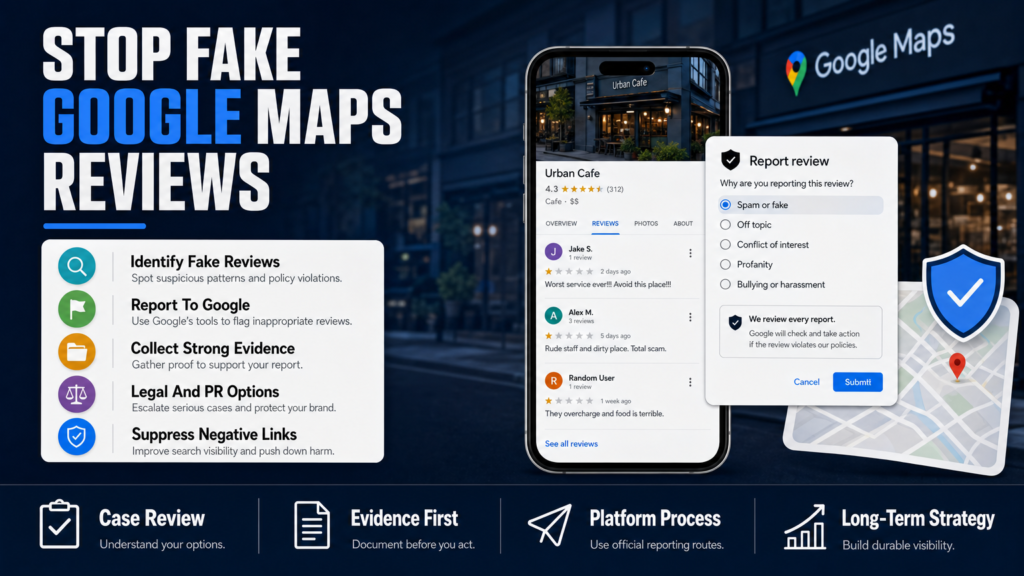
What you can do immediately: flag the review in Google’s interface, respond publicly from the business profile, collect evidence showing the review is fake or in violation of policy, and escalate through formal channels or legal routes when appropriate.
- Locate the review in the Google Maps business profile.
- Use the three‑dot menu next to the review and select “Flag as inappropriate” to start a report.
- Save screenshots, timestamps, and any account metadata before it changes or the reviewer deletes it.
- Write a calm, factual public response from the business listing explaining steps taken or disputing facts.
- Owner actions: flag review, respond publicly, collect evidence, contact platform support.
- Google actions: removal only if it violates Google’s policies or if a valid legal request exists.
- Limits: Google won’t remove truthful negative reviews or most opinions even if they’re harmful.
When Google Is Likely To Remove A Review
Google is more likely to remove reviews that clearly violate policy: spam, fake accounts, sexual content, hate speech, threats, or content that includes personal data (doxxing).
Removal depends on the content, publisher, platform policies, evidence, jurisdiction, and circumstances.
- Spam/fake account signals: identical text across reviews, many reviews from the same small set of accounts, new accounts with no activity.
- Impersonation: reviewer claims to be someone else or is posing as your business.
- Illegal content or privacy violations: arrests records posted as images, doxxing, or doxing links.
Is There An AI Background Remover Available?
This question appears in People Also Ask because reviewers sometimes attach images with identifiable backgrounds (storefronts, interiors, staff) that businesses want edited before reusing. There are many AI background removers — remove.bg, Canva, and several mobile apps can remove or replace backgrounds quickly.
But removing an image background is not a method to remove the review itself. If a review includes an image that violates privacy or is defamatory, you should report the review and the image to Google. Use an AI background remover only for your legitimate marketing assets after you’ve secured the right to edit and reuse the photo.
- If a reviewer posted a photo that violates your privacy or includes protected information, flag the review and the image to Google first.
- If you legitimately own the original image and want a clean version for your site, run it through a trusted tool such as remove.bg or Canva and retain the original file and edit logs.
- Popular free tools: remove.bg (web), Canva (paid tiers for batch), and mobile apps for one‑off edits.
- Use cases: editing your own images for SEO and social media; not a fix for user‑generated images attached to a review.
- Caveat: Do not alter images that are evidence or part of an ongoing dispute before sharing them with counsel.
Which Free AI Background Removers Work Best For Quick Edits
For single images, remove.bg often gives accurate, fast results. For batch edits and design templates, Canva’s image background remover is convenient. None of these alter platform content or influence a takedown decision.
- remove.bg — quick, accurate for portrait/storefront shots.
- Canva — good for design workflows and resizing for profiles and posts.
- Mobile apps — useful for one‑off edits but check export quality for web use.
How To Remove 1‑Star Google Reviews
One‑star reviews are removed only when they violate Google’s review policies or when a legal request applies. You can pursue platform reporting, evidence collection, contact the reviewer (carefully), escalate to Google Business Profile support, or consult counsel for legal options.
Assess whether the review is false, fabricated, spam, or an expression of opinion. Distinguish opinion (usually remains) from factual falsehoods (which may be removable if you can prove them wrong).
- Step 1 — Document the review: screenshot the review, note the URL, reviewer handle, and time.
- Step 2 — Search for patterns: check if similar text appears on other listings or if multiple reviews come from the same accounts.
- Step 3 — Flag in Google: use the three‑dot menu next to the review and choose “Flag as inappropriate.”
- Step 4 — Submit a legal removal request if the review includes threats, doxxing, or content that is illegal in your jurisdiction.
- Step 5 — Respond publicly: craft a brief, professional reply that corrects factual errors and invites offline resolution.
- Do NOT post a public plea that asks customers to delete or change their honest review — that can violate platform rules.
- Gather objective evidence: transaction records, CCTV timestamps, staff rosters, timestamps that contradict the reviewer’s claim.
- Use the official flagging flow first; escalate only when you have supporting evidence.
How To Write A Public Reply That Helps
A public reply shows prospective customers you take complaints seriously. Keep it short, factual, and non‑defensive. Invite the reviewer to contact you offline to resolve the issue and include a contact method.
Example structure: thanks + acknowledgement + factual correction (if any) + offer to resolve offline.
- Avoid inflammatory language or asking other customers to retaliate.
- Do not mention legal threats publicly — keep those conversations offline.
When To Escalate To Paid Support Or Legal Counsel
Escalate if the review is part of a coordinated attack, includes threats or doxxing, or if reputational harm is causing measurable business loss and platform reporting is not effective. A qualified attorney can determine whether a legal claim may be available.
- Repeated, coordinated fake reviews that flood your listing may justify professional intervention.
- Legal options vary by jurisdiction and require evidence; we coordinate with qualified legal professionals when a matter requires legal analysis.
How To Delete A Review You Wrote On Google
If you wrote a review and want to delete or edit it, you can do so directly from your Google account. This is the only straightforward case of removing a review — you control content you authored.
Remember that deleting or editing your personal reviews does not influence other users’ reviews or platform policies.
- Open Google Maps (web or mobile) and make sure you’re signed in with the account that posted the review.
- Go to Your Contributions > Reviews, find the review, click the three dots and choose Edit or Delete.
- On mobile, open the business profile, tap Reviews, find your review, then tap the three dots to edit or delete.
- You must be signed into the Google account that posted the review.
- Deleting removes it from your profile and the business listing immediately; Google caches may show it for a short time.
- If you want to revise a review instead, edit rather than delete so context is preserved.
If You Can’t Find The Review
If you don’t see the review, you may be signed into a different account or the review may already be removed by Google. Check all Google accounts you use and look for email confirmations of your review.
- Check older email receipts from Google if you have them.
- If you truly can’t recover it, contact Google support for help locating content posted from your account.
When Removal Isn’t Available — Mitigation And Suppression
Sometimes Google will not remove a review because it’s an opinion or because platform policy does not apply. When removal is unavailable, we may recommend mitigation, correction, or reduced visibility.
Mitigation strategies combine public responses, SEO to push harmful results down, fresh authoritative content creation, and controlled PR or legal steps when justified.
- Audit your Google Business Profile and all top ranking pages for branded search terms.
- Create or optimize pages you control: service pages, staff bios, FAQs, news posts, and third‑party profiles (LinkedIn, Facebook, industry directories).
- Ask satisfied, verifiable customers to leave genuine reviews — never offer inducements or incentives.
- Monitor changes and adapt the SEO strategy to attack the ranking of the offending page.
- SEO suppression: build higher‑authority, relevant pages (location pages, staff bios, press, helpful resources) to push the negative review off page one.
- Reputation content: encourage legitimate happy customers to leave balanced reviews without offering incentives.
- PR and messaging: promote accurate narratives, correct factual errors with publishers, and coordinate with counsel if necessary.
Estimating Timeline For Suppression
We develop SEO reputation strategies intended to improve the visibility of relevant and credible information. Search results may change because algorithms, competitors, publishers, and user behavior are outside our control.
Some cases may begin to show measurable change in weeks to a few months; strong, sustained suppression campaigns commonly take 3–9 months depending on the authority of the negative content.
- Shorter timelines when you control many authoritative pages.
- Longer timelines when the negative result is on a high‑authority news site or large review aggregator.
Learn More About The Cost Of A Fake Review
If you want to quantify the business impact of a manufactured review, see this analysis of reputational damage and lost revenue: What One Fake Review Actually Costs Your Practice.
Monitoring, Documentation, And Escalation Paths
Ongoing monitoring detects patterns and creates the documentation you need to persuade Google, legal counsel, or other platforms. We handle matters confidentially and apply appropriate privacy and security controls.
Decide early whether the matter is a single false review or part of a larger attack — patterns make removal more likely and strengthen legal claims.
- Set Google Alerts and a review monitoring tool to catch new activity.
- Maintain a dated folder with screenshots, URLs, and copies of any communications with the reviewer or Google.
- If you escalate to legal counsel, provide a clean evidentiary package: chronological log, impact metrics, and preserved originals.
- Set alerts for brand mentions, new reviews, and sudden rating drops.
- Keep a secure log: screenshots, reviewer profiles, timestamps, and any customer records that prove or disprove the review.
- If the review includes personal data or illegal content, preserve evidence and speak with counsel before sharing it widely.
When To Use Paid Support Or Agency Services
Hiring experts can speed evidence collection, craft legal preservation letters, coordinate PR, and execute suppression SEO. A professional process offers project management and escalation channels but does not guarantee removal.
If your listing is tied to revenue, licensure, hiring, or client trust, consider a rapid assessment from a reputation firm.
- Complex, multi‑channel attacks or threats to licensure often require coordinated legal and PR support.
- We coordinate with qualified legal professionals when a matter requires legal analysis.
Related Reading On The Cost Of Reviews
For more on how a single star affects revenue projections and reputation, see What a One‑Star Review Can Cost Your Business’s Bottom Line.
Legal Options, Privacy, And When To Consult Counsel
The content may warrant legal review. A qualified attorney can determine whether a legal claim may be available, such as defamation, impersonation, or violations of privacy statutes. We never promise a particular legal outcome; the viability of claims depends on evidence, law, and jurisdiction.
Common legal steps include preservation letters, subpoenas to platforms (when lawful), cease‑and‑desist letters, and court actions for removal or damages. These are context‑specific and typically require strong documentation.
- Collect and preserve all evidence (screenshots, metadata, server logs) securely.
- Ask counsel to draft preservation notices for Google or third‑party publishers if necessary.
- Consider targeted injunctive relief only when the harm is immediate and severe and other routes fail.
- Legal remedies vary by state and federal law — consult a local attorney for jurisdictional advice.
- Platform decisions remain under the platform’s control; courts may compel removal in rare cases, but outcomes vary.
- Coordination between counsel, PR, and technical teams improves chances of a coordinated response.
When Licensure Or Clients Are At Risk
If a review alleges professional misconduct that could threaten licensure or client safety, escalate immediately. See an analysis on the potential professional impact: Can One Bad Review Cost You Licensure or Clients?.
DIY Reporting vs Hiring a Reputation Agency
A clear comparison to help you choose the right path for a fake‑review incident.
| DIY Reporting | Hiring An Agency |
|---|---|
| Cost | Up‑front low cost; variable professional fees |
| Speed | Dependent on your time and experience |
| Evidence Collection | You’ll handle preservation; may miss technical traces |
| Platform Escalation | Limited; agencies have templated escalation processes |
| Legal Coordination | Requires hiring separate counsel or agency coordination |
| SEO Suppression | Possible but slower without an ongoing program |
| Suitability | Good for one‑off issues with clear policy violations |
Hypothetical: How a Small Clinic Recovered From A Review Attack
Scenario: A three‑provider medical clinic wakes up to ten one‑star Google Maps reviews posted over 48 hours. Most reviews are identical, reference non‑existent visits, and include no contact details. The clinic loses several appointments the following week.
Action taken: The clinic documented all reviews with timestamps and screenshots, cross‑checked appointment logs to prove visits didn’t occur, flagged the reviews in Google Business Profile, and responded publicly to each review with a standardized, calm reply requesting the reviewer call to resolve.
Escalation and outcome: After Google didn’t remove all reviews within a week, the clinic engaged a reputation firm to collect account patterns, prepare a legal preservation package, and run a suppression SEO campaign to promote positive patient testimonials and authoritative clinic pages. Within 6–12 weeks the most visible search results for the clinic’s name were positive articles and updated location pages; Google removed several obviously fake reviews after repeated, evidence‑backed flags.
- Immediately document and preserve all offending reviews.
- Flag reviews in Google and respond professionally from the business profile.
- If rapid removal is critical, engage a reputation specialist and consult counsel for legal preservation and escalation.
- Start a structured campaign to promote fresh, authoritative content and solicit legitimate reviews.
- Documentation helped persuade Google that the reviews were coordinated spam.
- Public replies limited immediate reputational damage and showed active management.
- Suppression SEO and review solicitation improved overall star rating and visibility over months.
Common Mistakes That Make Fake Reviews Harder To Fix
Avoid these frequent errors that slow down removal or mitigation efforts.
Mistake: Panicked Public Replies
Posting angry, accusatory replies to fake reviewers escalates perception risk and can be used against you. Keep public responses factual, concise, and composed.
Mistake: Deleting Legitimate Negative Reviews
Trying to erase legitimate criticism by asking reviewers to remove honest feedback can backfire and violate platform rules if you offer incentives. Address valid complaints and fix underlying service problems.
Mistake: Not Preserving Evidence Early
Reviews and account details can change or be deleted. Failing to take timely screenshots, save URLs, and capture account metadata weakens escalation and legal options.
Mistake: Assuming Google Will Remove Everything Harmful
Google enforces specific policies and does not act simply because a review is negative. Build a plan for mitigation if removal is refused.
Mistake: Ignoring Patterns
Treating each fake review as isolated rather than looking for coordinated patterns (same language, same IP ranges, same small reviewer pool) limits your leverage with Google and counsel.
Best Practices For Handling Fake Google Maps Reviews
Adopt these durable practices so you’re prepared before an incident.
Document Immediately And Secure Evidence
Take dated screenshots, record the review URL, and capture reviewer profile details. Preserve server logs or transaction records that disprove the review if relevant.
- Store evidence in a secure, access‑controlled folder.
- Note exact timestamps and any staff on duty at the alleged time.
Respond Publicly, Privately Resolve
Post a calm, factual public reply that invites offline resolution and shows other customers you are responsive. Move details offline promptly to protect privacy.
- Reply template: thank, acknowledge, offer contact method, invite resolution offline.
Use Official Google Flows Correctly
Flag from the business profile and use Google Business Profile support for escalations. Provide structured evidence when asked.
We use the official reporting and review processes made available by platforms.
- Flag first, then escalate with documentation if necessary.
- Follow up persistently but professionally; support queues can be slow.
Prepare A Suppression Plan
If removal is unlikely, create higher‑authority content and encourage authentic reviews to reduce the negative result’s prominence. SEO reputation strategies aim to improve visibility of credible information.
- Prioritize pages you control: location pages, staff bios, FAQ, blog posts on common issues.
- Coordinate review solicitation with consistent service follow‑up and verification.
Coordinate PR And Legal When Necessary
When reputational damage threatens licensing, revenue, or hiring, coordinate with counsel and PR. Legal steps can be effective but are not automatic and depend on jurisdiction and evidence.
- Engage counsel to assess defamation or privacy claims.
- Use PR to correct the record when appropriate and factual.
Expert Tips
- Always screenshot the review and the reviewer profile immediately — metadata frequently changes.
- Never offer money or discounts for review deletions; that violates platform rules.
- Look for identical or similar language across reviews to identify coordinated attacks.
- If a review includes personal data, preserve the image and speak to counsel before widespread sharing.
- Use short, calm public replies that demonstrate your intent to resolve issues offline.
- Track the business’s average rating weekly to see whether a single review materially changes perception.
- Create an internal review‑response playbook so staff react consistently under pressure.
- When in doubt, escalate evidence to a specialist before spending resources on legal action.
Conclusion
Fake reviews on Google Maps are frustrating — and sometimes removable — but removal is never guaranteed. The right approach combines prompt evidence preservation, precise use of Google’s reporting tools, calm public communication, and strategic mitigation when takedowns aren’t granted.
If a review threatens revenue, licensure, or client trust, consider coordinated support: documentation, legal review, targeted SEO suppression, and PR. An early assessment will show whether the content may qualify for removal or whether a mitigation plan is the faster, more reliable path to restoring reputation.
Why Businesses Choose Your Reputation Agency
Managing your reputation takes more than monitoring reviews or publishing the occasional blog post. It takes a strategy built around your situation, your industry, and what is actually showing up in search.
Your Reputation Agency works with businesses, executives, healthcare professionals, attorneys and growing brands. Our services include:
- Remove defamatory content and false posts (news, blogs, listings)
- Remove or challenge negative reviews (Google, Yelp, TripAdvisor, industry sites)
- Mugshot and arrest record removal
- Remove videos, images, and other multimedia that damage reputation
- Remove personal data from people‑search and data‑broker sites (opt‑outs)
- Search result suppression (SEO to bury negative links)
- Social media takedowns and impersonation removal
- Rapid online crisis management and incident response
- Ongoing monitoring and alerting of reputation signals
- Coordination with legal counsel and use of legal tactics when required
Frequently Asked Questions
1. Can you delete Google Maps reviews?
You cannot directly delete someone else’s review. Google reviews are removable only if they violate Google’s policies or if a legal request applies. Your practical steps are to flag the review, collect evidence, respond publicly, and escalate through formal support or legal channels when appropriate.
2. Is there an AI background remover available?
Yes — services like remove.bg and Canva offer fast AI background removal for images you control. These tools are for editing photos you own and do not affect user‑generated images attached to a Google Maps review; if a review image violates policy, report it to Google instead.
3. How do I remove 1 star Google reviews?
To pursue removal, document the review, flag it in Google Business Profile, and provide evidence that it violates policy (spam, impersonation, personal data, etc.). If the review is opinion or truthful, removal is unlikely and you should pursue mitigation such as SEO suppression and public response. Consult counsel for possible legal options when content is defamatory or illegal.
4. How do I delete a review I did on Google?
Sign into the Google account that posted the review, open Google Maps, go to Your Contributions > Reviews, find the review, and choose Edit or Delete. On mobile, open the business profile, find your review under Reviews, and use the three‑dot menu to edit or delete.
5. How long does it take for Google to remove a flagged review?
Timing depends on Google’s review queues, the complexity of the report, and whether you provide clear evidence. Some clear policy violations are removed within days; other cases can take weeks or longer. Timing depends on the platform, publisher, evidence, legal complexity, and search‑engine behavior.
6. Can you sue to remove a fake Google review?
Legal action is an option in some cases, such as defamation, threats, or doxxing, but outcomes depend on jurisdiction, evidence, and whether the reviewer is identifiable. A qualified attorney can determine whether a legal claim may be available and coordinate preservation and subpoenas if necessary.
7. What if Google refuses to remove a coordinated review attack?
If Google refuses, focus on mitigation: build authoritative content, solicit legitimate reviews, run a suppression SEO campaign, and coordinate PR and legal counsel when reputational harm is severe. We develop strategies intended to improve visibility of credible information but cannot guarantee search rankings.
8. Will asking customers to remove negative reviews violate Google’s rules?
Asking customers to remove honest reviews in exchange for money, discounts, or other incentives can violate platform policies. It’s acceptable to ask a customer to reconsider or update a review after resolving an issue, but avoid any offer of compensation or coercion.
9. How can I measure the business impact of a fake review?
Track appointment cancellations, conversion rates from local search, and changes in star rating and click‑through rates after the review appears. For an analysis of reputational impact and costs, see What One Fake Review Actually Costs Your Practice.
This content provides general information and does not constitute legal advice. The available options and likely outcomes depend on the facts, evidence, platform policies, applicable law, jurisdiction, and public-interest considerations.
Past examples do not guarantee future results. Removal, correction, deindexing, and search-position changes depend on third parties and circumstances outside Your Reputation Agency’s control.