You typed google delete all reviews because you’re facing bad feedback that shows up when clients or colleagues search your name. That panic — seeing stars and headlines you don’t control — is the exact scenario this article is written for.
This guide explains what Google will and won’t remove, how to file the correct reports from Android and the web, and realistic alternatives when deletion isn’t possible. We also cover timing, evidence, and escalation to legal or SEO-based suppression.
You’ll get step-by-step actions you can take immediately, templates for reporting and appeals, and a checklist for deciding when to hire external help. The steps favor accuracy and platform rules over wishful thinking: removal depends on policy, evidence, and platform discretion.
Table of Contents
- Why are so many Google reviews being removed?
- Can you actually get Google reviews removed?
- How do I remove bad reviews from my Google account?
- Why won’t Google let me delete my review?
- How to delete all reviews: is bulk removal possible?
- What to do when removal is NOT available
- Measuring success: timelines and realistic expectations
- Comparison: DIY removal vs hiring a reputation agency
- DIY vs Agency: Quick Comparison
- Hypothetical: The Local Surgeon and a Review Attack
- Common Mistakes That Make Review Problems Worse
- Best Practices For Handling Review Issues
- Expert Tips
- Conclusion
- Why Businesses Choose Your Reputation Agency
- Frequently Asked Questions
Why are so many Google reviews being removed?
Google removes reviews when they violate its policies: fake reviews, reviews that include hate speech, personal attacks, doxxing, or conflicts of interest (e.g., businesses posting about themselves). The volume you’re seeing disappear often reflects large-scale enforcement runs, spam sweeps, or algorithm updates aimed at review manipulation.
Removal activity can appear concentrated after a platform policy change, a publicized crackdown, or when a competitor or affected business files coordinated reports. That doesn’t mean every removed review was illegitimate — moderators and automated systems can make mistakes.
- Check Google’s review policy and note which rule the removed review likely violated.
- If you think removal was an error, use the appeal link in Google Maps or the business profile to request a review.
- Document screenshots, account links, dates, and any evidence of manipulation before filing an appeal.
- Policy enforcement cycles: Google periodically runs audits that remove inauthentic or policy-breaking reviews.
- Automated detection: Machine learning flags patterns of fake or coordinated reviews for removal.
- User reports: Businesses and consumers can report reviews, triggering human review.
- False positives happen: Some legitimate but critical reviews are sometimes removed or suppressed by mistake.
How enforcement affects review visibility
When Google removes reviews en masse, visibility can shift: older reviews may reappear or be re-ordered as the index updates. Remember that platform moderation is separate from search indexing, so a review removed from Google Maps may still be cached elsewhere until search indexes refresh.
- Removal on Maps ≠ removal from web caches or third‑party mirrors.
- Index updates can lag hours to weeks.
Can you actually get Google reviews removed?
Yes — sometimes. Google will remove reviews that clearly violate its policies or its Terms of Service, and it offers processes for businesses and users to report policy violations. However, Google does not remove reviews simply because they are negative, inaccurate opinion, or inconvenient.
We evaluate whether the content may qualify for removal or review using platform rules, evidence, and context. Removal depends on the content, publisher, platform policies, evidence, jurisdiction, and circumstances.
- Collect evidence: screenshots, timestamps, reviewer profile link, and any proof linking the reviewer to a fake/abusive account.
- Use the official report flow in Google Maps or Google Business Profile: pick the right violation category and include concise evidence.
- If Google declines, escalate: prepare an appeal with clearer documentation or consider legal review if the content is defamatory.
- Grounds for removal: spam, fake accounts, hate speech, sexual content, doxxing, direct threats, illegal content, or reviews that expose personal data.
- Not grounds: honest negative reviews, subjective complaints, or truthful public-record facts (e.g., arrest records).
- You can also request removals for impersonation accounts and for reviews that include sensitive personal data.
When removal requires legal action
Some content may be defamatory or illegal and may require a subpoena or court order to compel removal. A qualified attorney can determine whether a legal claim may be available; we coordinate with legal professionals when a matter warrants legal analysis.
- Examples: false factual allegations presented as fact, coordinated impersonation linked to identity theft.
- Legal routes are jurisdiction dependent and can be slow and costly.
How do I remove bad reviews from my Google account?
If you want to remove a review you wrote, you can delete it from your Google account. If you want a review removed from your business listing, you must report it or request an edit through the Google Business Profile interface.
Below are the practical steps for both scenarios, including instructions for Android and the Google app.
- To delete a review you wrote (Desktop): Open Google Maps → Menu → Your contributions → Reviews → Find the review → Click the three dots → Delete review.
- To delete a review you wrote (Android): Open Google Maps app → Saved/Contribute → Reviews → Open the review → Tap three dots → Delete.
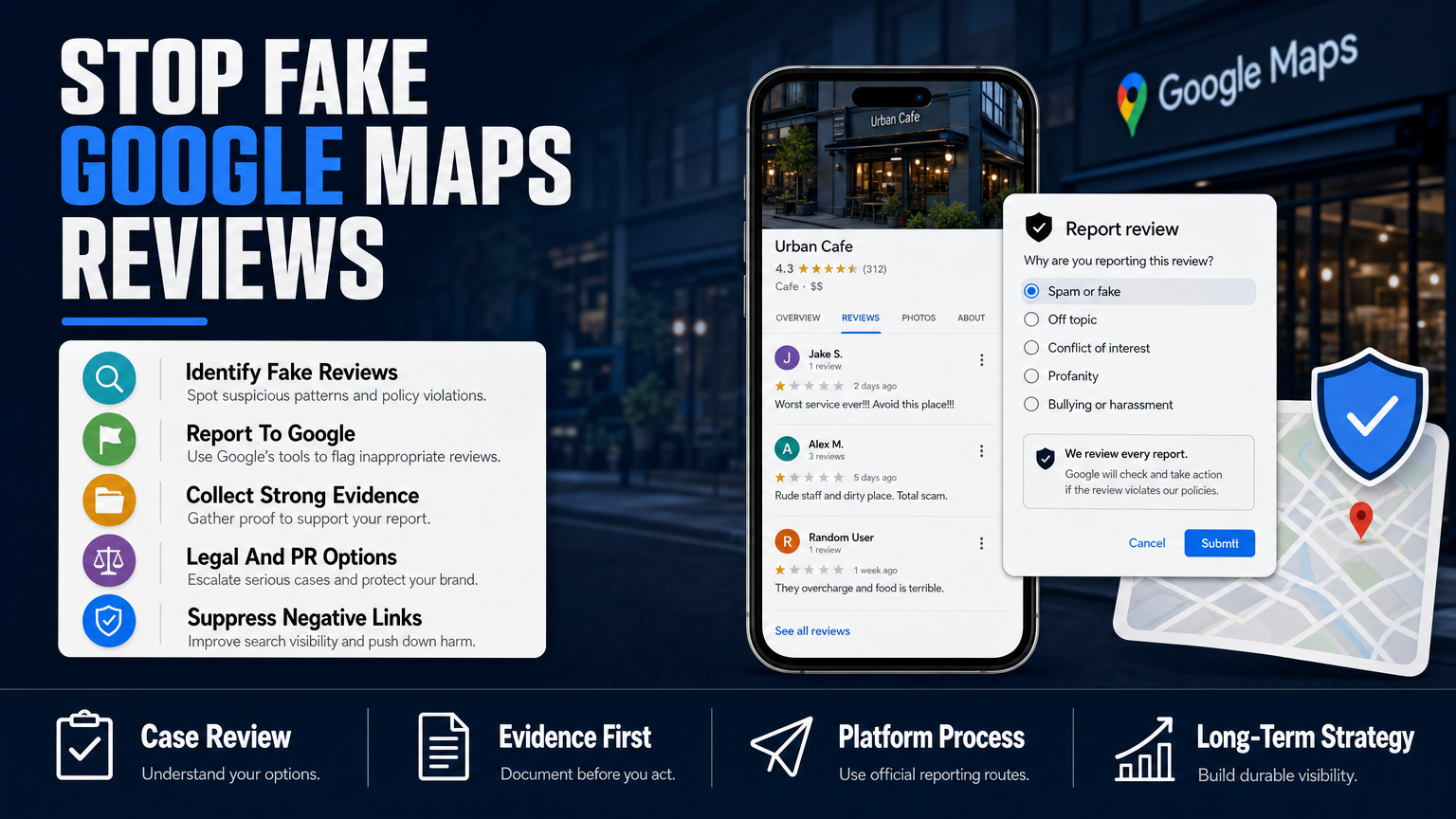
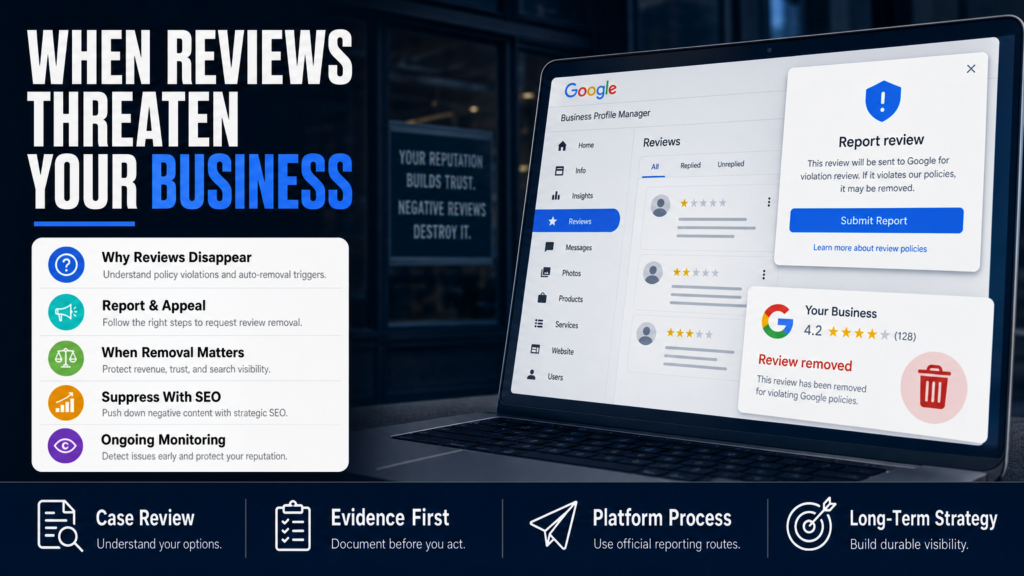
- To report a third-party review (Business owner): Sign into Google Business Profile → Find the review on your listing → Click the three dots → Flag as inappropriate → Choose the relevant violation and submit.
- Removing your own Google review will delete it from the reviewer profile and business listing.
- You cannot force another user to delete their review; you can only report it or respond publicly.
Using the Google app versus desktop
The flows are similar across Android, iOS, and desktop. If something doesn’t appear, check that you’re using the account connected to the business or reviewer. Apps can lag; refresh and check again after a short wait.
- Android: menu paths can differ by OS version — use the app’s ‘Contribute’ or ‘Your profile’ tabs.
- Desktop: the three-dot menu next to a review is the consistent control for deleting or flagging.
When reporting from inside the Google Maps app
Flagging a review sends it into Google’s moderation queue. Provide concise evidence (links, screenshots) and select the most specific violation category available — this improves the odds that a human reviewer will prioritise the case.
- Don’t file vague reports — name the exact policy breach.
- If multiple reviews from the same user are abusive, report each and include context linking them.
Why won’t Google let me delete my review?
If you can’t delete a review you wrote, it often means you’re not signed into the same Google account that posted it, or the review is attached to a business profile managed under a different account type. For business owners, Google forbids removing reviews simply because they’re negative — only policy violations justify deletion.
Platform decisions remain under Google’s control; if the platform refuses to remove content you believe violates policy, you can appeal, provide more evidence, or pursue legal options if the content is unlawful.
- Confirm you’re signed into the correct Google account that authored the review.
- If you still can’t delete it, take screenshots and use the ‘report a problem’ flow or reach out to Google Business Profile support.
- If Google declines removal and the content appears defamatory, consult an attorney about a DMCA-style or defamation takedown in your jurisdiction.
- Common reasons: wrong account, cached interface, or review is not actually a review but a public post or Q&A entry.
- If the reviewer’s account is deleted, the review might remain as a residual entry until Google’s index updates.
Technical troubleshooting
If the UI doesn’t show the delete option: clear the app cache, update the Maps app, try desktop mode, or log out and log back in. If the problem persists, it may be a platform bug — record steps and contact Google support directly.
- Clear cache and app data (Android) then restart Google Maps.
- Try the same action in browser incognito mode to rule out account conflicts.
How to delete all reviews: is bulk removal possible?
There is no Google-supported single-button method to ‘delete all reviews’ for a business or personal reviewer if those reviews are authored by multiple accounts. For reviews you authored from one account, you can remove each review from your profile one by one; some API or script-based solutions exist but they violate Google’s Terms of Service and risk penalties.
If you’re a business owner facing a mass of fake or coordinated reviews, Google offers escalation routes: contact Google Business Profile support, submit evidence of coordinated manipulation, or work with a specialist who documents and compiles reports for Google’s trust team.
- Manual (your reviews): open your contributions and delete each review as shown earlier.
- Mass fake reviews: collect metadata (timestamps, reviewer profiles, IP evidence when available), then open a formal support case with Google Business Profile.
- If Google’s response is insufficient, consider a coordinated public-relations mitigation and SEO suppression plan to reduce visibility of attack content.
- You can delete reviews you authored from one account manually; there is no bulk-delete for other users’ reviews.
- Automated deletion using scripts or bots is against Google’s policies and risks enforcement.
- For large-scale fake review attacks, build a documented case and escalate through official support channels.
Android or app-specific notes
Searching for ‘google delete all reviews android’ or ‘google delete all reviews app’ returns user tips, but avoid any app claiming bulk-deletion for others’ reviews — these are likely scams or tools that violate Google’s terms.
- Use official Google Maps or Google Business Profile apps for reporting.
- Do not share account passwords or sensitive credentials with third-party apps.
What to do when removal is NOT available
When removal isn’t possible — for example, truthful negative reviews, opinions, or public-record facts — your choice is mitigation: respond strategically, suppress through SEO, and control the narrative with fresh, authoritative content.
We develop SEO reputation strategies intended to improve the visibility of relevant and credible information. Search results may change because algorithms, competitors, publishers, and user behavior are outside our control.
- Draft a careful public response: acknowledge, offer to resolve offline, avoid admission of wrongdoing.
- Publish positive content targeting the same keywords as the negative result (press, blog posts, FAQ pages).
- Use structured data, Google Posts, and updated local listings to increase the number of positive assets in search results.
- Respond professionally and promptly to negative reviews — factual, concise replies can reduce damage.
- Create high-quality owned content (service pages, staff bios, press releases) to occupy search real estate.
- Use local citations, social profiles, and third-party platforms to build positive signals that outrank negative entries.
When to involve a reputation specialist
If the negative content is high-authority, persistent, or tied to a coordinated smear, consider outside help. Specialists compile evidence, coordinate appeals, deploy SEO suppression, and liaise with PR or legal counsel as needed.
- Specialists do not guarantee removal; they pursue available technical, platform-based, and reputational options.
- If you’re in a regulated profession, read What One-Star on Google Can Cost a Medical Practice for additional context on the stakes and standard responses.
Measuring success: timelines and realistic expectations
There’s no universal timeline. Some review removals happen within days; other cases — especially those requiring legal processes or SEO suppression — can take weeks or months. Timing depends on the platform, publisher, evidence, legal complexity, and search-engine behavior.
We provide an estimated timeline after individual assessment. Cases that begin to show change within a general estimated range are possible, but results vary according to the strength of the negative content and the authority of competing sources.
- Start with the quickest channels (Google report, documented appeal).
- Simultaneously implement mitigation (responses, fresh content, citations).
- If necessary, open legal review and prepare for longer timelines.
- Simple policy removals: days to a few weeks.
- Appeals and escalations: weeks to months.
- Legal remedies or court orders: months, sometimes longer.
- SEO suppression: several weeks to many months depending on content authority.
Why SEO suppression takes time
Search engines reward relevance and authority. Producing and promoting alternative content to outrank a highly authoritative negative piece requires consistent signals: backlinks, social shares, and on-page relevance. That work compounds over time.
- High-authority publishers are hard to outrank quickly.
- Consistency in publishing and outreach accelerates results.
Comparison: DIY removal vs hiring a reputation agency
Choosing between doing this yourself and hiring an agency depends on scale, complexity, and the stakes. Below is a short comparison to help decide.
For deeper cost/benefit and legal-risk considerations, see our analysis of review impact in What a One‑Star Review Can Cost Your Business’s Bottom Line.
- Assess volume and severity. If an attack is limited and straightforward, consider DIY first.
- If it is coordinated, high-impact, or persistent, gather evidence and consult a specialist.
- DIY is lower cost but requires time and understanding of platform policy.
- Agencies offer documentation, escalation paths, and coordinated SEO/PR responses but cannot promise removal.
When to escalate to an agency
If reviews are coordinated, tied to impersonation, or if your professional license could be at risk, escalation is appropriate. For medical professionals, read Can One Bad Review Cost You Licensure or Clients? for a related discussion about professional risk.
- Multiple platform incidents (reviews, social smear, fake accounts) indicate escalation.
- If you lack internal resources to document and pursue platform appeals effectively, an agency helps centralize the response.
DIY vs Agency: Quick Comparison
A compact look at responsibilities, costs, and likely speed.
| DIY | Agency |
|---|---|
| Cost | Higher upfront, ongoing fees |
| Control | Delegated; coordinated strategy |
| Speed (simple cases) | Faster for documentation & escalation |
| Complex attacks | Professional evidence gathering |
| Legal coordination | Often integrated with counsel |
| SEO suppression | Dedicated campaign management |
| Risk of mistakes | Lower with experienced team |
Hypothetical: The Local Surgeon and a Review Attack
Dr. A — a hypothetical, anonymised example — noticed two negative Google reviews and a third-party blog post with factual errors. The surgeon searched for ‘google delete all reviews’ and found no shortcut. Here’s a plausible, anonymised process they followed.
This example is illustrative only and not a reported client case.
- 1) Day 0–3: Gather evidence and file flags on Google Business Profile; respond to reviews courteously without admitting liability.
- 2) Day 4–21: Track Google’s moderation responses; escalate to Google support with a consolidated packet if initial flags are denied.
- 3) Week 3–12: Launch suppression campaign: create optimized pages, media mentions, and social profiles to push negative items down the SERP.
- 4) Month 3+: If the blog is high-authority and contains provably false factual assertions, coordinate legal counsel to evaluate a correction demand or legal options.
- Step 1: Document everything — screenshots, reviewer profiles, and timestamps.
- Step 2: Report policy violations to Google where applicable and request review.
- Step 3: Respond publicly to reviews with a professional, HIPAA‑aware reply offering offline contact.
- Step 4: Publish authoritative content (staff bio, clinic updates) and promote via local citations.
- Step 5: If errors in the third‑party blog were defamatory, seek legal review for a possible correction or takedown.
Common Mistakes That Make Review Problems Worse
Avoid these frequent errors. Each can waste time or increase reputational harm.
- Responding emotionally or using defensive language in public replies.
- Paying for fake positive reviews (violates terms and increases platform risk).
- Using unauthorized third‑party tools that request account access or credentials.
- Failing to document evidence before content is changed or deleted.
- Assuming removal is guaranteed because content is merely negative or embarrassing.
Mistake: Public arguments with reviewers
Engaging in heated back-and-forths publicly escalates visibility and can create more negative content. Always aim to move the conversation offline and offer clear remediation steps.
- Keep replies short, factual, and professional.
- Invite the reviewer to contact you privately to resolve the issue.
Mistake: Buying positive reviews or fake accounts
Paid or fake reviews violate platform rules and can trigger broader penalties, including removal of legitimate reviews or suspension of listings.
- Grow reviews organically via verified customer follow-ups.
- Use email or SMS askers with links to your Google Business Profile for legitimate review solicitation.
Mistake: Ignoring documentation
Platforms and counsel need clear evidence. If you don’t capture screenshots and reviewer details before content changes, you lose leverage.
- Archive copies of the review and page URL at time of discovery.
- Collect any communications from the reviewer.
Mistake: Trusting unvetted ‘bulk delete’ tools
Any tool promising bulk deletion of other people’s reviews is likely illegitimate and can expose your accounts to suspension or fraud.
- Stick to official Google interfaces or vetted agency processes.
- Never share passwords with third-party apps.
Best Practices For Handling Review Issues
Adopt durable processes that reduce future risk and restore trusted signals in search results.
- 1) Audit your listings and claim all business profiles.
- 2) Set up alerts and monitoring for new reviews and brand mentions.
- 3) Prepare templated, compliant responses for common complaints.
- 4) Run periodic reputation audits and adjust SEO priorities.
- Treat every review as public — respond quickly and professionally.
- Document and archive evidence for any alleged policy violation.
- Maintain a steady stream of authoritative, keyword-targeted content for suppression.
- Use platform reporting correctly and escalate when necessary.
Response templates that work
A short, professional template reduces reaction time and avoids legal exposure. Example: ‘Thank you for your feedback. We take these concerns seriously — please call our office at [phone] or email [address] so we can address this directly.’
- Avoid admitting fault or discussing private patient details.
- Offer clear contact paths for resolution.
Monitoring and alerting
Set up Google Alerts for your name, business, and key staff, plus a reputation-monitoring tool to track review volume and sentiment changes in real time.
- Early detection enables faster reporting and mitigation.
- Log incidents in a central tracker for audit and escalation.
Expert Tips
- Do not attempt to remove another person’s review by creating fake accounts; it risks platform penalties.
- When flagging a review, pick the most specific policy category and attach concise evidence.
- Respond publicly to acknowledge and offer offline resolution — many readers judge a business by its replies.
- Archive every disputed review immediately with a timestamped screenshot and URL.
- If you suspect coordination, collect patterns (IP ranges, timing, identical wording) before escalation.
- Use structured data and Google Posts to create more positive search assets around your name.
- Avoid inflaming reviewers — calm, solution-focused language reduces viral spread.
- If professional licensure is at stake, consult an attorney before posting public responses.
Conclusion
Searching for google delete all reviews is a sign you need clear, prioritized action. Start by documenting the issue, using Google’s reporting and appeal flows correctly, and responding publicly in a calm, solution-oriented way.
When removal is available under Google policy or law, pursue it with evidence and the correct categories. When it isn’t, use measured mitigation: diplomatic responses, SEO suppression, and controlled messaging. If the matter is high-stakes or coordinated, professional specialists and legal counsel can help assemble evidence and escalate — but neither can guarantee outcomes.
Why Businesses Choose Your Reputation Agency
Managing your reputation takes more than monitoring reviews or publishing the occasional blog post. It takes a strategy built around your situation, your industry, and what is actually showing up in search.
Your Reputation Agency works with businesses, executives, healthcare professionals, attorneys and growing brands. Our services include:
- Remove or suppress negative Google search results and news articles
- Take down or mitigate negative reviews (Google, Yelp, Trustpilot, industry sites)
- Remove defamatory content, false posts and impersonation accounts
- Remove personal data from people-search and data-broker sites (opt-outs)
- Mugshot and arrest-record removal or suppression
- YouTube and negative video removal / demotion
- Rapid crisis response for viral incidents and online smear campaigns
- Social media impersonation and fake account removal
- Reputation monitoring, alerts and ongoing surveillance
- Search engine reputation repair (SEO to bury negative results)
Frequently Asked Questions
1. Why are so many Google reviews being removed?
Google conducts policy enforcement sweeps and removes reviews that violate its terms (spam, fake accounts, hate speech, doxxing). Large removals often follow algorithm updates or reports from users and businesses; however, moderators can make mistakes and legitimate reviews are sometimes removed in error.
2. Can you actually get Google reviews removed?
Yes, when they violate Google’s policies or are demonstrably fake or abusive. Removal depends on the evidence you supply, the policy category, and Google’s review process. For content that may be unlawful, a legal path could also be necessary; consult a qualified attorney for legal remedies.
3. How do I remove bad reviews from my Google account?
If you wrote the review, delete it from your Google profile via Google Maps (Your contributions → Reviews → Delete). To remove others’ reviews from your business, use the ‘Flag as inappropriate’ option in Google Business Profile and supply specific evidence of the policy violation.
4. Why won’t Google let me delete my review?
Common reasons include being signed into a different Google account than the one that posted the review, platform caching, or the review not meeting removal criteria. Confirm you’re using the correct account, try app and desktop flows, and appeal if you believe Google made a moderation error.
5. Is there a safe way to delete all reviews on Android or with the Google app?
There’s no official ‘delete all reviews’ button for multiple accounts or other users’ reviews. For reviews you authored, you can delete them one by one from the Google Maps app on Android. Avoid third-party apps claiming bulk deletion for others’ reviews as they may violate Google’s terms.
6. What should I do if removal is denied?
If Google denies removal, gather more evidence and submit an appeal or escalate through Google Business Profile support. Simultaneously, implement mitigation: respond professionally, publish authoritative content to push negative items down search results, and consider legal review if the content is false and injurious.
7. How long does it take for Google to remove a reported review?
Timing varies. Simple policy removals can happen within days, but appeals, legal requests, or SEO suppression can take weeks to months. Timing depends on the platform, evidence, legal complexity, and the authority of the content being challenged.
8. Can an agency delete reviews faster than I can?
An agency may be faster at compiling evidence, filing escalations, and coordinating appeals, but agencies cannot guarantee or promise removal. They also offer mitigation strategies (SEO, PR) that help reduce visibility if deletion is not possible.
9. Will deleting negative reviews hurt my SEO or rankings?
Deleting your own reviews is unlikely to harm search rankings; however, sudden changes or removal of many third-party reviews can alter local signals. Focus on building consistent, positive content and citations rather than attempting risky or non-compliant deletion tactics.
This content provides general information and does not constitute legal advice. The available options and likely outcomes depend on the facts, evidence, platform policies, applicable law, jurisdiction, and public-interest considerations.
Past examples do not guarantee future results. Removal, correction, deindexing, and search-position changes depend on third parties and circumstances outside Your Reputation Agency’s control.