You logged in and noticed a handful — or hundreds — of reviews for your school have disappeared, or a damaging review stays live despite requests for removal. This guide explains what is actually happening when Google remove school reviews and what you can realistically expect.
We’ll cover why Google sometimes removes reviews for schools, why broad removals can appear to happen all at once, whether you can remove a bad review yourself, and why you might be blocked from leaving a review for a school in the first place. The phrase google remove school reviews appears here because it’s the exact situation most readers are searching for and the actions below apply whether you run a preschool, charter school, private clinic embedded in an educational campus, or a district office.
This is not legal advice or a promise that a given review will be removed. Instead you’ll get a prioritized workflow — reporting channels, evidence to collect, escalation paths (technical, policy and legal), and fallback options when removal is unavailable.
Table of Contents
- Why did Google remove reviews from schools?
- Why are so many Google reviews being removed?
- Does Google allow you to remove bad reviews?
- Why can’t I leave a Google review for a school?
- How to report and escalate a problematic school review
- What to do when removal is NOT available
- Monitoring, recovery, and preventing repeat problems
- DIY vs Agency Assistance: Which Path to Take?
- Hypothetical example: Private preschool hit by a fake review
- Common Mistakes Schools Make When Handling Reviews
- Best Practices For Managing School Reviews
- Expert Tips
- Conclusion
- Why Businesses Choose Your Reputation Agency
- Frequently Asked Questions
Why did Google remove reviews from schools?
Google removes reviews for many different reasons. For schools specifically, removals can be driven by policy enforcement (spam, fake accounts, review-bombing), safety and privacy concerns, or classification changes to the place’s listing. Google’s team or automated systems may also take down reviews during a wider purge when they detect coordinated manipulation.
Removal decisions depend on the content, the account behavior behind the review, the category of the listing, and Google’s evolving policy enforcement. That means there isn’t a single cause — removals are contextual, and platform control remains with Google.
If many reviews vanish at once, it’s often because Google identified a pattern: one IP range posting many reviews, multiple accounts tied to the same phone numbers, or a coordinated campaign flagged by other users. In some cases Google temporarily freezes reviews on a category while it investigates abuse.
- Check the Google Maps listing activity (recent changes) and the Google My Business dashboard if you manage the listing.
- Search news or public notices — large-scale removals sometimes accompany announcements or media coverage.
- If you manage the school listing, preserve copies (screenshots) of removed reviews for records and potential legal review.
- Policy enforcement: spam, fake accounts, or coordinated attacks.
- Privacy or safety flags, sometimes affecting school listings.
- Business classification changes (e.g., listing converted to an organization page).
- Automated fraud-detection purges that remove suspicious reviewers.
How to tell why a specific review was removed
Google does not provide granular public explanations for every removal. Your best immediate evidence is whether the reviewer account still exists, whether other reviews by that account remain, and whether Google posted any banner or notice on the listing about policy enforcement.
If you manage the listing, you may receive a generic email about policy action. Keep that message and any timestamps; they matter if you later need to coordinate with counsel or file a separate takedown request with a publisher who reposted the review.
- Look for account deletion (reviewer profile gone).
- Look for a sudden pattern of removals across multiple listings (suggests algorithmic purge).
- Preserve evidence — screenshots, URLs, timestamps.
Why are so many Google reviews being removed?
Mass removals usually reflect Google’s attempts to clean up abuse: fake accounts, purchased reviews, or review-bombing. These events often follow the platform improving its detection signals or responding to a publicized manipulation campaign.
Large removals can also be a byproduct of policy changes. For example, when Google tightens identity verification, previously unverified accounts may vanish with their reviews.
Another common reason is automated fraud detection that flags networks of accounts — not individual posts. That’s why you sometimes see whole clusters of reviews disappear rather than solitary one-star entries.
- If you think your school was targeted, document dates and the nature of the accounts (anonymous, user names, geographic clustering).
- Report coordinated attacks to Google and to any other platforms where the attack appears.
- Consider a mitigation strategy (responses, SEO suppression of reposted content, PR) while platform actions proceed.
- Algorithm updates that re-evaluate reviewer trust signals
- Crackdowns on purchased or incentivized reviews
- Seasonal review-bombing after a viral incident
- Manual sweeps after a high-profile report or media inquiry
Impact on operations and enrollment
Wide removals can be a relief when they strip clearly fake reviews, but they can also mask reputational damage if copies of reviews exist elsewhere (social media, local news, or parent forums). Schools should treat removals as one step — not the entire solution.
Medical and educational providers, in particular, should consider the financial and regulatory risk of harmful reviews. For a breakdown of how a single review can affect a practice’s revenue, read this analysis on What One-Star on Google Can Cost a Medical Practice.
- Removals don’t remove third-party reposts
- Admissions and HR will still see screenshots and copies
- Keep communications ready for prospective families and regulators
Does Google allow you to remove bad reviews?
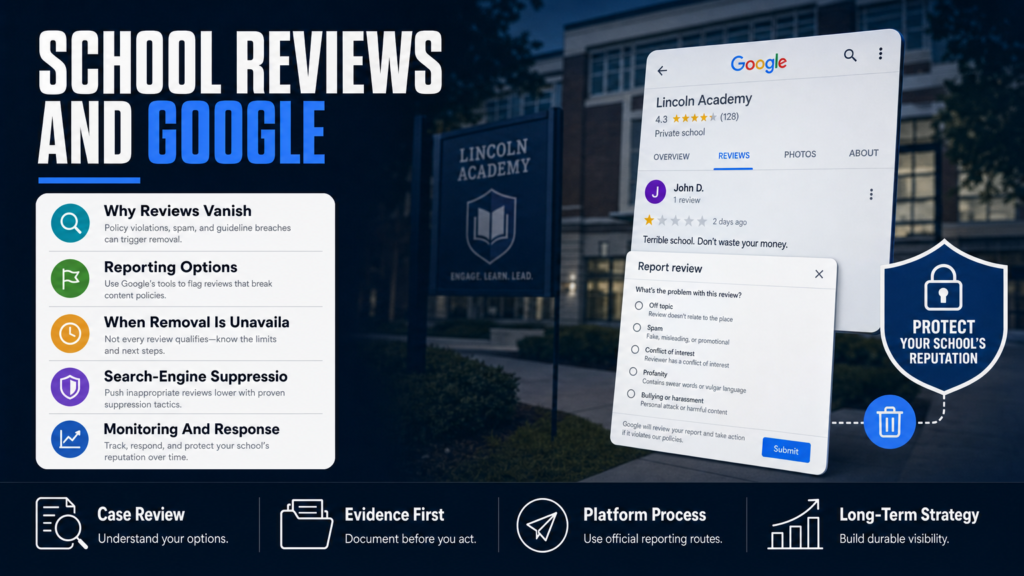
You cannot directly remove someone else’s review from Google yourself unless you can persuade the reviewer to delete it or the review violates Google’s policies. Google does provide reporting tools where you can ask for a review to be evaluated for policy violations such as spam, impersonation, hate speech, or conflicts of interest.
Requests for removal depend on whether the review breaks Google’s policies. If it doesn’t — for example, if it’s a negative but honest opinion — Google is unlikely to take it down solely because it’s unfavorable.
When removal is not available, a common and effective option is to respond publicly and use SEO tactics to reduce the visibility of the review in search results.
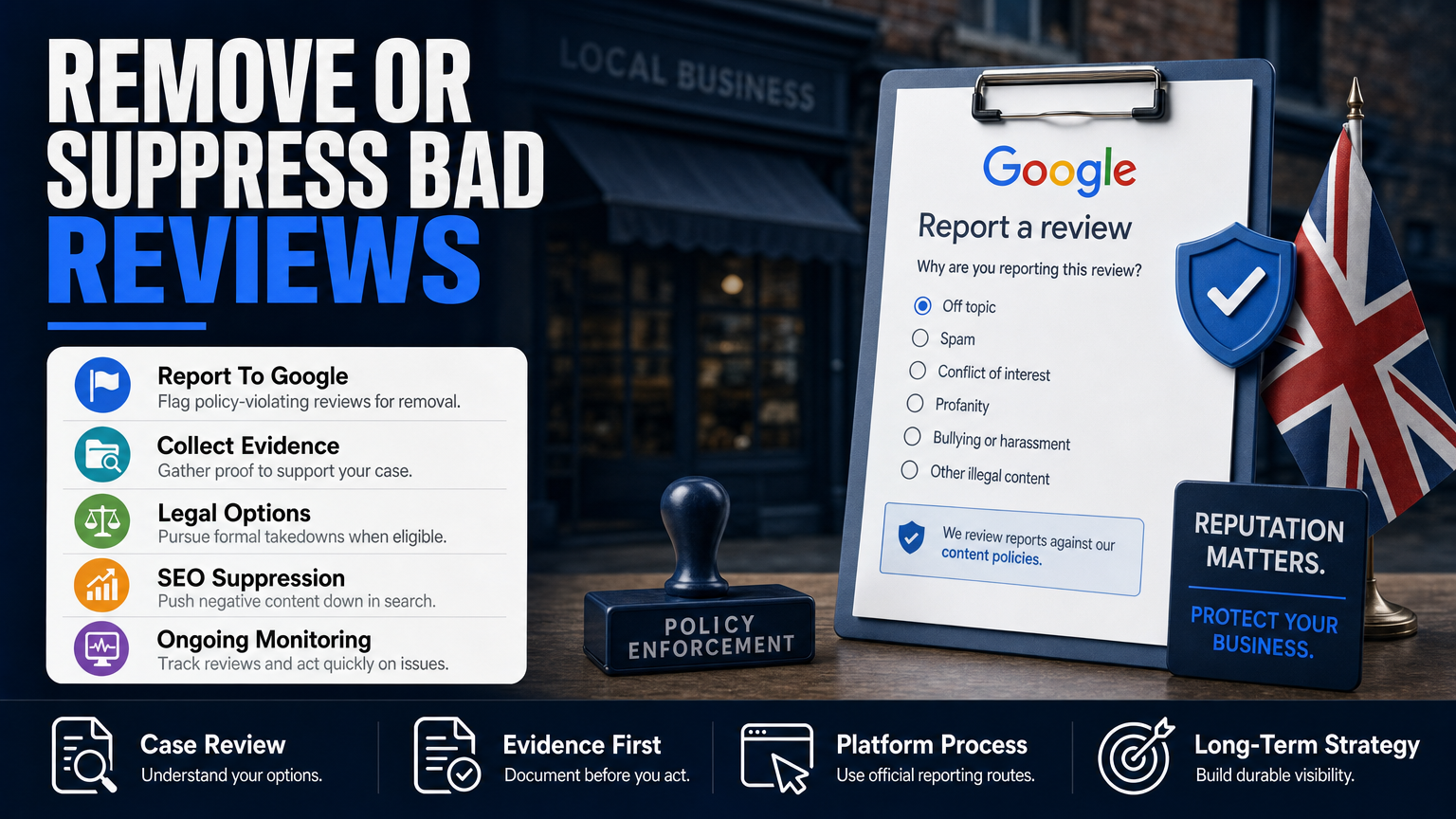
- Flag the review within Google Maps (three-dot menu > “Flag as inappropriate”).
- If you manage the listing, use the Google Business Profile to report the review and add context in your report (dates, evidence).
- If the review republishes on other sites, report it there too and collect screenshots for records.
- You can flag reviews via Google Maps or the Google Business Profile dashboard
- Only reviews that violate policy are eligible for removal
- Persuading the reviewer (if genuine) to edit or remove is often faster
When to consider paid help
If the review is defamatory, repeated, or part of a broader attack that you cannot resolve with reporting and public responses, consider working with an experienced reputation firm or legal counsel to assess evidence and next steps. We develop SEO reputation strategies intended to improve the visibility of relevant and credible information rather than promising removal.
For businesses weighing the cost-benefit of professional remediation, this article explains how negative reviews affect business income: What a One‑Star Review Can Cost Your Business’s Bottom Line.
- Agencies coordinate technical reporting, legal escalation, and content creation
- Costs vary by scope; expect an initial assessment before a timeline estimate
- No one can guarantee platform decisions or removal outcomes
Why can’t I leave a Google review for a school?
There are several legitimate reasons you might be blocked from leaving a review for a school. Google sometimes restricts reviews for certain types of places or for listings that lack a verified address or business profile. Reviews may also be disabled regionally for safety reasons (schools involve minors), or the reviewer’s account may be limited due to past policy violations.
Another common cause is the nature of the listing: some school profiles are consolidated as organizational pages that do not accept public reviews in the same way as local businesses.
If you are trying to leave a helpful review (as a parent or former student) and Google blocks you, check the reviewer account status and whether the listing has a verified owner. If you are a school administrator trying to enable reviews, confirm your access to the Google Business Profile and check for any policy notices from Google.
- Sign into the Google account you want to use and check that the account is in good standing.
- If you manage the school listing, open Google Business Profile > Info for verification status.
- If the review option is missing, document the behavior and report it to Google with screenshots.
- Listing type may not accept public reviews
- Google may restrict reviews for safety/privacy reasons
- User account limitations or verification issues
- Listing lacks a verified address or is marked as an institution
If you’re a parent and can’t leave a review
If the local review function is disabled, consider leaving feedback on the school’s official channels (email to administration) and ask the school to publish a response or testimonial on the school website. For visible public feedback, you can also use social platforms, but be mindful of privacy and student safety when posting.
- Avoid posting student-identifying details
- Ask the school’s communications office to collect and publish testimonials
- Use alternative community platforms if Google reviews are disabled
How to report and escalate a problematic school review
If you believe a review violates Google’s policies — fake reviewer, personal data, doxxing, threats, or harassment — follow a documented escalation path. This ensures your request is tracked and preserves evidence should legal action be necessary.
Below are the practical steps we recommend collecting and executing promptly.
- Step 1 — Preserve evidence: take high-resolution screenshots and save the review URL and reviewer profile link.
- Step 2 — Use platform reporting: in Google Maps, open the review, click the three-dot menu, and select “Flag as inappropriate.” If you manage the listing, use the Google Business Profile support channels to submit a detailed report.
- Step 3 — Escalate with documentation: if Google doesn’t act and the review is defamatory or harmful, consult a qualified attorney to review the evidence and consider a legal notice. We coordinate with counsel when appropriate; a lawyer can determine whether a formal takedown demand or court remedy may be available.
- Step 4 — Parallel mitigation: while the platform reviews your request, publish a constructive response, amplify positive content about the school (official statements, third-party testimonials), and monitor for reposts elsewhere.
- Document the review: full URL, screenshots, reviewer profile, timestamps
- Flag on Google Maps and file a Google Business Profile report if you manage the listing
- Collect corroborating evidence (emails, screenshots of coordination, other posts by same account)
Sample documentation checklist
Keep a folder with: screenshots, the original review URL, copies of any messages from the reviewer (if they contacted you), records of suspicious patterns, and timestamps showing when the review was posted and reported.
- Screenshot the review on desktop (include browser address bar)
- Export Google Business Profile notifications
- Save social-media copies or mentions
What to do when removal is NOT available
Sometimes Google will not remove a review because it does not violate policy — even if the content is unfair, mistaken, or damaging. In those situations you need a mitigation plan that reduces harm while preserving credibility.
Mitigation combines public responses, content creation, search-result suppression, PR and, when necessary, coordinated legal or privacy actions for reposts or doxxing.
- Step 1 — Respond: Write a concise, factual public reply addressing concerns and offering a private contact channel. Never post confidential or patient details.
- Step 2 — Publish positive, verifiable content: school achievements, accreditation, staff profiles, and third-party coverage on domains you control.
- Step 3 — SEO suppression: create and optimize high-quality pages (press releases, partner profiles, staff bios) intended to push the negative review off the first page of search results over time.
- Step 4 — Monitoring: set up alerts for the school name and review text so you can act fast if the review is shared elsewhere.
- Respond publicly and professionally to negative reviews
- Create authoritative content to outrank or dilute the review
- Use monitoring to detect reposts and intervene quickly
- Consider paid or organic SEO to suppress damaging links
When to involve PR and legal counsel
If a review contains false allegations affecting licensing, enrollment, or safety, coordinate with qualified PR and legal counsel. A lawyer can evaluate defamation risk; PR can craft messaging to restore trust. Read more about escalation if professional risk exists in Can One Bad Review Cost You Licensure or Clients?.
- Legal if allegations are demonstrably false and damaging
- PR if the incident created public concern or media attention
- Coordinate with counsel to avoid making admissions that harm legal positions
Monitoring, recovery, and preventing repeat problems
A review attack is rarely a one-off. Set up continuous monitoring, a response playbook, and technical safeguards to reduce future risk.
Monitoring alerts should include Google search for the school name, the Google Maps listing, social media, local news, and parent forums. Combine automated tools with manual checks weekly.
- Step 1 — Set up monitoring: Google Alerts, social-listening tools, and a dedicated inbox for reputation incidents.
- Step 2 — Create response templates: brief factual replies for errors, an escalation template for threats, and a privacy-request template.
- Step 3 — Run quarterly audits of listings and privacy: ensure school pages don’t leak staff contact details and that Google Business Profile info is accurate.
- Use Google Alerts and a reputation monitoring service for real-time notices
- Keep a response template library for different review types
- Limit public sharing of staff personal information to avoid doxxing risk
Technical safeguards
Reduce doxxing risk by limiting public staff contact info, using official channels for parent communication, and regularly reviewing administrative access to Google accounts. Use two-factor authentication and lock down legacy accounts tied to the school.
- Enforce two-factor authentication for listing managers
- Limit admin rights to named personnel
- Archive communications and website changes securely
DIY vs Agency Assistance: Which Path to Take?
A concise guide to the typical trade-offs when deciding whether to handle removals and mitigation yourself or to engage a reputation agency.
| DIY | Agency Assistance |
|---|---|
| Cost | Upfront low cost; time investment high |
| Speed | Faster troubleshooting; coordinated escalations |
| Expertise | Limited by your platform knowledge |
| Legal coordination | Often includes counsel coordination |
| SEO suppression | Dedicated SEO resources and content creation |
| Documentation | Agency maintains detailed case files and escalation history |
Hypothetical example: Private preschool hit by a fake review
A small private preschool received a one-star review alleging unsafe conditions that never occurred. The reviewer used an anonymous Gmail account and had no prior reviews. The school administrator flagged the review on Google but received no action after several days.
Here’s a practical, anonymized step-by-step process the school followed, showing options and realistic timelines (timeline estimates are illustrative and depend on platform behavior):
- Step 1 — Evidence: Save screenshots with timestamps and preserve the review URL.
- Step 2 — Reporting: Flag on Google and use the Business Profile support channel; include supporting documentation.
- Step 3 — Response & mitigation: Craft a concise public reply and publish authoritative content to reduce the review’s search prominence.
- Step 4 — Escalation: If necessary, consult counsel for a legal takedown demand and coordinate PR outreach to reassure parents and stakeholders.
- Day 0: Save evidence — screenshot the review, reviewer profile, and any messages.
- Day 1: Flag the review inside Google Maps and submit a report via Google Business Profile (if you manage the listing).
- Day 2–7: Public response posted on the listing: brief, factual, offering private contact.
- Day 7–21: If no removal, escalate to documented appeal with additional evidence (enrollment records showing reviewer is not a parent).
- Day 21+: If still unresolved, begin SEO suppression (publish staff bios, press coverage, updated accreditation pages) and consider legal review for defamation if false factual assertions can be proven.
Common Mistakes Schools Make When Handling Reviews
Below are frequent errors we see. Avoiding them saves time and preserves credibility.
Mistake 1 — Deleting critical content without documentation
Removing content from a school website or internal forum without saving copies destroys evidence you may later need for platform reports or legal review. Always archive before removal.
- Take screenshots and save URLs
- Keep a timestamped log of actions
Mistake 2 — Responding emotionally or revealing private details
A defensive reply that reveals student or staff personal data breaches privacy and can escalate the situation. Keep public responses factual, brief, and offer a private contact channel.
- Avoid patient or student identifiers
- Use a calm, professional tone
Mistake 3 — Assuming Google will remove a negative opinion
Google does not remove reviews simply because they’re negative. Flagging without evidence of policy violation wastes time. Focus first on documentation that shows a review is fake or abusive.
- Collect evidence before reporting
- Distinguish opinion from false factual claim
Mistake 4 — Ignoring reposts on other sites
Attackers often copy reviews to local forums, social media, and parent groups. Failing to search for and address those reposts lets the damage persist even after a platform removal.
- Search for the review text on social platforms
- Report reposts on other platforms promptly
Mistake 5 — Skipping professional coordination when risk is regulatory
If a review alleges misconduct that could trigger licensing or legal consequences, failing to involve legal counsel and communications professionals risks inconsistent messaging and greater harm.
- Contact counsel early if regulatory risk exists
- Coordinate legal and PR responses
Best Practices For Managing School Reviews
These durable actions reduce risk and improve your ability to respond quickly and credibly.
Maintain documented evidence
Archive screenshots, URLs, and reviewer profile links for every incident. Documentation is essential for platform appeals and legal review.
- Use a secure folder with versioned files
- Log dates and actions taken
Craft policy-based public responses
Respond to reviews with a standard process: acknowledge, offer an off-platform contact, and avoid admissions. Keep templates for common scenarios so replies remain calm and consistent.
- Acknowledge concerns and invite private follow-up
- Do not argue publicly about sensitive facts
Build positive, authoritative content
Regularly publish verifiable content (accreditations, third-party features, staff bios, policy pages) on domains you control. Over time, this strengthens your overall search presence and provides credible alternatives to negative content.
We develop SEO reputation strategies intended to improve the visibility of relevant and credible information rather than promising a specific search ranking.
- Update pages quarterly
- Pursue local media coverage for positive stories
Lock down accounts and access
Use two-factor authentication, centralize Google listing admin rights, and audit former employees’ access. Preventing account misuse reduces the chance of internal sabotage or accidental publication.
- Force 2FA for all admins
- Revoke old accounts immediately
Use monitoring and an incident playbook
Set up alerts and a documented response plan that assigns roles (communications, legal, admin). Practice the plan in tabletop exercises so the team can move quickly during a real incident.
- Assign a single spokesperson
- Maintain contact lists for counsel and technical support
Expert Tips
- Always preserve evidence before requesting removal; screenshots and URLs are your best currency.
- If a review quotes private student details, report it as a privacy violation immediately.
- A calm, short public reply often performs better than a long rebuttal in front of prospective parents.
- Flag coordinated attacks quickly and document patterns (timestamps, similar wording, geographic clustering).
- Use authoritative third-party content (accreditation pages, local press) to dilute negative search results.
- Lock down Google Business Profile admin rights and require two-factor authentication.
- Consider early counsel involvement if a review alleges illegal conduct or threatens licensure.
- Set up Google Alerts for exact phrases from damaging reviews to catch reposts fast.
Conclusion
When you search for google remove school reviews you’re looking for clarity: why reviews disappear, whether you can make them go away, and what to do when they don’t. Google controls its removal processes and relies on a combination of automated signals and human review, so outcomes vary and no one can promise a particular result.
Treat review removal as one part of a broader reputation process. Preserve evidence, follow platform reporting procedures, craft professional responses, and build authoritative content that reduces the visibility of harmful material. For situations that threaten enrollment, licensure, or legal exposure, coordinate with qualified counsel and experienced reputation professionals early.
Why Businesses Choose Your Reputation Agency
Managing your reputation takes more than monitoring reviews or publishing the occasional blog post. It takes a strategy built around your situation, your industry, and what is actually showing up in search.
Your Reputation Agency works with businesses, executives, healthcare professionals, attorneys and growing brands. Our services include:
- Remove defamatory content and false posts (news, blogs, listings)
- Remove or challenge negative reviews (Google, Yelp, TripAdvisor, industry sites)
- Mugshot and arrest record removal
- Remove videos, images, and other multimedia that damage reputation
- Remove personal data from people‑search and data‑broker sites (opt‑outs)
- Search result suppression (SEO to bury negative links)
- Social media takedowns and impersonation removal
- Rapid online crisis management and incident response
- Ongoing monitoring and alerting of reputation signals
- Coordination with legal counsel and use of legal tactics when required
Frequently Asked Questions
1. Why did Google remove reviews from schools?
Google removes reviews for policy violations (spam, fake accounts, harassment), privacy or safety concerns, or when it detects coordinated manipulation. Sometimes removals happen after algorithm updates or manual sweeps; Google does not provide a detailed public explanation for each individual removal.
2. Why are so many Google reviews being removed?
Mass removals usually indicate the platform detected a pattern of abuse — fake accounts, bought reviews, or review-bombing. They can also follow policy changes or verification updates that invalidate previously allowed content.
3. Does Google allow you to remove bad reviews?
You can’t remove another person’s review directly. You can flag it for Google to review if it violates policy, or ask the reviewer to delete it. If removal isn’t possible, mitigation through public replies and SEO suppression is a practical alternative.
4. Why can’t I leave a Google review for a school?
Some school listings are categorized or configured in ways that disable public reviews, or Google may limit reviews for safety or verification reasons. Account restrictions or unverified listings can also prevent you from posting a review.
5. How long does it take Google to remove a flagged review?
Timing varies. Some clear policy violations are removed within days; other cases can take weeks or longer, or receive no action. Timing depends on Google’s queue, the strength of evidence, and whether human review is required.
6. What evidence helps when reporting a fake or defamatory review?
Useful evidence includes screenshots with timestamps, the reviewer’s profile link, records showing the reviewer has no relationship to the school (if relevant), and copies of any coordination or reposting. Preserve everything before disputing or removing content.
7. Can a negative review cost a school clients or staff recruitment?
Yes — negative reviews can influence enrollment decisions and staff perceptions. For an analysis of the commercial impact of negative reviews on healthcare practices and small businesses, see What a One‑Star Review Can Cost Your Business’s Bottom Line.
8. When should I consult an attorney about a review?
Consult counsel when a review makes demonstrably false factual claims that could damage licensure, employment, or legal standing, or when it contains threats or doxxing. A lawyer can advise whether a legal demand or court remedy is appropriate.
9. What if a removed Google review is reposted elsewhere?
If a review is reposted on social media or local forums, report it on those platforms, document the reposts, and use SEO and PR to counteract spread. Ongoing monitoring helps you spot and address reposts quickly.
This content provides general information and does not constitute legal advice. The available options and likely outcomes depend on the facts, evidence, platform policies, applicable law, jurisdiction, and public-interest considerations.
Past examples do not guarantee future results. Removal, correction, deindexing, and search-position changes depend on third parties and circumstances outside Your Reputation Agency’s control.