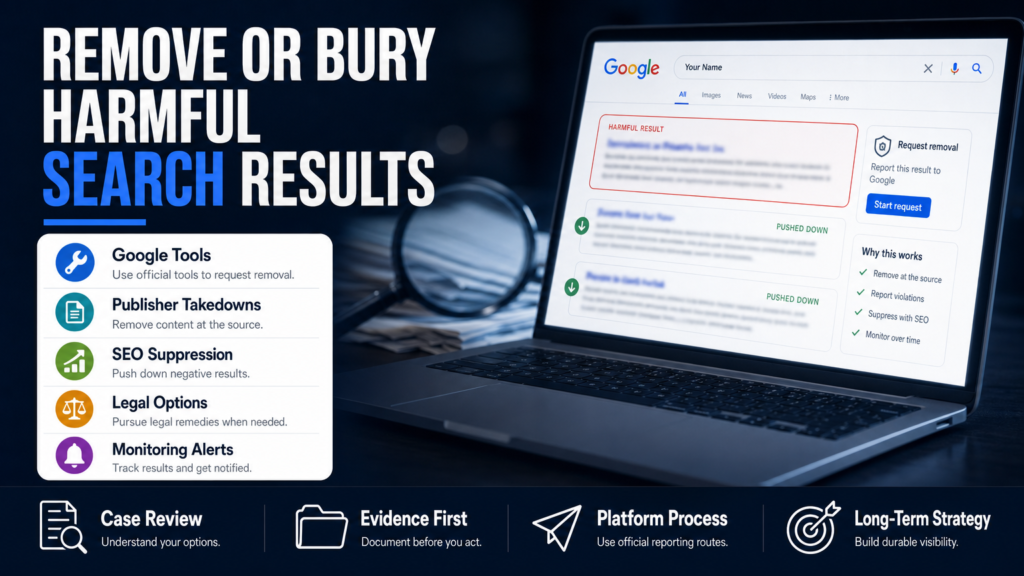
You just typed your name or your business into Google and found a result that could cost you clients, a job, or licensure. This article tells you what’s actually possible, how platforms decide, and the exact steps you can take right now to evaluate and pursue removal.
Below you’ll learn how to remove something from search results on Google and other platforms, when to pursue takedowns versus suppression, which forms and policies matter, and what to do when removal isn’t an option.
We cover platform routes (Google removals, business listings, YouTube, social networks), publisher takedowns, SEO suppression tactics, legal considerations, timelines and realistic next steps you can start today.
Table of Contents
- How can I remove content from Google search results?
- How do you clean up your Google search results?
- How do I remove a listing from Google search results (business or people)?
- How do I stop something from showing up in Google search?
- Platform-specific routes: social, YouTube, and alternative search engines
- What to do when removal is NOT available
- Timelines, costs, and realistic outcomes
- Removal vs Suppression — Which Path To Take?
- Hypothetical: Doctor With An Old Arrest Record Showing In Searches
- Common Mistakes People Make When Trying To Remove Search Results
- Best Practices For Handling Harmful Search Results
- Expert Tips
- Conclusion
- Why Businesses Choose Your Reputation Agency
- Frequently Asked Questions
How can I remove content from Google search results?
Start by understanding that Google doesn’t “own” the content in its index — it links to third‑party pages. Google provides specific removal tools for certain categories of content, but most removal depends on the original publisher taking action or a valid legal claim.
We evaluate whether the content may qualify for removal or review. Typical Google routes include the Remove Outdated Content tool, personal information removal requests, removal of non-consensual intimate images, and legal removal submissions for issues like copyright or court orders.
- 1) Capture evidence: screenshots, full URLs, cached versions, and dates.
- 2) Confirm whether the content still exists at the source. If the source removed it, use Google’s Remove Outdated Content tool.
- 3) Use Google’s specific removal form that matches your issue (privacy, doxxing, sexual images, or copyright).
- 4) If the content remains live, request takedown from the publisher or hosting provider before or alongside reporting to Google.
- 5) Monitor the result and be prepared to escalate (legal counsel, repeat requests, or suppression tactics).
- Remove Outdated Content tool — when a page has been changed or deleted but the cached snippet still appears.
- Personal Information removal (sensitive data, financial, explicit doxxing) — Google has forms for certain categories.
- Non-consensual explicit images — Google has a defined takedown process and higher removal priority.
- Legal requests — DMCA for copyright, court orders, or state privacy statutes (limited in US).
Google’s Remove Outdated Content — quick steps
Use this when the original page was removed or updated but Google still shows a cached snippet or old URL.
Open the Remove Outdated Content tool, paste the exact URL, and include the search snippet if present. Google typically processes straightforward outdated content requests faster than legal requests.
- Best when the publisher has already taken the page down.
- Doesn’t force a publisher to remove the original page.
- May take days to weeks depending on indexing cycles.
When to use Google’s personal information forms
Google accepts requests for sensitive personal data (like bank account numbers, Social Security numbers, certain images, or doxxing), subject to verification.
Provide clear evidence and explain how the information creates an identifiable risk (fraud, identity theft, doxxing).
- Include copies of government ID only when the form explicitly requests it and when you understand the privacy tradeoffs.
- Keep a record of your submission and any correspondence.
How do you clean up your Google search results?
Cleaning up search results is a process: audit, fix what you control, request removal where possible, then suppress what you can’t remove. The phrase “how to remove something from search results” starts with a comprehensive audit and ends with ongoing monitoring.
A practical audit maps the harmful result, its source, backlinks, and the queries that surface it. Use that map to prioritize actions by impact and ease of execution.
- 1) Run targeted searches (name + profession, name + city, brand + complaint) and export results.
- 2) Take screenshots and archive URLs with the Wayback Machine.
- 3) Identify quick wins: removeable personal data, Profile cleanups, or simple publisher edits.
- 4) Build a suppression plan: list pages you can create or optimize to outrank negatives.
- 5) Set monitoring alerts and schedule periodic re-audits.
- Full audit: search queries, exact URLs, cached pages, and who hosts the content.
- Claim and update all official profiles (LinkedIn, Google Business Profile, Facebook, Twitter/X).
- Create authoritative, positive content you control (site pages, press releases, professional profiles) to push negatives down.
Audit tools and signals
Free tools: Google Search Console (for sites you control), Google Alerts, Bing Webmaster Tools, and site-specific searches (site:domain.com). Paid tools can speed analysis but aren’t required.
Document which queries bring up the problematic result and the position on the page (top, middle, bottom).
- Archive every page (Wayback Machine) to preserve evidence.
- Note whether the page is in Google’s cache or indexed.
- Record hosting and WHOIS where relevant.
Related reading for local reputations
If a single result is threatening revenue or licensure, you may need faster escalation. Our short brief explains the business and licensing risks in detail and next steps.
Read more on emergency cases in this primer: When One Google Result Can Cost You Clients and Jobs.
- Use that resource when immediate client loss is at stake.
- Coordinate with counsel for high‑risk situations.
How do I remove a listing from Google search results (business or people)?
“Listing” can mean a Google Business Profile, a directory entry, or a people-search listing. Each has its own removal path. For people-search sites, opt-out forms are usually the route; for business listings you control the Google Business Profile; for persistent directory listings you’ll contact the publisher.
If a listing is fraudulent, impersonating you, or contains sensitive personal data, it may meet platform policies or legal thresholds for removal.
- 1) Identify whether the profile is verified and who controls it.
- 2) For Google Business Profile, claim ownership via Google Business Profile Manager and then edit or request removal if it’s a duplicate or violates policy.
- 3) For people-search sites, find and submit the site’s opt-out form; document each submission.
- 4) If a news article is the source of the listing, contact the outlet or follow a news-specific escalation path.
- Google Business Profile: claim the profile, then update or request removal if it violates policy or is a duplicate.
- People-search sites: individual opt-outs are common but vary by site and require verification.
- Industry listings (medical boards, licensing directories): removal may require contacting the board or filing a correction request.
People-search listings and opt-outs
Sites like Intelius, Whitepages, BeenVerified, PeopleFinders, and TruePeopleSearch have different opt-out processes and evidence requirements.
For help with listings that cost clients or create safety risks, read: When A People-Search Listing Costs You Clients.
- Expect identity verification and to repeat requests across multiple properties.
- Some sites delay removals or re-index; monitoring is necessary.
Business profile removals and duplicates
A business that closed, moved, or is a duplicate can be removed or merged through Google Business Profile support. If the profile is harmful due to false reviews, address the reviews first via platform dispute processes.
Document proof of ownership or closure when filing removal requests.
- Use the ‘Suggest an edit’ flow for small changes and the support chat for account-level issues.
- For persistent problems, escalate with documentation and consider paid support channels.
How do I stop something from showing up in Google search?
Stopping something from showing up in Google search means either removing it at the source or preventing Google from indexing it. If you control the source, add a noindex tag, use robots.txt (with caveats), or password‑protect the page.
If you don’t control the source, your options are publisher takedown requests, platform policy reports, DMCA or legal requests where applicable, or suppression via SEO and content creation.
- 1) If you control the content, add a noindex tag and remove any sitemaps or internal links to the page.
- 2) If you don’t control it, ask the publisher to remove or update the page and document their response.
- 3) If the publisher refuses and the content meets platform or legal criteria (copyright, doxxing, explicit images), use the platform’s reporting forms or consult counsel.
- Noindex meta tag — effective if you control the page and the page is accessible to you.
- Robots.txt blocks crawling but won’t remove an already indexed snippet if other pages link to it.
- Publisher takedown — fastest when the publisher agrees; otherwise consider legal counsel.
Noindex vs. robots.txt — which to use
Noindex tells search engines not to index a page and is the recommended method when you control the page. Robots.txt prevents crawling but can leave a URL visible in search if other pages link to it.
Prefer noindex for content you want removed from search results; use robots.txt to prevent bot access when necessary.
- Noindex requires the page to remain accessible to the crawler (HTTP 200) so the tag can be read.
- Robots.txt should not be relied on to remove sensitive content that is already indexed.
Platform-specific routes: social, YouTube, and alternative search engines
Each platform has its own rules and forms. YouTube removes videos for copyright, privacy breaches, and non-consensual explicit content. Facebook, X, LinkedIn, and Instagram have impersonation, harassment, and privacy complaint processes. Bing and DuckDuckGo follow similar publisher-based rules but mirror Google’s index in different ways.
Document each submission and follow up. Platform decisions remain under each platform’s control.
- 1) Identify the platform and the specific policy the content potentially violates.
- 2) Use the platform’s formal reporting flow and provide complete evidence.
- 3) If refused, consider legal counsel or public relations correction, and use suppression SEO for remaining visibility.
- YouTube: privacy complaints, copyright takedowns, community guidelines.
- Facebook/Meta: impersonation and harassment reporting, ID verification.
- X/Twitter: platform-based impersonation and policy reports; appeals available.
- Bing: has a webmaster removal tool and follows publisher/takedown processes.
When a news article is involved
News articles have strong public-interest protections. A publisher may refuse removal even if the content is distressing. When a news story threatens your practice, immediate steps include contacting the editor, requesting corrections, and preparing a public response.
See our rapid response guidance for news incidents: When a Local News Story Threatens Your Practice — Fast Steps to Fix It.
- Editors are sometimes willing to add updates or clarifications; be factual and provide documentation.
- Legal options exist but depend on jurisdiction and the strength of a defamation claim.
What to do when removal is NOT available
Removal is often not available for truthful public records, court filings, most news stories, and legitimate consumer complaints. When removal is unavailable, your strategy shifts to mitigation: correction, contextualization, and suppression through SEO.
Mitigation aims to reduce the prominence of harmful content and supply searchers with accurate, authoritative alternatives.
- 1) Publish corrective or explanatory content that addresses the issue factually and professionally.
- 2) Build links and social signals to that content to improve its search visibility.
- 3) Use paid channels (Google Ads, promoted posts) to control immediate SERP impressions while organic efforts take hold.
- 4) Maintain monitoring and a response plan in case the negative item resurfaces or spreads.
- Create high-authority pages under your control (professional site pages, bios, press releases).
- Optimize and promote social profiles and industry listings to occupy first page results.
- Use targeted content (case studies, FAQs, client outcomes) to outrank negative items for relevant queries.
When to involve PR or legal counsel
If the item is false and causing measurable harm (lost clients, investigations, licensing risk), professional PR can manage messaging and legal counsel can evaluate defamation or privacy claims.
Coordination among PR, legal, and technical teams provides the best chance to mitigate impact quickly and professionally.
- PR helps craft statements and outreach to publishers.
- Lawyers assess whether a takedown or legal notice is appropriate.
- Your Reputation Agency coordinates these components when clients need integrated support.
Timelines, costs, and realistic outcomes
Timing depends on the platform, publisher, legal complexity, and search-engine behavior. Some removals (e.g., Remove Outdated Content) can show changes within days, while suppression and legal processes can take weeks to months.
Costs vary: DIY removals can be low-cost but time-consuming; professional reputation services and legal action increase cost but can save time and reduce risk. We provide individualized estimates after assessing the content and platforms involved.
- 1) Get an assessment to identify likely routes and estimated timelines.
- 2) Prioritize actions with the highest expected impact and shortest path.
- 3) Allocate budget across removal attempts, SEO suppression, and monitoring.
- Quick removals (outdated cache, simple opt-outs): days to weeks.
- Publisher takedowns or corrections: days to months depending on cooperation.
- SEO suppression and long-term reputation repair: weeks to many months.
- Legal actions: vary widely — consult counsel for estimates.
What agencies can and can’t promise
A reputable agency will promise a professional, documented process, not guaranteed removal or fixed timelines. Platform decisions and publisher cooperation are outside any agency’s direct control.
We pursue the legal, technical, platform-based, and reputational options available and coordinate with counsel when needed.
- Expect transparency, documented requests, and measurable milestones.
- Avoid vendors who promise guaranteed removals or permanent suppression.
Removal vs Suppression — Which Path To Take?
A quick side‑by‑side of the two common strategies for dealing with harmful search results.
| Removal | Suppression |
|---|---|
| Goal | Goal |
| Take the content down at its source or through platform/legal request | Push unwanted results lower in search results with new content and SEO |
| When to use | When to use |
| Illegal content, doxxing, copyrighted material, explicit images, policy violations | Truthful complaints, public records, news items, or content publishers won’t remove |
| Timeline | Timeline |
| Varies — can be fast if publisher cooperates or slow with legal action | Generally weeks to months; requires sustained content and link-building |
| Cost | Cost |
| Publisher/legal costs may be higher; sometimes free for basic platform forms | Ongoing SEO or content costs; paid ads for immediate control |
| Durability | Durability |
| Depends on publisher/platform decisions | Depends on quality of new content and competitors; not permanent |
Hypothetical: Doctor With An Old Arrest Record Showing In Searches
A physician finds an old arrest record from a decade ago ranking on page one for searches of their name and specialty. The record is an archived court docket hosted on a county site and mirrored by a news aggregator.
Step-by-step approach: evaluate, request, and mitigate.
- 1) Evidence collection: screenshots, exact queries that surface the result, and copies of the original court page.
- 2) Publisher outreach: contact the aggregator to request removal or correct inaccuracies; document responses.
- 3) Google routes: attempt Remove Outdated Content for any mirror pages that were later changed or removed; use personal information form if sensitive identifiers are exposed.
- 4) Suppression: create authoritative professional pages (clinic site bio, state licensing profile, LinkedIn) and optimize them for name + specialty + city queries.
- 5) Monitoring: set alerts and review monthly; consider PR outreach if the item resurfaces in local searches.
- Assessment: the content is a public record (unlikely removable), but the mirrors and aggregator copies may be eligible for removal or demotion.
- Primary objective: reduce visibility for queries used by patients and hiring committees while correcting or contextualizing when possible.
Common Mistakes People Make When Trying To Remove Search Results
These mistakes cost time and sometimes make problems worse. Avoid them.
Chasing guarantees
Mistake: Hiring vendors who promise guaranteed removal or fixed timelines. Why it’s wrong: platform and publisher control prevents guarantees. What to do: demand a documented process and scoped deliverables instead.
Not preserving evidence
Mistake: Not taking screenshots, not archiving pages, or failing to note the exact query. Why it’s wrong: you lose proof needed for appeals and legal review. What to do: archive pages (Wayback Machine), take dated screenshots, and export SERP lists.
Over-sharing ID documents on public forms
Mistake: Uploading sensitive documents to third-party forms without verifying legitimacy. Why it’s wrong: privacy risks and potential data exposure. What to do: verify the form URL, read platform instructions, and provide documents only when required and secure.
Using deceptive tactics
Mistake: Trying to game platforms with fake accounts, fake takedown claims, or fabricated legal notices. Why it’s wrong: it can violate platform policies and harm your credibility. What to do: use legitimate reporting channels and honest evidence.
Trying to bury everything without addressing facts
Mistake: Only publishing promotional content to push negatives down without correcting or contextualizing factual problems. Why it’s wrong: searchers may still find the negative item and distrust an evasive online presence. What to do: Combine suppression with candid corrections and professional messaging where appropriate.
Best Practices For Handling Harmful Search Results
Adopt a measured, documented approach combining technical, editorial, and legal options as appropriate.
Start with an evidence-based audit
Collect screenshots, cache copies, and exact queries before taking action. An audit limits wasted effort and provides the basis for legal assessment and platform appeals.
- Record URLs, dates, and the search terms that surfaced them.
Prioritize publisher outreach
Contact the site owner or editor with a concise request and supporting evidence. Many removals begin with a publisher agreeing to update or take down inaccurate content.
- Be factual, offer documentation, and request a correction or removal politely.
Use platform forms correctly
Choose the correct Google form or YouTube report category. Misfiled requests are often rejected or delayed.
Keep copies of submissions and follow up if you don’t get a timely response.
- Match your issue to the platform’s category (privacy, copyright, explicit images, impersonation).
Build authoritative replacement content
Create clear, optimized pages and profiles that reflect your professional identity. High-quality, well-linked content is the primary long‑term route to suppress negative results you can’t remove.
Consider press outreach for significant reputation events.
- Use consistent naming, structured data, and link-building to boost visibility.
Monitor and iterate
Set Google Alerts, run periodic audits, and log any resurfacing items. Reputation remediation is ongoing; threats can reappear or mutate across platforms.
Adjust your tactics based on what actually moves the needle in search results.
- Schedule monthly checks for the first six months after remediation.
Expert Tips
- Always document the exact search query that reveals the harmful result — platforms want precise reproduction steps.
- If a publisher refuses removal, ask for a correction or an appended editor’s note rather than an outright takedown.
- Use strong canonical pages on your own domain to centralize authority for your name or brand.
- For immediate control of the first page, consider a short campaign of targeted ads while organic efforts take effect.
- When filing Google privacy requests, include a short, factual explanation of the risk and supporting evidence.
- Don’t delete your own positive content out of fear — volume of accurate, professional content helps suppression.
- Keep contact with platform support predictable and documented; escalate politely with dates and ticket numbers.
- Coordinate PR and legal messaging before contacting major publishers to avoid contradictory public statements.
Conclusion
How to remove something from search results is rarely a one-click task. Most cases require a combination of publisher outreach, platform reporting, technical changes, and content strategies to reduce visibility and restore credible information about you or your business.
Start with a clear audit, preserve evidence, and prioritize actions by impact and feasibility. If a result can’t be removed, focus on suppression, correction, and monitoring. For high‑risk or time‑sensitive incidents, coordinate technical, legal, and public relations steps — a planned, documented process is the most reliable path forward.
Why Businesses Choose Your Reputation Agency
Managing your reputation takes more than monitoring reviews or publishing the occasional blog post. It takes a strategy built around your situation, your industry, and what is actually showing up in search.
Your Reputation Agency works with businesses, executives, healthcare professionals, attorneys and growing brands. Our services include:
- Remove defamatory content and false posts (news, blogs, listings)
- Remove or challenge negative reviews (Google, Yelp, TripAdvisor, industry sites)
- Mugshot and arrest record removal
- Remove videos, images, and other multimedia that damage reputation
- Remove personal data from people‑search and data‑broker sites (opt‑outs)
- Search result suppression (SEO to bury negative links)
- Social media takedowns and impersonation removal
- Rapid online crisis management and incident response
- Ongoing monitoring and alerting of reputation signals
- Coordination with legal counsel and use of legal tactics when required
Frequently Asked Questions
1. How can I remove content from Google search results?
You can request removal using Google’s specific tools (Remove Outdated Content, personal information forms, non-consensual explicit imagery forms) or ask the original publisher to take down or update the content. Removal depends on the content type, platform policy, publisher cooperation, and sometimes legal support.
2. How do you clean up your Google search results?
Clean-up begins with an audit of the problematic URLs and queries, followed by publisher outreach and platform reports where applicable. Simultaneously create and optimize authoritative content you control to suppress remaining negatives and set up monitoring to track progress.
3. How do I remove a listing from Google search results?
For a Google Business Profile, claim the profile and request edits or removal if it’s a duplicate or violates policy. For people-search or directory listings, locate the site’s opt-out form and submit the required verification. Document every request and follow up until the publisher acts.
4. How do I stop something from showing up in Google search?
If you control the page, add a noindex tag, remove it from sitemaps, or password-protect it. If you don’t control it, request removal from the publisher, use Google’s reporting tools for qualifying categories, or suppress the result with optimized content and links.
5. Can I make Google remove negative news stories about me?
News organizations often refuse removal for factual reporting. If a story is inaccurate, request a correction from the publisher. If it is a legal matter (defamation or privacy), consult an attorney. Otherwise, suppression and contextual content are typical strategies.
6. Is removal free, and how long does it take?
Some removal routes are free (platform forms, publisher outreach) but may take days to months depending on cooperation and indexing. Legal routes and professional services carry costs and variable timelines. No vendor can guarantee a specific timeframe.
7. What if the publisher refuses to take down the content?
If removal is refused, assess whether the content violates platform policies or legal standards. If not, focus on suppression with authoritative content, seek corrections where factual errors exist, engage PR to address reputation impact, and consult counsel for legal options.
8. How do I remove personal information from people-search sites?
Most people-search sites provide opt-out pages or forms that require identity verification. Submit these requests site-by-site and keep records. Some listings may reappear or be mirrored elsewhere, so ongoing monitoring is essential.
9. Can I stop something from showing up on mobile searches specifically?
Mobile search results use the same index as desktop, so removal and suppression methods are the same. Test the exact queries on phone and desktop to confirm which versions of the page and snippets appear, and address both the source content and mobile visibility.
This content provides general information and does not constitute legal advice. The available options and likely outcomes depend on the facts, evidence, platform policies, applicable law, jurisdiction, and public-interest considerations.
Past examples do not guarantee future results. Removal, correction, deindexing, and search-position changes depend on third parties and circumstances outside Your Reputation Agency’s control.