You just typed your name or business into Google and found a result that could cost you clients, interviews, or trust. That jolt—seeing a damaging article, mugshot, or coordinated bad-review stream—starts the same way for every professional we work with.
This article answers a single practical question: How do you clean up your Google search results? It lays out what you can ask Google to remove, what you must ask publishers to change, and the mitigation strategies available when removal isn’t possible.
You’ll get clear, step-by-step actions for desktop and phone, realistic timelines and caveats, and a decision map that tells you when to escalate to legal, PR, or a professional reputation team.
Table of Contents
- How to ask Google to remove a link or result
- Should you delete all your Google search history?
- What is the fastest way to clear your search history?
- Does clearing your search history actually clear it?
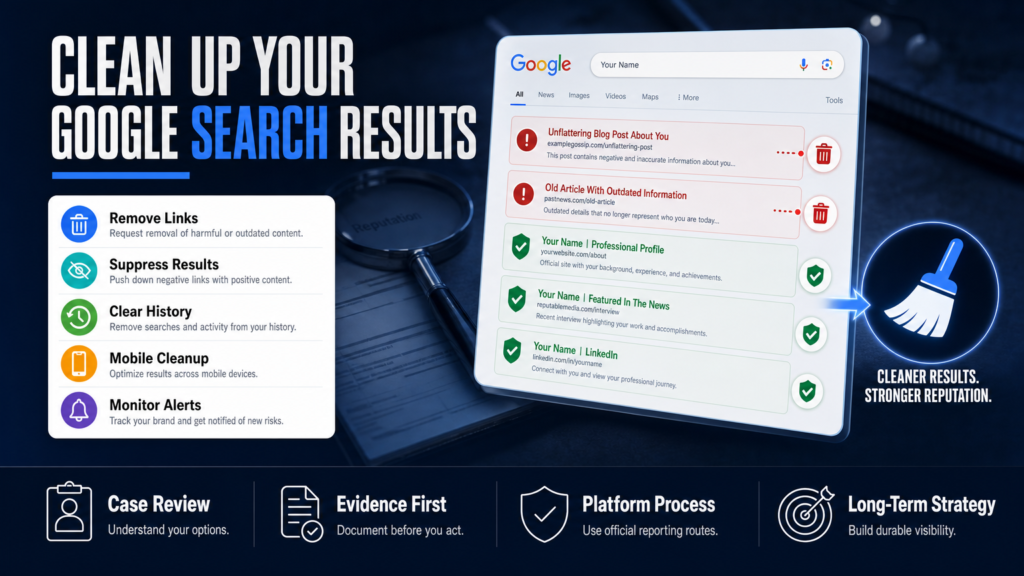
- When removal is not available: suppression and mitigation
- How to clean up Google search results on your phone (Android and iPhone)
- Responding to review attacks, impersonation and social smear campaigns
- Technical SEO and content strategies to bury negative results
- Removal vs Suppression: Which path fits your problem?
- Hypothetical example: a consultant, a negative exposé, and a recovery plan
- Common mistakes people make when trying to clean their Google results
- Best practices for cleaning up Google search results
- Expert Tips
- Conclusion
- Why Businesses Choose Your Reputation Agency
- Frequently Asked Questions
How to ask Google to remove a link or result
If you want a specific search result removed from Google, the first distinction is crucial: Google doesn’t remove content from the web; it removes links to content or certain cached content in search results. The content itself lives on the publisher’s site.
We evaluate whether the content may qualify for removal or review and then pursue platform-based options, legal avenues where appropriate, and publisher requests. Removal depends on the content, publisher, platform policies, evidence, jurisdiction, and circumstances.
- 1) Identify the exact URL(s) appearing in search results (not just the snippet).
- 2) Check whether the page violates Google policies (personal data, explicit content, revenge porn, impersonation) and select the corresponding Google removal form.
- 3) Submit evidence and the URL to Google’s removal tool; retain copies of every submission.
- 4) If the publisher will cooperate, ask them to remove or update the page and request Google to recrawl.
- 5) If the publisher declines and the content may be illegal or defamatory, consult a qualified attorney about legal takedown options.
- Use Google’s public removal tools for specific categories: legal removals, personal data (doxxing), explicit images, and outdated cache.
- If content is defamatory, hacked, or an impersonation, collect screenshots, URLs, and any correspondence before submitting requests.
- Contact the publisher first—if they remove or correct the source, Google will typically drop the result faster.
Google removal forms and when to use each
Google has separate flows for doxxing/personal data, explicit content, cached pages, and legal takedowns (DMCA, court orders). Use the correct form—using the wrong one delays review.
For a quick primer on how a single search result can damage your business and why fast action matters, see When One Google Result Can Cost You Clients and Jobs.
- Personal info removal (SSN, bank accounts, bank routing numbers, images of signatures): use the Personal Info removal request.
- Explicit or sexual content: use the Non-consensual Explicit Imagery form (if applicable).
- Outdated cached content: request removal of the cached copy and snippet.
Should you delete all your Google search history?
Short answer: Clearing your Google search history is worthwhile for local privacy and personalization, but it does not remove third-party webpages or public records from Google’s index.
If your concern is that Google’s algorithm is surfacing older, embarrassing results because of your activity, deleting history can reduce personalization effects but won’t make the content disappear from search results for others.
- 1) Go to myactivity.google.com and review Search activity by date and product.
- 2) Use ‘Delete activity by’ to remove ranges (last hour, last day, all time) or specific items.
- 3) On mobile, open the Google app → Profile → Search history to manage or auto-delete.
- Clearing history affects what Google uses to personalize searches tied to your account and device.
- It does NOT remove links or cached copies that appear for other users searching your name.
- If you share devices or accounts, removing history reduces accidental exposure on that device.
When deleting history makes practical sense
Delete local history when you want to remove a trace of searches on a shared device, or when personalization is surfacing irrelevant or embarrassing autocomplete suggestions tied to your account.
If your objective is to change what others see when they search your name, focus on removal or suppression of the underlying pages rather than your account activity.
- Use auto-delete for rolling privacy (e.g., 3 or 18 months) if you’re worried about long-term personalization.
- Sign out of multiple accounts or use a dedicated work account to reduce crossover personalization.
Resources for professionals
If you’re deciding between handling this yourself and hiring professional help—especially when a single search result may cost you business—read When One Search Result Can Cost Your Career and Clients.
What is the fastest way to clear your search history?
The quickest route to clear search history depends on whether you mean local browser history, Google account activity, or both. Local clears are instantaneous; account clears may take minutes to propagate across devices.
On shared or public devices, don’t just clear history—also clear cookies and sign out of your Google account to prevent immediate re-association.
- 1) Clear local browser history and cookies on the device you used to search.
- 2) Delete Google account search activity at myactivity.google.com if tied to your account.
- 3) For faster effect on a single device, use an Incognito/Private window to search while changes propagate.
- Desktop Chrome: Menu → History → Clear browsing data → Choose time range and check ‘Browsing history’ and ‘Cookies and other site data’.
- Google account: myactivity.google.com → Delete activity by → select time range or all time, confirm.
- Mobile: Google app → Profile → Search history → Delete last hour or manage auto-delete.
Android-specific quick clear
On Android devices: open Chrome app → three dots → History → Clear browsing data. For Google app history: open Google app → Profile → Search history.
If you use multiple browsers or a work-managed device, repeat the clear in each browser and consider a device-wide account sign-out.
Does clearing your search history actually clear it?
Clearing local browser or Google account history removes records in those places, but it does not remove copies of pages on other sites or cached entries that Google indexes until Google recrawls or the publisher removes the original.
Be careful: ‘clearing history’ is not a substitute for formal removal requests to publishers or Google’s removal tool when the content is harmful or unlawfully published.
- 1) After clearing, verify by performing the same search in a private window and on a different account or device.
- 2) If the result remains, target the underlying content for publisher takedown, correction, or a Google removal request.
- 3) If the content contains personal data or violates policy, document evidence and use the correct Google removal form.
- Clearing history stops personalization based on past searches for that account/device.
- It does not remove pages that appear in other people’s searches or results generated from third-party data brokers.
- Google may retain de-identified logs or backups for a limited period per its policies.
Why cached pages still show up
Google stores cached copies and snippets; clearing your history doesn’t remove those caches from Google’s index. Cached content will disappear only after Google recrawls the page or the publisher removes it.
You can request Google to remove a cached page (or outdated content) using the Outdated Content removal tool—this is different from clearing your account activity.
When removal is not available: suppression and mitigation
Sometimes content cannot be removed: truthful reporting, public records (arrests, court filings), or publisher refusals. In those cases we develop SEO reputation strategies intended to improve the visibility of relevant and credible information.
Suppression means creating or promoting authoritative content so negative links move off the first page for important searches. Results vary according to the strength of the negative content and the authority of competing sources.
- 1) Prioritize which search terms (your name + profession, business name) matter most.
- 2) Audit current first-page results and identify pages you can realistically outrank or supplement.
- 3) Build or optimize owned assets (website, About page, LinkedIn, professional profiles) and promote them via earned media and partners.
- 4) Monitor ranking shifts weekly and adjust the content mix to target different snippets and knowledge panels.
- Create authoritative pages: LinkedIn, a professional bio, privacy-focused pages, profiles on trade associations, high-quality press mentions.
- Use targeted SEO: keyword-optimized pages, long-form content, press releases, and directory listings to push harmful results lower.
- Combine with paid campaigns only when ethically appropriate—ads can temporarily push down results but are not a permanent substitute for content strategy.
When to involve lawyers or public relations
The content may warrant legal review when it’s demonstrably false and defamatory, or when private financial or medical information is published. A qualified attorney can determine whether a legal claim may be available.
We coordinate with qualified legal professionals when a matter requires legal analysis, and with PR professionals for narrative control during crises.
Further reading on cost and escalation
If you’re assessing risk and deciding whether to escalate beyond DIY remediation, see When One Google Result Can Cost You Your Career for examples of non-removal strategies and escalation choices.
How to clean up Google search results on your phone (Android and iPhone)
Many professionals perform reputation triage from a phone. The mechanics differ slightly between Android and iPhone, but principles are the same: identify URLs, capture evidence, submit the right forms, and follow up with the publisher.
On mobile you can also act fast on social accounts, file platform reports, and block or report impersonation accounts before they spread.
- 1) Open the search result on your phone, copy the exact URL and screenshot the snippet, date, and search query.
- 2) Submit any applicable removal reports via the platform’s mobile form (Google’s forms work on mobile browsers).
- 3) Contact the publisher via their mobile contact form or email; ask for correction or removal.
- 4) If it’s a review attack, use the business profile (Google Business Profile app or website) to flag reviews and collect evidence for the platform’s investigation.
- Android: Chrome app → three dots → History → Clear browsing data; Google app → Profile → Search history.
- iPhone: Safari → History → Clear, or Chrome for iOS → History → Clear Browsing Data; Google app has similar account history controls.
- For reporting: use the platform’s mobile reporting flow (Facebook, Twitter/X, Instagram report buttons; Google Business Profile mobile contact options).
Quick mobile triage checklist
A short checklist to use on your phone when you encounter harmful results: capture URL and screenshots, identify the hosting domain, check for personal data exposure, and file platform reports immediately.
If you’re using public Wi‑Fi or an untrusted device, avoid entering credentials—use a secure device or secure connection to follow up.
- Screenshot the search result and the page content, including timestamps.
- Save any abusive messages and reviewer profiles for review-platform evidence.
- Record publisher contact details and the date/time of outreach attempts.
Responding to review attacks, impersonation and social smear campaigns
Review attacks and coordinated smear campaigns are tactical problems: they require evidence-driven takedown requests, platform escalation, and a communications plan to reassure stakeholders.
Most review platforms (Google Business Profile, Yelp, Trustpilot) allow businesses to flag fake or policy-violating reviews—collect clear evidence and follow each platform’s policy for the fastest review.
- 1) Document each review and map patterns (same IPs, similar language, same month).
- 2) Submit disputes on each platform, attach evidence of inauthenticity or policy breaches.
- 3) Consider a public statement or FAQ on your site if the attack is public and affecting customer decisions.
- 4) Implement monitoring to detect further activity early and limit spread.
- Collect review metadata: reviewer profile URL, timestamps, review content, screenshots, and any location or transaction evidence.
- Use platform dispute tools; if response time is slow, escalations through official business support channels or legal notices may be required.
- Simultaneously publish clarifying, factual responses where permitted—do not post emotional or retaliatory replies.
When to escalate to formal takedown efforts
Escalate when abuse is repeated, impersonation continues, or when false statements cause measurable harm to business operations. The content may warrant legal review.
Coordination between PR, legal counsel, and reputation specialists is often necessary to balance takedown requests and public messaging.
Technical SEO and content strategies to bury negative results
When removal isn’t possible, an organized content strategy often yields the best long-term outcome. We develop SEO reputation strategies intended to improve the visibility of relevant and credible information about you or your business.
This is not a short-term fix—expect several weeks to months for new content to gain traction and for search rankings to shift measurably.
- 1) Audit first-page results for the target search query and note which results are owned vs. third-party.
- 2) Create a content calendar: optimized bio, FAQs, long-form articles addressing the issue with facts, and press outreach to generate authoritative citations.
- 3) Monitor rankings and click-throughs; iterate on content and distribution channels as you collect signals.
- Prioritize owned assets (your website, LinkedIn, professional directories) and optimize them for the exact search queries you want to control.
- Earn backlinks and authoritative mentions (trade publications, local news, press releases) to strengthen ranking ability of positive assets.
- Use structured data (schema.org) on your site to help Google surface accurate knowledge panel information.
Timing expectations
Some owned pages may show movement within 2–8 weeks; stronger authority signals and earned media often take 3–6 months to create measurable suppression of negative results.
Timing depends on the platform, publisher, and the authority of the negative content—no universal timeframe applies.
Removal vs Suppression: Which path fits your problem?
Short comparison to help decide whether to pursue removal or suppression.
| Removal (Ask To Take Down) | Suppression (Push Down Results) |
|---|---|
| Goal | Goal |
| Make the offending URL inaccessible or delisted | Reduce visibility by outranking it with positive content |
| Best for illegal, personal-data or policy-violating content | Best for truthful but damaging coverage or public records |
| Relies on publisher/platform cooperation or legal order | Relies on content creation, SEO, and earned media |
| Possible faster outcome if publisher complies | Often slower—weeks to months to see steady change |
| May require legal escalation or court process | Requires content resources and ongoing monitoring |
| Not always available or guaranteed | No guarantees; results vary with effort and authority |
Hypothetical example: a consultant, a negative exposé, and a recovery plan
Scenario: A mid-sized consultant finds a negative online article and three one-star reviews showing on the first page for their full name. The firm is losing leads. The article is hosted on an independent blog and repeats a disputed claim. The consultant wants the immediate result off the first page.
Process used (illustrative, not a promise):
- Outcome: The blog declined removal; two reviews were removed after platform review. Within 8–12 weeks, the combined SEO and earned media work moved the blog result from page one to page two for the consultant’s primary search query, reducing inbound lost leads. This is an example of suppression combined with selective removal actions; results vary and no outcome is guaranteed.
- Step 1 — Triage (Day 0–3): Capture screenshots, collect URLs, preserve review metadata, and check whether the article or reviews contain personal data or legally false statements.
- Step 2 — Publisher outreach (Day 3–14): Contact the blog politely with evidence and a request for correction. Simultaneously flag the reviews on each platform with evidence of inauthenticity.
- Step 3 — Google and platform reports (Day 7–30): Submit Google outdated content or personal info removal requests if applicable; flag reviews and follow each platform’s dispute process.
- Step 4 — Suppression strategy (Weeks 2–12): Publish an optimized professional bio, two long-form articles addressing the advisor’s work and credentials, and secure a local business directory citation and a guest post on a trade site.
- Step 5 — Monitoring and follow-up (Months 1–6): Track rankings weekly, continue outreach for additional earned coverage, and reassess legal review if the publisher refuses to correct demonstrably false claims.
Common mistakes people make when trying to clean their Google results
These are recurring errors we see that waste time or make the problem worse.
Mistake: Treating local history deletion as a cure-all
Clearing your browser or account history helps privacy on that device but does not remove content from the web or stop others from finding the same pages.
Mistake: Posting emotionally charged public replies
Defensive or angry public responses to articles or reviews can create additional searchable content that compounds the reputation issue. Keep responses factual and brief, or consult counsel/PR before replying.
Mistake: Using shady services or fake takedown claims
Avoid firms that promise guaranteed removal or suggest deceptive tactics; these violate platform rules and may expose you to liability. Legitimate options are evidence-based and compliant with platform policies.
Mistake: Failing to document everything
Don’t rely on memory. Capture screenshots, save URLs, record dates and correspondence—this evidence is essential for platform disputes or legal review.
Mistake: Ignoring monitoring after an initial fix
Reputation recovery is ongoing. Attackers may return or new content may appear; set up alerts and regular checks rather than treating remediation as one-off.
Best practices for cleaning up Google search results
Adopt a disciplined, evidence-based process and prioritize actions that address the root source of the problem.
Document first, act second
Capture screenshots, save page URLs, and log timestamps before making any changes. This preserves the evidence you may need for platform disputes or legal review.
Use the correct platform process
File the appropriate Google removal form or platform report; misfiled or incomplete requests are the most common cause of delays.
Prioritize by impact and feasibility
Triage results: prioritize items on the first page and those associated with conversion channels (LinkedIn, firm website, Google Business Profile). Less-visible pages can be suppressed with content.
Coordinate PR, legal, and technical work
Complex incidents need synchronized action: legal notices, publisher outreach, and SEO content must align to avoid contradictory messages or harmful publicity.
Monitor continuously
Set up Google Alerts, rank-tracking for your name/brand, and periodic manual searches across browsers and devices to catch changes early.
Expert Tips
- Always screenshot the search result and the underlying page before you do anything—dates matter.
- If you aren’t sure whether content is libelous, preserve evidence and consult a qualified attorney rather than posting rebuttals online.
- Target one or two search queries (your full name + title) first—spread effort dilutes impact.
- Use canonical and structured data on your own site to help Google choose the right canonical snippet.
- Don’t accept vague promises from any firm; ask for a documented process and periodic reporting.
- If you run ads, consider a short-term branded ad campaign to capture top-click real estate while organic suppression works.
- Mobile screenshots are valuable—platform reviewers often accept them as proof of policy violations.
- Set up weekly rank and alert checks for the first 90 days after an incident to spot rebounds quickly.
Conclusion
Cleaning up your Google search results is a mixed process of asking for removal, dealing with publishers, and rebuilding what Google shows through authoritative content. There is no single button that erases a reputation problem; each case requires a tailored mix of technical, platform, legal, and communications actions.
Begin with evidence collection, use platform-specific removal forms where eligible, and be realistic about timelines: some changes happen in days, others take months. If the situation threatens your livelihood or attracts coordinated attacks, consider involving qualified legal counsel and a reputation specialist to coordinate escalation and monitoring.
Why Businesses Choose Your Reputation Agency
Managing your reputation takes more than monitoring reviews or publishing the occasional blog post. It takes a strategy built around your situation, your industry, and what is actually showing up in search.
Your Reputation Agency works with businesses, executives, healthcare professionals, attorneys and growing brands. Our services include:
- Remove or suppress negative Google search results and news articles
- Take down or mitigate negative reviews (Google, Yelp, Trustpilot, industry sites)
- Remove defamatory content, false posts and impersonation accounts
- Remove personal data from people-search and data-broker sites (opt-outs)
- Mugshot and arrest-record removal or suppression
- YouTube and negative video removal / demotion
- Rapid crisis response for viral incidents and online smear campaigns
- Social media impersonation and fake account removal
- Reputation monitoring, alerts and ongoing surveillance
- Search engine reputation repair (SEO to bury negative results)
Frequently Asked Questions
1. How do I delete something off my Google search?
You can request removal of certain types of content from Google via the appropriate removal form (personal data, explicit images, outdated cache, legal requests). If the content is on another site, ask the publisher to remove or update the page because Google typically removes links only after the source changes or a valid policy/legal reason is accepted.
2. Should I delete all my Google search history?
Deleting your Google search history is useful for privacy and to remove personalization effects on that account or device, but it does not remove webpages from the web or stop those pages from appearing in other people’s searches. If your goal is to stop others from seeing a damaging result, focus on publisher takedowns and search-result mitigation.
3. What is the fastest way to clear your search history?
For local devices, clearing browser history and cookies is immediate. To clear account activity, go to myactivity.google.com → Delete activity by and choose the time range. On mobile, use the Google app’s history controls. Remember that speed varies across devices and may not affect what others see in Google results.
4. Does clearing your search history actually clear it?
Clearing browser or account history removes records in those places but does not remove cached copies of pages in Google’s index or the original content on third-party sites. Google may keep backups or logs for limited periods according to its policies.
5. Can Google remove defamatory content?
Google may remove content that violates its policies or follows a valid legal order, but it does not adjudicate defamation; that determination is legal. If a statement is false and defamatory, you should preserve evidence and consult a qualified attorney about sending a legal notice or pursuing a court order. Google’s action depends on the policy, evidence, and jurisdiction.
6. How long does it take to remove something from Google?
Timing depends on the removal path: publisher compliance can lead to quick removal once the source is changed; Google reviews may take days to weeks; legal processes can take months. An estimated timeline can be provided after an individual assessment—no universal timeframe applies.
7. Can I remove my name from Google entirely?
There is no general right to be forgotten in the U.S. You can request removal of specific content in limited categories (personal data, explicit images) or ask publishers to remove pages. Otherwise, the practical approach is to suppress negative results with authoritative, SEO-optimized content.
8. What should I do if a negative review appears on multiple sites?
Document each review, collect evidence, and file disputes on each platform using their policy forms. Flag patterns (same language, suspicious accounts). For coordinated attacks, escalate to platform business support and consider legal or PR coordination as needed.
9. Is hiring a reputation agency worth it?
An agency brings experience with platform processes, SEO suppression strategies, and coordination with PR/legal teams; that can save time and reduce errors. However, legitimate agencies will not guarantee removal or specific rankings—ask for a clear process, reporting cadence, and written scope before engaging.
This content provides general information and does not constitute legal advice. The available options and likely outcomes depend on the facts, evidence, platform policies, applicable law, jurisdiction, and public-interest considerations.
Past examples do not guarantee future results. Removal, correction, deindexing, and search-position changes depend on third parties and circumstances outside Your Reputation Agency’s control.