You opened this because your name, address, or family details show up on BeenVerified and it’s causing real problems — clients finding home addresses, old numbers resurfacing, or a mugshot linked to your profile.
This article shows how to remove personal information from BeenVerified, how BeenVerified assembles that profile, and the practical steps you can take if direct removal is not available.
You’ll get step-by-step opt-out instructions, how to cancel or delete a BeenVerified account, what to expect from data brokers and search engines, and mitigation options professionals use when takedown isn’t possible.
If this looks like a larger exposure — Social Security numbers, doxxing, or dark‑web listings — read the section on escalation and monitoring and see our resource on When Your Social Security Number Turns Up on the Dark Web.
Table of Contents
- How do you remove your personal identifying information from BeenVerified?
- How does BeenVerified get my information?
- Is BeenVerified hard to cancel if I have a subscription?
- How do I delete my account with BeenVerified?
- When removal is not available: suppression and mitigation strategies
- How to reduce future reappearances and monitor your name
- What to do if the exposure escalates (doxxing, identity theft, or sensitive data)
- DIY Opt-Out vs Hiring an Agency
- Hypothetical example: How a doctor removed a BeenVerified listing and suppressed reappearing data
- Common mistakes people make when trying to remove BeenVerified listings
- Best practices for managing people-search exposures
- Expert Tips
- Conclusion
- Why Businesses Choose Your Reputation Agency
- Frequently Asked Questions
How do you remove your personal identifying information from BeenVerified?
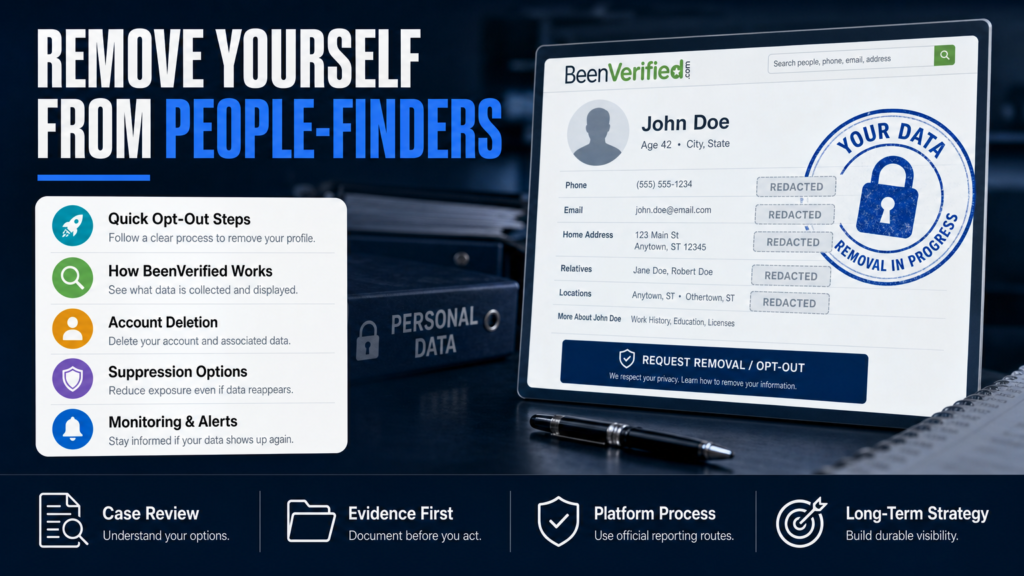
BeenVerified allows people to request removal of their listing through an opt-out form. Removal requests are processed by BeenVerified according to their policies and the information you provide.
We evaluate whether the content may qualify for removal or review and pursue the platform-based and technical options available. Below are the practical steps to submit a BeenVerified opt-out and follow up effectively.
- Step 1 — Find the profile: Search BeenVerified for your name and identifying details. Copy the profile URL (web address) for each listing you want removed.
- Step 2 — Use the opt-out page: Visit BeenVerified’s official opt-out form and paste the profile URL(s) or provide the requested profile details.
- Step 3 — Verify your email: BeenVerified will send a confirmation link. Click it to validate the request; without verification the opt-out may not proceed.
- Step 4 — Monitor the result: Check the profile URL after several days and weekly for up to a few weeks. Platform processing times vary.
- Step 5 — If the profile remains: Use the contact channels on BeenVerified (support email) with your confirmation information and ask for status. Save dates and copies of correspondence.
- You will need to locate the exact profile URL or the profile data (name, city, age) shown on BeenVerified.
- Have a working email address you can access — BeenVerified uses email verification to process requests.
- Be prepared to provide a photo ID only if the platform asks for verification; do not send sensitive documents over insecure channels unless explicitly instructed.
Opt-Out Form: What to include
When filling the opt-out, include the full profile link, the exact name shown, city/state, and any aliases BeenVerified displays. The more precise the data, the lower the chance of a mistaken match.
If you have multiple profiles, submit them individually or list them clearly in one request if the form allows multiple URLs.
- Full profile URL (preferred)
- Full legal name and known aliases
- City and state as displayed
- Contact email used for verification
If BeenVerified asks for ID verification
BeenVerified sometimes requests identity verification to prevent fraudulent opt-outs. If you must provide ID, follow best practices: redact non-essential details (e.g., show name and photo only), send via the channel BeenVerified specifies, and retain a record of the submission.
If you’re uncomfortable, ask for alternatives (phone verification or notarized statement) and document their response.
- Confirm the request came from an official BeenVerified address
- Redact sensitive data not required to prove identity
- Record dates and retain copies of any documents you submit
How does BeenVerified get my information?
BeenVerified aggregates data from public records, commercial data brokers, social networks, voter rolls, court filings, and other publicly available sources. They also license datasets from third-party data providers.
Understanding the sources helps prioritize where to fix the upstream problem: removing or correcting data at the broker or source reduces the chance the profile is rebuilt.
- Step 1 — Identify what appears (address, phone, relatives, records).
- Step 2 — Search typical source sites: county records, state court portals, or prominent data brokers.
- Step 3 — Opt out or correct data at the source where possible to reduce re-ingestion.
- Public records: property records, marriage/divorce filings, and civil court documents.
- Commercial brokers: data purchased from companies that compile contact and demographic info.
- User-generated content: social profiles, newsletters, or mentions that BeenVerified indexes.
- Aggregation and automation: BeenVerified uses automated processes that match and merge records.
Why addressing the source matters
If you successfully remove data only on BeenVerified but the upstream broker or public record remains, BeenVerified may reindex that data during routine updates. That’s why opt-outs at multiple layers are necessary for durable change.
- Fixing the original source prevents reappearance
- Some public records cannot be edited; in those cases suppression strategies help
Is BeenVerified hard to cancel if I have a subscription?
Canceling a BeenVerified subscription is typically handled through their account settings or customer support. The experience varies by how you subscribed (directly on BeenVerified, via mobile app store, or through a third-party).
We recommend documenting the cancellation request and checking billing statements for unexpected charges after cancelation.
- Step 1 — Determine subscription source: app store, website, or third-party.
- Step 2 — Use the appropriate cancellation process (app store subscriptions require managing through Apple/Google).
- Step 3 — Save confirmation emails or screenshots of the cancellation.
- Step 4 — Monitor your payment method for any post-cancellation charges and dispute with your bank if necessary.
- If you subscribed via a mobile app, cancel through the App Store or Google Play subscription manager.
- If you subscribed on BeenVerified’s website, log into your account and cancel from the subscription or billing page.
- If you cannot access the account, contact customer support and provide proof of identity and the last four digits of the payment method used.
If BeenVerified continues charging after cancelation
If charges continue, request written confirmation of the cancellation from BeenVerified support and dispute erroneous charges with your payment provider if needed. Document every communication and date to support disputes.
- Ask for a support ticket number
- Keep copies of emails and receipts
- Contact your bank or card issuer for a billing dispute if needed
How do I delete my account with BeenVerified?
Deleting an account and removing data are related but separate processes. Account deletion stops your access and subscription, while opt-out removes the public profile BeenVerified maintains.
Follow the steps below to delete an account and submit opt-out requests for public profile removal.
- Step 1 — Log into BeenVerified and go to Account Settings > Billing to cancel subscriptions.
- Step 2 — Request account deletion via the account settings or the platform’s support channel. Save confirmation.
- Step 3 — Submit the opt-out(s) for public profile removal as described earlier (profile URL + email verification).
- Step 4 — Follow up if profiles remain or if you receive a response requesting additional verification.
- Account deletion ends your subscription and login access.
- Opt-out requests target the public data BeenVerified publishes.
- You may need to complete both processes for a complete resolution.
Account deletion when you can’t log in
If you no longer have access to the account email, contact BeenVerified support and provide proof of identity and payment history if applicable. They may offer alternative verification steps.
Do not share unnecessary sensitive documents; ask support which specific materials they require and how they will be protected.
- Provide alternate contact info
- Supply last payment details or invoice numbers if available
- Request written confirmation when deletion is processed
Link to deeper opt-out instructions
For a more detailed walkthrough on removing a name and managing recurring issues with BeenVerified, see our full guide: How to Remove Your Name from BeenVerified: Complete 2026 Guide.
When removal is not available: suppression and mitigation strategies
Removal is not always possible: public records, court filings, and some third-party data sources may be lawful to publish. When direct removal isn’t available, mitigation and suppression are the main tools.
We develop SEO reputation strategies intended to improve the visibility of accurate, authoritative content so the BeenVerified listing appears lower in search results.
- Step 1 — Audit search results for your name and identify which pages you control.
- Step 2 — Build or optimize profiles and pages that present accurate, professional information.
- Step 3 — Use targeted SEO (titles, schema, backlinks) to increase the authority of positive pages.
- Step 4 — Monitor search results and iterate; search algorithms and competitor content affect outcomes.
- Create authoritative pages (personal website, LinkedIn, professional directories) that outrank people‑finder results.
- Request corrections at source records where factual errors exist.
- Use targeted PR, blog posts, and optimized profiles to push problematic links off the first page of search results.
Practical suppression tactics
Suppression is a long-game approach: it requires publishing credible alternatives and building signals that search engines prefer. It is not a guaranteed outcome, and performance varies.
- Optimize a personal domain with your full name in the title tag
- Use structured data (schema) on professional pages
- Encourage legitimate backlinks to your profiles
When to consider paid or agency support
If the negative listing is harming client acquisition or employment, a coordinated strategy that includes content creation, SEO, and monitoring often delivers faster, more consistent results than ad hoc DIY measures.
Compare DIY to professional support using the table below to determine the right path for your situation.
How to reduce future reappearances and monitor your name
Once you submit opt-outs and apply suppression tactics, ongoing monitoring reduces surprises and helps you respond quickly if data reappears.
Set automated alerts and check the major people-search sites periodically. If an address or phone number is sensitive, address it at the source.
- Step 1 — Create alerts (Google Alerts, Talkwalker, Mention) for name and email address.
- Step 2 — Check BeenVerified and top data brokers monthly for a few months after opt-out.
- Step 3 — Maintain a record of opt-out confirmations and follow up on reappearing profiles.
- Set Google Alerts for your name and common variations.
- Subscribe to a reputation monitoring service or use BeenVerified’s paid monitoring with caution (know the difference between monitoring and control).
- Regularly check data broker opt-out lists since major brokers re-sell to aggregators.
Related reading on address exposures
If a street address is the primary problem — for example clients finding a home address in search — see our resource on broader online address exposures at When Your Address Becomes the First Result on Google.
What to do if the exposure escalates (doxxing, identity theft, or sensitive data)
If the profile contains sensitive personal data (SSN, bank details, intimate images) or is part of a doxxing attack, treat it as a security incident. The content may warrant legal review and immediate containment steps.
We coordinate with qualified legal professionals when a matter requires legal analysis and recommend law-enforcement contact for threats or harassment.
- Step 1 — Document the exposure thoroughly (full-page screenshots and URLs).
- Step 2 — Report doxxing or threats to the platform (BeenVerified and the originating source) and file any available abuse reports.
- Step 3 — Contact local law enforcement for verified threats or targeted harassment.
- Step 4 — Consider a credit freeze and identity protection service if financial identifiers are exposed.
- Contact your bank and credit bureaus if financial data or SSN appears.
- Preserve evidence (screenshots, URLs, timestamps) in case legal action is needed.
- Use platform reporting to request expedited review for doxxing or explicit threats.
Escalation resources
If you find your Social Security number on the dark web or suspect identity theft, our editorial resource explains containment and next steps: When Your Social Security Number Turns Up on the Dark Web.
DIY Opt-Out vs Hiring an Agency
A quick, realistic comparison to help decide whether to self-manage or hire professional reputation help.
| DIY Opt-Out | Agency-Assisted |
|---|---|
| Cost | Recurring fees or project-based pricing |
| Control | Professional process, less hands-on time |
| Time investment | Agency handles outreach and follow-up |
| Technical expertise | SEO, legal coordination, monitoring tools |
| Scope | May miss upstream brokers without experience |
| Documentation | Agency provides documented audit trail |
| Speed | Potentially faster coordinated response |
Hypothetical example: How a doctor removed a BeenVerified listing and suppressed reappearing data
Background: A locally practicing physician discovered a BeenVerified profile showing a home address and an outdated phone number, causing patients to call the wrong line and a rival clinic to use the old contact.
Actions taken: The doctor identified the profile URL and submitted BeenVerified opt-out requests. Simultaneously, their office corrected contact information at the clinic website, the state medical board directory, and corrected the listing at a major data broker responsible for the phone number.
Outcome: The BeenVerified page was removed after verification and subsequent reappearance was reduced because the primary upstream sources had been corrected and authoritative profiles (clinic website, AMA directory) were optimized to rank higher.
- 1) Audit: identify all public listings showing the incorrect phone or address.
- 2) Opt-out: submit BeenVerified removal requests with profile URLs and verify via email.
- 3) Correct upstream: update clinic and state directory entries; submit correction requests to one major broker.
- 4) Monitor: set alerts and re-check BeenVerified monthly for several months.
- Found exact profile URLs and saved screenshots before requesting removal
- Submitted opt-outs and completed email verification
- Corrected upstream sources: clinic website and one data broker
- Optimized clinic profile and added structured contact data so correct info outranked older listings
Common mistakes people make when trying to remove BeenVerified listings
These mistakes delay resolution or create security risks. Avoid the errors below and follow documented processes for best results.
Mistake 1 — Not saving proof before you change anything
Many people do not capture screenshots or record the profile URL before starting opt-outs. If a profile reappears you’ll want the original evidence and dates to prove it was there.
- Take full-page screenshots with timestamps
- Save the profile URL and any confirmation emails
Mistake 2 — Expecting a single opt-out to solve upstream problems
Removing a profile on BeenVerified may not stop re-ingestion if the data remains at a broker or public record. Failing to address upstream sources leads to reappearance.
- Check major data brokers
- Correct the original public records where possible
Mistake 3 — Sending sensitive documents over insecure email
If BeenVerified requests verification do not email sensitive documents to generic addresses. Confirm the official request channel and redact non-essential information.
Ask the platform how they protect submitted documents.
- Confirm the sender’s official domain
- Redact unnecessary personal data
Mistake 4 — Ignoring subscription billing while dealing with data removal
People sometimes focus on data removal but forget to cancel subscriptions tied to the account, resulting in ongoing charges.
Cancel subscriptions first, save confirmations, then pursue profile removal.
- Identify how you subscribed (app store vs. website)
- Save cancellation confirmations for billing disputes
Mistake 5 — Using deceptive tactics
Trying to manipulate search results with fake pages or false claims risks platform penalties and undermines credibility. Use legitimate correction and suppression strategies instead.
- Avoid fake profiles or sockpuppet accounts
- Prefer authoritative, verifiable content
Best practices for managing people-search exposures
Adopt a disciplined process: audit, opt-out, correct sources, publish authoritative pages, and monitor. Below are durable actions that professionals use to manage their public data footprint.
1. Keep a documented audit trail
Record every opt-out request, confirmation, and correspondence. This record supports follow-ups, disputes, and escalation if profiles reappear.
- Store screenshots, dates, confirmation emails
- Use a spreadsheet or case management tool
2. Fix upstream sources where possible
Correct errors at the original source: court clerks, county assessor sites, professional directories, and major data brokers. This is the most effective way to prevent reingestion.
- Identify top brokers and complete their opt-out forms
- Update official directories with current contact info
3. Build authoritative, SEO-friendly profiles
Create or optimize a personal website, LinkedIn, and professional directory entries. These pages are the content you control and can help push people-finder results lower in search.
- Use your full name consistently
- Add structured contact data and schema
4. Monitor proactively
Set up alerts and review lists of common data brokers regularly. Early detection reduces the work required to remove or suppress new listings.
- Google Alerts for name variants
- Monthly checks of major people-search sites
5. Escalate appropriately
If listings involve sensitive data, harassment, or identity theft, escalate to law enforcement and legal counsel. For technical or high-impact cases, consider coordinated agency assistance.
- Preserve evidence
- Coordinate with trusted counsel when legal claims are possible
Expert Tips
- When submitting opt-outs, include the exact profile URL — it speeds matching.
- Use a dedicated email address for data-broker opt-outs so confirmation messages are easy to find.
- If an opt-out request asks for ID, redact non-essential fields and ask how your data will be stored.
- Correcting a single upstream broker can prevent dozens of future reappearances.
- Keep a screenshot with a timestamp before and after opt-outs to document outcomes.
- If someone uses your profile to impersonate you, report it as an impersonation to the platform and save evidence.
- Cancel subscriptions through the original purchase channel (Apple/Google/app) to avoid residual charges.
- Suppression works but takes sustained effort; treat it like ongoing reputation hygiene, not a one-time fix.
Conclusion
Removing personal information from BeenVerified is a practical process but rarely a one-click cure. Success commonly requires careful opt-outs, upstream corrections, and active monitoring.
If direct removal is denied or the data is public-record, suppression and authoritative content creation are effective alternatives. Document every step and consider professional help when the exposure affects business or personal safety.
Why Businesses Choose Your Reputation Agency
Managing your reputation takes more than monitoring reviews or publishing the occasional blog post. It takes a strategy built around your situation, your industry, and what is actually showing up in search.
Your Reputation Agency works with businesses, executives, healthcare professionals, attorneys and growing brands. Our services include:
- Remove or suppress negative Google search results and news articles
- Take down or mitigate negative reviews (Google, Yelp, Trustpilot, industry sites)
- Remove defamatory content, false posts and impersonation accounts
- Remove personal data from people-search and data-broker sites (opt-outs)
- Mugshot and arrest-record removal or suppression
- YouTube and negative video removal / demotion
- Rapid crisis response for viral incidents and online smear campaigns
- Social media impersonation and fake account removal
- Reputation monitoring, alerts and ongoing surveillance
- Search engine reputation repair (SEO to bury negative results)
Frequently Asked Questions
1. How do you remove your personal identifying information?
To remove personal identifying information, locate the BeenVerified profile URL, submit an opt-out request on BeenVerified’s official opt-out form, and verify the request via the confirmation email. Also correct upstream sources where possible; removal depends on platform policy, source data, and your verification.
2. How does BeenVerified get my information?
BeenVerified aggregates public records, licensed broker data, social profiles, and other publicly available sources. Addressing the original data sources reduces the chance the information will be re-ingested.
3. Is BeenVerified hard to cancel?
Cancelling depends on how you subscribed. If you subscribed through an app store, cancel through Apple or Google; if through the website, cancel in account billing settings. Keep confirmation records and monitor billing statements for post-cancellation charges.
4. How do I delete my account with BeenVerified?
Delete your account via BeenVerified’s account settings or by contacting their support, and separately submit opt-outs for any public profiles. If you can’t access the account email, ask support for alternate verification steps and save written confirmation.
5. How long does BeenVerified take to remove a profile?
Timing varies by case and platform processes. Some removals may appear in days; others can take weeks. There is no guaranteed timeline — timing depends on verification, the nature of the data, and platform processing.
6. What if BeenVerified asks for ID to process an opt-out?
If BeenVerified requests ID, confirm the request came from an official channel, redact non-essential details, and keep copies of what you submit. Ask the platform how they protect submitted documents and consider alternatives if you’re uncomfortable.
7. What can I do if my listing keeps reappearing?
If a listing reappears, identify and correct upstream sources (data brokers, public records), re-submit opt-outs, and document each step. For persistent issues consider professional support to coordinate outreach and suppression strategies.
8. Can I force BeenVerified to remove public records like court filings?
Public records are often lawful to publish; BeenVerified may not remove them solely because they are public. In such cases, focus on mitigation: correction where errors exist, suppression via authoritative content, and legal review if the record includes sensitive or inaccurate information.
9. Should I hire an agency to handle BeenVerified and data-broker removals?
Hiring an agency can save time and provide coordinated outreach, documentation, and suppression strategies. Evaluate whether the exposure affects your business or personal safety and compare DIY effort versus professional help using the table earlier in the article.
This content provides general information and does not constitute legal advice. The available options and likely outcomes depend on the facts, evidence, platform policies, applicable law, jurisdiction, and public-interest considerations.
Past examples do not guarantee future results. Removal, correction, deindexing, and search-position changes depend on third parties and circumstances outside Your Reputation Agency’s control.