How to handle a Reddit professional reputation crisis
A Reddit professional reputation crisis can grow when screenshots, comments, and reposts move beyond the original thread into search results and other social platforms. Start by understanding the claim and preserving context.
Seven response steps
- Save the thread URL, usernames, dates, edits, and key comments.
- Verify what is accurate, misleading, opinion, or demonstrably false.
- Review subreddit and sitewide rules before reporting content.
- Avoid arguments that increase attention without resolving facts.
- Publish a concise correction on an authoritative page you control.
- Report threats, impersonation, doxxing, or other clear violations.
- Monitor search results and reposts for material changes.
Reddit’s Content Policy defines prohibited conduct. Disagreement or criticism alone usually is not removable, so focus on safety, accuracy, and credible counter-information.
You just searched your name and found your home address, phone number, or old arrest record front and center. You’re shopping for online personal information removal reviews and trying to decide whether to DIY, pay a subscription, or hire an agency.
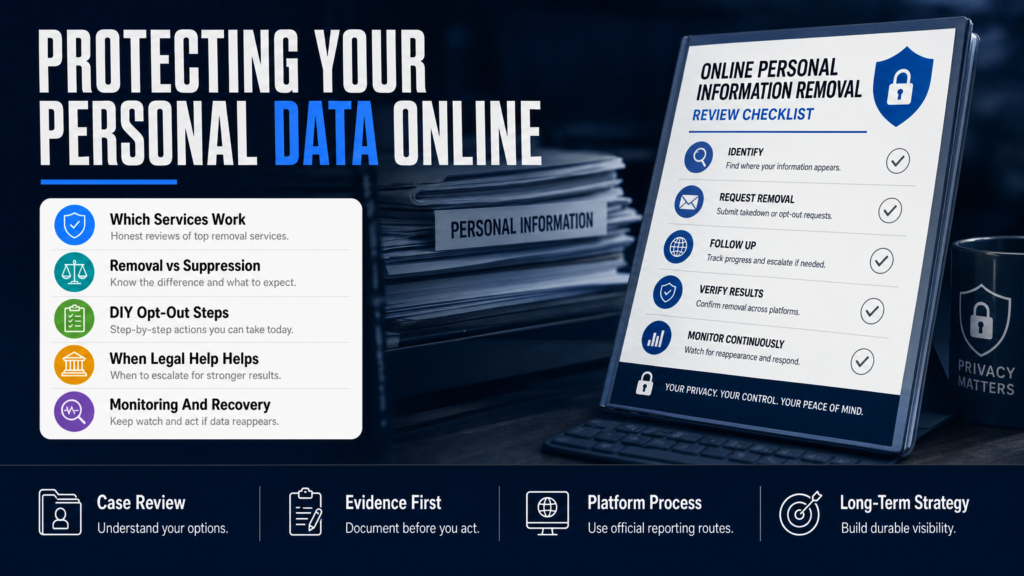
This article walks through how data removal services actually work, what to expect from companies such as DeleteMe, Cloaked, Optery and others, and how to evaluate reviews and pricing. The phrase online personal information removal reviews appears because readers like you need clear, usable comparisons — not hype.
We cover real platform limits (Google, people-search sites, social networks), the cost/value tradeoffs, what steps you can take right now, and what to do when removal is not possible. Expect concrete timeframes with caveats and a decision checklist you can use today.
Table of Contents
- Which company is best for removing personal information from the internet?
- Which is better, Cloaked or DeleteMe?
- Is a personal data removal service worth it?
- What is the best app to remove personal information from the internet?
- How to evaluate online personal information removal reviews (and spot fake ones)
- What to do when removal is not available
- How agencies and apps handle sensitive cases: mugshots, arrest records, and doxxing
- Monitoring, prevention and what to do after removal or suppression
- DIY Opt‑Outs vs Paid Removal Services
- Hypothetical: A Surgeon, A Mugshot Site, And The Full Process
- Common Mistakes People Make When Trying to Remove Personal Data
- Best Practices for Deleting or Suppressing Personal Data
- Expert Tips
- Conclusion
- Why Businesses Choose Your Reputation Agency
- Frequently Asked Questions
Which company is best for removing personal information from the internet?
There is no single “best” company that suits everyone. The right vendor depends on the type of data exposed (people‑search profiles, court records, mugshots, social posts), your tolerance for DIY work, and whether you need monitoring and legal coordination.
Reputable services fall into three groups: automated opt‑out aggregators (DeleteMe, Optery, Incogni), full-service agencies that combine takedowns and SEO (specialized reputation firms), and subscription monitoring plus do‑it‑for‑you removal. Read reviews for scope: do they cover state court portals, small data brokers, and international sites?
- Inventory the exact URLs and screenshots of the data you want removed.
- Choose a provider whose published scope matches those sites.
- Confirm reporting frequency, re‑opt policies, and whether they coordinate with counsel where needed.
- If you want broad opt‑outs from people‑search sites, look at DeleteMe and Optery.
- If you need takedowns of defamatory articles or videos, a full-service reputation agency that pursues legal and PR options makes sense.
- If continuous monitoring and alerts matter, ensure the plan includes ongoing scans and re‑opt-outs.
Which is better, Cloaked or DeleteMe?
Cloaked and DeleteMe take different approaches. DeleteMe is a well‑known, subscription service that automates opt‑outs from a large list of people‑search and data‑broker sites. Cloaked emphasizes automated removal plus identity monitoring and a chrome extension for discovery.
Reviews comparing them should look at three neutral criteria: coverage (which sites each vendor targets), refresh cadence (how often they re‑opt you), and removal persistence (how they handle re‑listings). Neither guarantees permanent deletion; both rely on site policies and ongoing re‑optouts.
- Get a written list of which data brokers the vendor will target.
- Ask how they handle re‑appearance of removed listings (re‑opt frequency).
- Request a sample removal report that shows before/after URLs and timestamps.
- DeleteMe: known coverage list, manual audit by humans, monthly monitoring included.
- Cloaked: browser tools, identity monitoring features, varying site coverage.
- Compare contract length, refund policies, and whether they include removal of court or mugshot sites.
Is a personal data removal service worth it?
A paid service is worth it when the time cost, technical friction, or monitoring requirements exceed what you can sustain. For a busy physician, executive, or business owner, paying for continuous opt‑outs and alerting can be cheaper than lost revenue or an adverse hiring decision.
Value depends on the threat. A runaway mugshot on multiple sites or a public doxxing incident typically justifies an agency approach; a handful of static listings you can opt out of manually might not.
- Estimate hours required for manual opt‑outs (list sites, fill forms, follow up).
- Multiply by an hourly value for your time; compare to vendor pricing.
- Factor in monitoring value: how quickly a vendor alerts you versus doing periodic self‑checks.
- Worth it: ongoing re‑listings, frequent data broker crawls, and risk of identity theft.
- Less likely worth it: a single outdated directory entry you can update in an hour.
- Consider hidden costs: subscriptions that require annual renewal and sites that charge fees for removal.
What is the best app to remove personal information from the internet?
There’s no single “app” that removes everything. Apps and services like Optery, DeleteMe, and Incogni automate opt‑outs from known data brokers. Others focus on monitoring and notifications rather than guaranteed removals.
When you review apps, check whether they require access to sensitive credentials (they should not ask for passwords) and whether the company discloses a site coverage list and re‑opt procedure.
- Download the app or create an account and run the initial scan.
- Review the scan report and prioritize high‑risk listings (addresses, mugshots, SSN fragments).
- Authorize opt‑outs if you’re comfortable; monitor the action log and follow up on stubborn listings.
- Optery: automated removal from many brokers; known for a clear dashboard.
- DeleteMe: human review + automated opt‑outs and reporting.
- Incogni: subscription model from PrivacyTools with automated requests to data brokers.
How to evaluate online personal information removal reviews (and spot fake ones)
Not all reviews are equal. Look for reviews that include site examples, screenshots, and timeframes — those are more actionable than generic praise. Watch out for affiliate posts that recommend a single service without detailed comparisons.
Genuine reviews mention limitations: the need for re‑opt, cases where public records are excluded, and extra fees charged by certain sites for verification documents.
- Cross‑check claims by searching the reviewer’s name or a test name across listed sites.
- Ask vendors for documented policies rather than marketing blurbs.
- Prefer reviews from industry sources that disclose testing methods.
- Good review: lists which sites were removed, shows before/after links, explains follow‑up frequency.
- Bad review: vague claims of ‘complete removal’ or single‑sentence endorsements with affiliate links.
- Red flags: demands for scanned IDs in public forms, promises of guaranteed deletion, or pressure to sign long contracts.
Quick checklist to vet a review
Use this checklist when a blog or forum recommends a service.
- Does the reviewer name specific sites and show URLs?
- Is the review recent (data broker lists change rapidly)?
- Does it disclose costs beyond the headline price (per‑site fees)?
- Are limitations and failures discussed honestly?
What to do when removal is not available
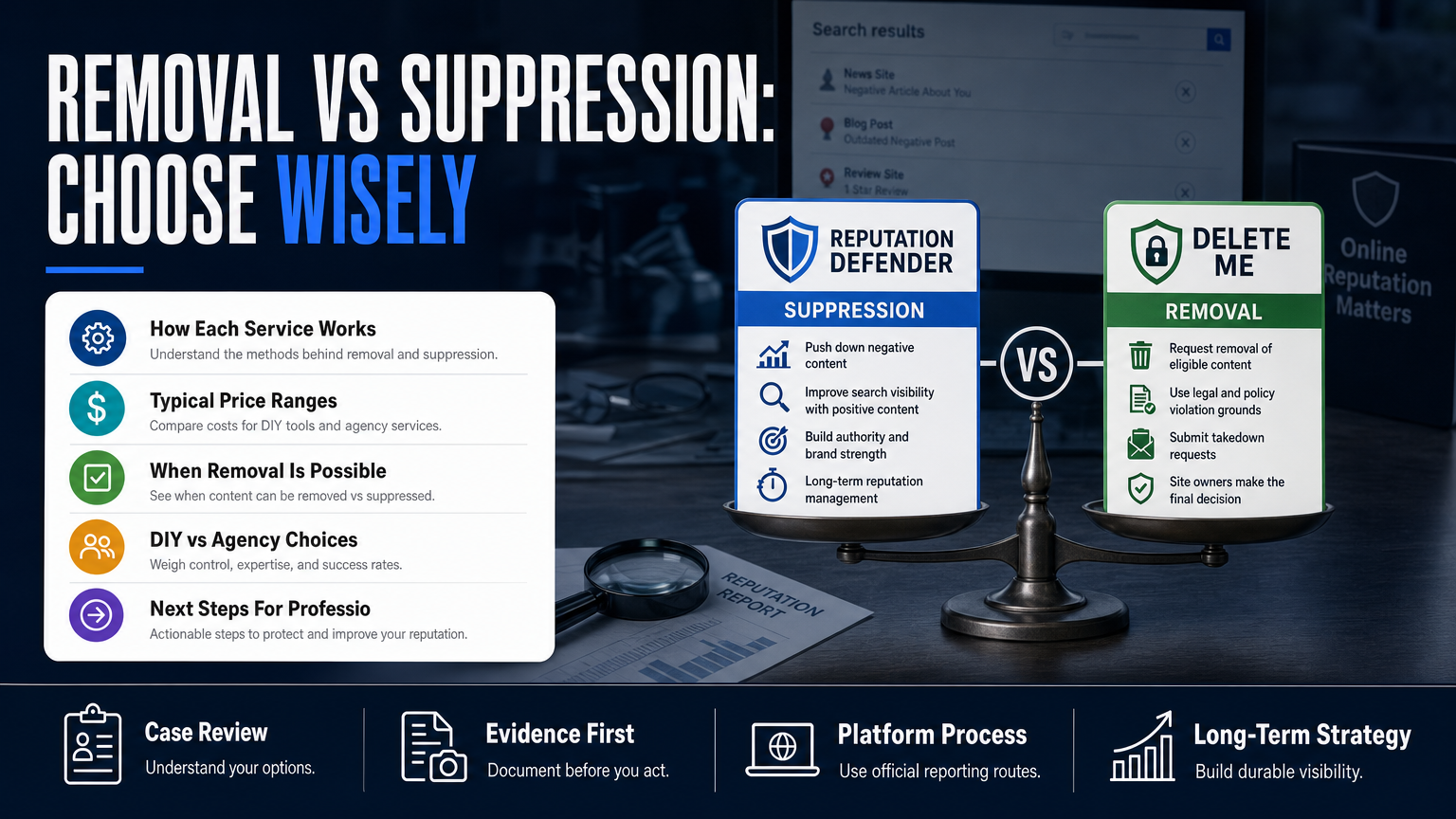
Sometimes content cannot be removed because it’s a public record, a publisher refuses to take it down, or the platform’s policies allow it. When removal is not available, your options are suppression, correction, and legal escalation where appropriate.
Suppression means pushing credible, authoritative content above the harmful item using SEO, reputable profiles, and content you control. Correction includes asking the publisher for edits or placing a response where allowed. Legal escalation should be coordinated with counsel; a qualified attorney can evaluate defamation or privacy claims.
- Document the content, gather evidence, and assess whether it is false, harassing, or lawful public record.
- If removal fails, list three high-quality pages you can create or optimize to outrank the harmful result.
- Set up monitoring and an SEO schedule: content creation, link building, and on‑page optimization.
- Suppression: create optimized pages (LinkedIn, professional bios, press mentions) and build links to them.
- Correction: request corrections or publish a concise, factual reply where the platform allows responses.
- Legal routes: consider cease-and-desist letters or litigation only after counsel review and cost-benefit analysis.
When to bring in legal counsel
Legal action is appropriate when the content is demonstrably false and causing measurable harm, or when a publisher violates privacy law. The cost and time can be high; a lawyer can advise on evidence, jurisdiction, and remedies. We coordinate with counsel when legal analysis is necessary.
- Preserve evidence and timestamps before contacting counsel.
- Confirm applicable law and potential remedies with a qualified attorney.
- Understand that court orders may still have limited practical effect on third‑party republication.
When suppression is the better choice
Suppression is often faster and less expensive than protracted litigation. It focuses on improving the quality and quantity of results for your name or brand so the harmful content appears lower in search pages.
- Build authoritative pages: professional directories, publications, and organization sites.
- Publish timely, factual content such as clarifications or press statements where appropriate.
- Use structured data and proper titles to help search engines index the preferred content.
Resource link for address‑first results
If a physical address or contact information is the primary problem, our stepwise approach is outlined in When Your Address Becomes the First Result on Google, which explains opt‑outs and suppression strategies for location data.
How agencies and apps handle sensitive cases: mugshots, arrest records, and doxxing
Mugshot and arrest‑record removal is complex because many of the sites republish public record data or claim freedom of speech defenses. Agencies that offer these services use a combination of publisher requests, legal letters, and SEO suppression.
Doxxing and exposed identity incidents require immediate containment: remove exposed credentials where possible, request takedowns of mirrored posts, and deploy monitoring to find copies. For high‑risk clients (doctors, executives), we coordinate with legal counsel and consider PR messaging to limit downstream harm.
- Identify all URLs and screenshots of the exposed material.
- Initiate takedown requests to each publisher and use platform abuse forms for social sites.
- Start suppression and monitoring while counsel evaluates legal options.
- Expect variable outcomes: some mugshot sites cooperate; others monetize removals.
- Doxxing requires quick endpoint security work to prevent further leaks alongside public removal efforts.
- Maintain careful records of takedown requests and publisher responses for legal and insurance purposes.
When a social post goes viral
Rapid response matters. Platforms have different abuse paths (Twitter/X, Facebook, Instagram, TikTok, Reddit) and different timelines. Preservation of evidence and an accurate, consistent factual statement are critical when coordinating PR or legal steps.
- File reports on the platform, document ticket numbers, and escalate where available.
- Use social monitoring tools to capture spread and identify influential republishers.
- Consider a brief factual statement for stakeholders if reputational damage impacts licensure or clients.
Resource link for Reddit crises
If a Reddit thread is the problem, see our detailed process in When A Reddit Thread Becomes Your Primary Search Result, which explains Reddit moderation paths, how to contact moderators, and suppression techniques.
Monitoring, prevention and what to do after removal or suppression
Removal is rarely a one‑time fix. Data brokers refresh their crawls and new copies can appear. Continuous monitoring and identity hardening reduce the risk of recurrence.
Prevention includes locking down accounts, removing old accounts and posts, and limiting the sharing of sensitive data. Post‑removal steps focus on reputation rebuilding: publish authoritative content, collect positive reviews, and correct public records where possible.
- Create a monitoring calendar: weekly for 1 month post‑incident, then monthly for 6–12 months.
- Schedule periodic re‑optouts for key data brokers (every 3–6 months depending on crawl frequency).
- Publish authoritative content and gather verified reviews to help suppression.
- Set up alerts for your name, business, phone numbers and addresses on Google Alerts and a paid monitoring tool.
- Use privacy settings on social networks and remove old accounts that publish PII.
- Regularly re‑run opt‑outs for big data brokers; many vendors include this in subscriptions.
Doctor and high‑risk professional specifics
Physicians and licensed professionals face unique risks: licensing boards and malpractice searches. If identity exposure threatens licensure, coordinate with counsel and follow the steps in What An Exposed Identity Costs a Doctor’s Career for assessing regulatory risk and remediation options.
DIY Opt‑Outs vs Paid Removal Services
A quick side‑by‑side to decide which path fits your situation.
| DIY Opt‑Outs | Paid Removal Services |
|---|---|
| Cost | Subscription or one‑time fees |
| Time required | Less time but you pay for vendor labor |
| Coverage | May miss obscure brokers |
| Persistence | Vendor handles re‑listings and follow‑up |
| Legal support | Some vendors coordinate with counsel |
| Transparency | Depends on vendor reporting |
Hypothetical: A Surgeon, A Mugshot Site, And The Full Process
A surgeon finds a mugshot and arrest listing on three niche aggregator sites and two large people‑search profiles that also list her home address. She is worried about patient trust and licensure complaints.
Step 1 — Inventory (Day 0–2): She documents URLs, screenshots, and notes which sites request ID for removal and which republish court records.
Step 2 — Rapid containment (Day 2–7): The team files platform abuse forms for social copies, requests removal from the two people‑search profiles via their DMCA/opt‑out processes, and flags the mugshot sites’ paid removal pages for review.
Step 3 — Evaluate legal options (Day 7–14): Counsel reviews whether any listings are false or improperly published; some sites refuse without a court order.
Step 4 — Mitigation and suppression (Weeks 2–12): The agency publishes authoritative bios on hospital and specialty society sites, optimizes LinkedIn and a professional profile, and runs targeted SEO to push the mugshot pages off the first page for the surgeon’s name.
Step 5 — Monitoring and maintenance (Months 3–12): The agency monitors re‑listings, performs re‑opt requests every 3 months, and escalates to counsel if a publisher republishes or if online harassment continues.
- Document and prioritize exposures.
- Start takedown requests and platform reports immediately.
- Simultaneously begin an SEO suppression plan and monitoring.
- Timeframe: Many removals begin to change within weeks; suppression can take months. Outcomes vary by publisher and jurisdiction.
- No guarantees: Some mugshot sites monetize removals or will only remove on proof of record correction or a court order.
- Coordination: The best results came from combining technical takedowns, monitoring, SEO suppression, and selective legal letters.
Common Mistakes People Make When Trying to Remove Personal Data
Many people make predictable errors that slow down resolution and increase cost. Below are common missteps and how to avoid them.
Mistake 1: Rushing into the cheapest subscription
Picking the lowest‑priced vendor often means limited coverage or no human follow‑up. You may save money short term but pay more when stubborn listings re‑appear.
- Check coverage lists and re‑opt policies before signing.
- Confirm whether the vendor provides before/after reports.
Mistake 2: Treating public records the same as private data
Public records (court dockets, inmate rosters) are often lawful to publish and require different tactics — correction, sealing requests through counsel, or suppression — not simple opt‑outs.
- Don’t expect data‑broker services to remove records that are public; involve legal counsel where warranted.
- Focus on suppression and correction when record sealing isn’t available.
Mistake 3: Sharing unnecessary documents with vendors
Some removal forms ask for identity verification. Only share what’s strictly necessary and confirm secure transmission. Never transmit passwords or medical records through insecure channels.
- Use secure portals and ask how the vendor stores sensitive files.
- Avoid sending more documents than required for the specific request.
Mistake 4: Ignoring monitoring after an initial cleanup
Many people treat removal as a one‑off. Data brokers re‑crawl and republish. Without monitoring, you won’t know when listings return.
- Schedule re‑opt outs and periodic scans.
- Set up alerts for immediate notification of re‑appearance.
Mistake 5: Believing promises of ‘guaranteed deletion’
Any vendor that promises guaranteed deletion or permanent suppression is misrepresenting what platforms and publishers can deliver. Outcomes can be improved but not guaranteed.
- Ask vendors to describe the methods and the limits.
- Expect documented caveats about platform control and public records.
Best Practices for Deleting or Suppressing Personal Data
Follow a reproducible process so you can show what was requested and when. The following practices reduce risk and improve the odds of meaningful results.
Practice 1: Start with a complete inventory
Gather all URLs, screenshots with timestamps, and notes on how the data was obtained or posted. This inventory is the single most valuable asset for takedown, legal review, and SEO suppression.
- Include copies of any account messages or emails from the publisher.
- Prioritize by impact: addresses and SSN fragments rank high.
Practice 2: Use official platform channels first
Report to platform abuse forms, DMCA channels for copyrighted content, and site‑specific opt‑outs before escalating. Document ticket numbers and correspondence.
- Different platforms (Google, Bing, YouTube, Reddit) have different forms and evidence requirements.
- Be factual and concise in requests.
Practice 3: Combine approaches
Takedown requests, legal review, and SEO suppression are complementary. When removal is slow or denied, strengthen suppression and begin reputation rebuilding efforts.
- Create high‑quality content you control and optimize it for your name.
- Use link building from authoritative sites to help preferred pages rank.
Practice 4: Protect accounts and limit future leaks
Harden your digital footprint: enable MFA, remove unused accounts, and limit public sharing of addresses and phone numbers.
- Review old social posts and remove personally identifying information.
- Use a separate business contact for public listings.
Practice 5: Keep clear records and metrics
Maintain a simple log of takedown requests, publisher responses, and monitoring alerts. This helps you measure vendor performance and supports any legal action.
- Record dates, URLs, request types, and results.
- Ask vendors for structured reports rather than slides.
Expert Tips
- Never send passwords or medical records through email when requesting removals.
- Prioritize removing content that contains exact matches of your name plus contact data.
- Ask vendors for a published site-coverage list before you sign up.
- Preserve evidence (screenshots with timestamps) before filing any takedown request.
- If a publisher demands payment for removal, document the request and consult counsel.
- Use Google Search Console for pages you control to speed up deindexing.
- Check obscure local directories and alumni lists — they’re common re‑appearance sources.
- Schedule re‑opt-outs quarterly for the first year after a major cleanup.
Conclusion
Online personal information removal reviews are useful only when they dig into the actual sites, methods, and limitations. A vendor that lists 20 common brokers but won’t show sample reports or explain re‑opt cadence isn’t giving you the full picture.
Decide based on scope and risk: DIY opt‑outs are reasonable for limited exposures; subscriptions and agencies are justified when the exposure is broad, ongoing, or high‑impact. When removal isn’t available, a coordinated suppression, monitoring, and legal‑triage plan is the practical route to recovery.
Why Businesses Choose Your Reputation Agency
Managing your reputation takes more than monitoring reviews or publishing the occasional blog post. It takes a strategy built around your situation, your industry, and what is actually showing up in search.
Your Reputation Agency works with businesses, executives, healthcare professionals, attorneys and growing brands. Our services include:
- Remove defamatory content and false posts (news, blogs, listings)
- Remove or challenge negative reviews (Google, Yelp, TripAdvisor, industry sites)
- Mugshot and arrest record removal
- Remove videos, images, and other multimedia that damage reputation
- Remove personal data from people‑search and data‑broker sites (opt‑outs)
- Search result suppression (SEO to bury negative links)
- Social media takedowns and impersonation removal
- Rapid online crisis management and incident response
- Ongoing monitoring and alerting of reputation signals
- Coordination with legal counsel and use of legal tactics when required
Frequently Asked Questions
1. What is the best company to remove personal information from the internet?
There’s no universal best company. Choose based on the specific sites and data you need removed—DeleteMe and Optery are strong for people‑search opt‑outs, while full‑service reputation firms handle takedowns, legal coordination, and SEO suppression. Check each vendor’s published coverage and reporting.
2. Which is better, Cloaked or DeleteMe?
Cloaked and DeleteMe use different mixes of automation and human review. Compare coverage lists, refresh cadence, and reporting. Neither guarantees permanent deletion; pick the one whose scope matches your most important exposures.
3. Is a personal data removal service worth it?
It depends on your risk and time. For high‑risk individuals or repeated re‑listings, a paid service often saves time and offers continuous monitoring. For a few static listings, a targeted DIY effort may be sufficient.
4. What is the best app to remove personal information from the internet?
Apps like Optery, DeleteMe, and Incogni automate opt‑outs from known data brokers. The best app for you depends on the brokers you appear on and whether you need human follow‑up and monitoring. Verify what sites the app targets before subscribing.
5. How long does removal or suppression take?
Timing varies. Some takedowns can happen within days; suppression and SEO work to push results down can take weeks to months. Platform responses, publisher cooperation, and legal complexity all affect timelines.
6. Can I force search engines to remove a result?
Search engines will remove results only under specific policies (copyright, certain privacy claims, or legal orders). Otherwise, they index what’s publicly available. When removal isn’t available, suppression through SEO is the usual option.
7. Are free data‑removal services effective?
Free tools or manual opt‑outs can be effective for some sites, but they require time and ongoing maintenance. Free services may not cover obscure brokers or provide persistent re‑optouts. Evaluate free options for coverage and reliability before relying on them.
8. What should I do first if I find sensitive data about me online?
Document the URLs with dated screenshots, prioritize the most damaging items (SSN fragments, home addresses, mugshots), and start with platform abuse forms and official opt‑outs. If the exposure is high‑impact, consider a paid vendor and legal counsel.
9. Will removing data stop identity theft?
Removing exposed data reduces some risks but does not eliminate identity theft risk entirely. Combine removal with identity monitoring, credit freezes, and good account security practices like MFA to strengthen protection.
This content provides general information and does not constitute legal advice. The available options and likely outcomes depend on the facts, evidence, platform policies, applicable law, jurisdiction, and public-interest considerations.
Past examples do not guarantee future results. Removal, correction, deindexing, and search-position changes depend on third parties and circumstances outside Your Reputation Agency’s control.