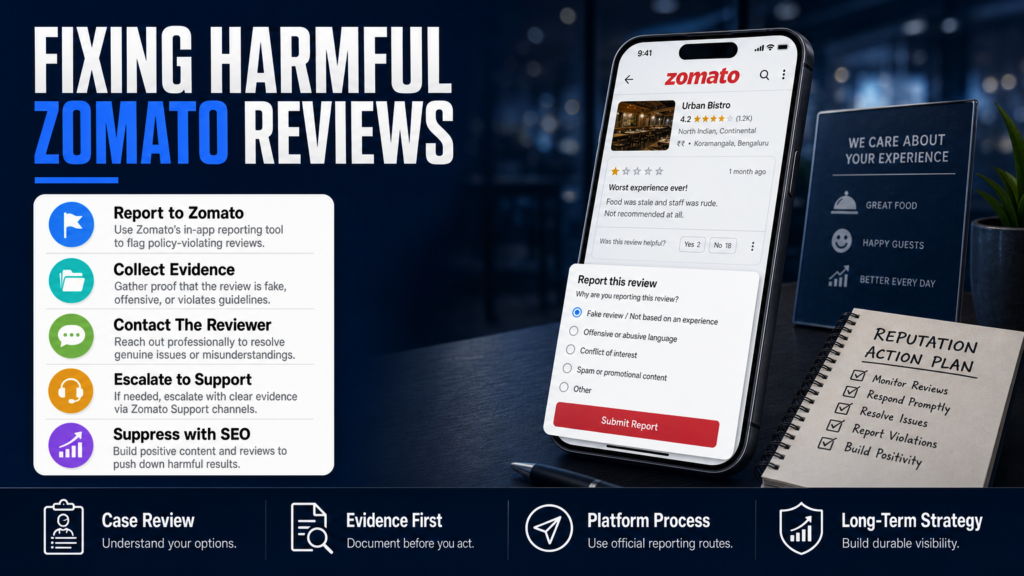
If a single negative Zomato review is driving away customers, hiring prospects, or partners, you need practical options you can act on now. This article explains how to remove negative reviews from Zomato and — just as importantly — what to do if removal isn’t possible.
You’ll get platform-specific steps for reporting and escalating, an evidence checklist that speeds review, templates for contacting reviewers, and realistic timelines with legal and SEO fallback options. We evaluate which complaints Zomato will consider for removal and what typically must be handled through mitigation.
This guide is written for restaurant owners, managers, and professionals who rely on local reputation: people who need fast, documented, and defensible paths to reduce the impact of harmful or fake Zomato reviews.
Read the sections in order for the full process, or jump to the step-by-step reporting subsection if you need to act immediately.
Table of Contents
- How do I remove reviews from Zomato?
- Can you get negative reviews removed?
- Why did Zomato remove reviews (and why they sometimes hide review features)?
- How do I edit my review on Zomato?
- Step-by-step: escalating a fake or malicious Zomato review
- What to do when removal is NOT available
- DIY vs. hiring an agency: what to expect
- Proactive steps to reduce future Zomato review risk
- DIY vs Agency: Quick Comparison
- Hypothetical example: a fake one-star review and the five-step response
- Common mistakes that make Zomato review problems worse
- Best practices to protect and recover your Zomato presence
- Expert Tips
- Conclusion
- Why Businesses Choose Your Reputation Agency
- Frequently Asked Questions
How do I remove reviews from Zomato?
Zomato allows users and businesses to flag reviews that violate its policies. You can request removal where the review breaches Zomato’s content rules (harassment, hate speech, explicit threats, false impersonation, or clear privacy violations) or where the reviewer is clearly not a genuine customer. We evaluate whether the content may qualify for removal or review — final decisions rest with Zomato.
Below are the practical steps to report a review inside the Zomato app and via official web channels, plus what to include to make your request actionable.
- Step 1 — Capture the review: Take screenshots that include reviewer name, date, rating, and full text; save the URL if available.
- Step 2 — Check Zomato policy: Identify which policy the review violates (abuse, impersonation, private data, spam).
- Step 3 — Report in-app: On the review, tap the three dots (or report link) and select the most accurate reason. Attach evidence when the interface allows.
- Step 4 — Use Zomato business support: Log into Zomato for Business or the Partner dashboard and open a support ticket including screenshots and order proof if relevant.
- Step 5 — Escalate externally: If in-app reporting fails, email Zomato’s support with a clear subject line, your business account details, the review link or screenshot, and a short chronology of the incident.
- Only report content that violates Zomato’s Community Guidelines, Terms of Use, or local law.
- Keep copies of the review and any supporting documents (receipts, CCTV timestamps, order numbers, correspondence).
- Use clear, factual descriptions and link to evidence when you escalate.
In-app reporting: exact fields and phrasing
When you hit Report, pick the single best reason — do not select multiple reasons that aren’t supported by evidence. Use neutral, factual language: e.g., ‘Reviewer states personal details that match private employee information — attached receipts show no such relationship’ or ‘This review appears to be posted by a competitor and references no purchase’.
- State exactly which policy is triggered (harassment, impersonation, hate speech, privacy).
- Attach order IDs, timestamps, and a short statement confirming how your records contradict the review.
- Ask for a ticket number and save it.
Using the Zomato for Business dashboard
Business accounts can escalate via their partner dashboard. Include: business name as registered, location ID, reviewer screenshot, order evidence, and a one-paragraph timeline of events.
If you don’t have a business account, create one — it improves access to support channels and ticket tracking.
- Provide a clear contact at your company for follow-up (name, role, email).
- Request the review be re-evaluated rather than simply removed without explanation.
Can you get negative reviews removed?
Yes, sometimes — but not for every negative opinion. Zomato distinguishes between subjective reviews (taste, service opinion) and content that violates its policies or the law. We pursue the legal, technical, platform-based, and reputational options available; removal depends on the content, publisher, platform policies, evidence, jurisdiction, and circumstances.
If the review is an honest but unfavorable opinion, removal is unlikely. If the review contains defamatory falsehoods, privacy violations, impersonation, or spam, you have stronger grounds to ask Zomato to remove it.
- Collect evidence that the reviewer is not a genuine customer (no order ID, contradicted timestamps, internal logs).
- Prepare a concise claim: what is false, why it’s false, and what evidence supports your position.
- Report through in-app and business dashboard, then escalate by email with full documentation.
- Examples likely NOT removable: ‘Food was cold’ or ‘Service was slow’ — these are opinions.
- Examples with stronger removal potential: fabricated claims of criminal conduct with no evidence, sharing of personal private data, impersonation, or coordinated fake reviews.
When legal review is warranted
If the review alleges criminal acts or publishes private personal data, the content may warrant legal review. The content may warrant legal review. A qualified attorney can determine whether a legal claim may be available and whether a court order or takedown notice is appropriate.
- Avoid making public counter-accusations — this can compound the issue.
- Coordinate with legal counsel before sending cease-and-desist letters.
Why did Zomato remove reviews (and why they sometimes hide review features)?
Zomato has removed or altered review features over time for several reasons: platform policy updates, abuse and spam mitigation, or product changes aimed at reducing low-quality content. When Zomato removes a review or a review feature, it’s generally a product or policy decision rather than a signal about a specific business.
If you notice reviews disappearing, it could be because Zomato’s algorithms flagged and filtered suspected fake or spam reviews, or because the company changed the user interface and archived older content.
- Check Zomato’s official blog or help pages for product announcements.
- If multiple genuine reviews disappeared, open a business support ticket asking for clarification and, if needed, export copies of your original review logs.
- Policy enforcement can remove individual reviews that breach rules.
- Algorithmic filters may temporarily hide content while under review.
- UI changes can move or de-emphasize review fields — check the help center for product updates.
What to do if Zomato changes its review UI
Product changes can affect how customers leave feedback and how you moderate it. Use any new moderation tools in the partner dashboard and update your staff training to capture order IDs and incident notes at point-of-service to strengthen future disputes.
- Train staff to record order IDs and customer contact details for any incident that may become a dispute.
- Use in-venue signage or follow-up emails to request corrected reviews when appropriate and compliant with platform rules.
How do I edit my review on Zomato?
If you are the reviewer, Zomato allows you to edit or delete your own reviews from the app or the website. If you are the business owner, you cannot edit another person’s review — you can only request removal or respond publicly.
Below are the steps a reviewer should follow to edit or delete a review and the best practices for owners who want to encourage reviewers to update their feedback.
- For reviewers: Open the Zomato app, go to your profile > Reviews, find the review, tap Edit or Delete, and save.
- For businesses: Politely request an edit via private message or email — do not offer discounts or compensation for removing a negative review, as that violates platform policies and is unethical.
- Reviewers can usually find an Edit or Delete option next to their review in the app.
- Encouraging a reviewer to edit their own review is allowed if you do not offer incentives or payments in exchange.
Templates for asking a reviewer to revise their review
A short, courteous template increases the chance of a positive outcome. Example message to a reviewer: ‘Hi [Name], we’re sorry to hear about your experience. We’d like to investigate — can you share your order number or visit date? If we resolve this, would you consider updating your review?’
- Keep messages brief and factual.
- Offer to remedy the situation (refund, replacement) but do not tie it explicitly to review deletion.
Step-by-step: escalating a fake or malicious Zomato review
Fake or coordinated reviews require methodical escalation. The stronger your documentation, the higher the chance Zomato will act. Below is a reproducible escalation path used across marketplaces that you can follow immediately.
- 1) Save screenshots and URLs; preserve metadata and timestamps.
- 2) Cross-check internal logs (POS receipts, CCTV timestamps, staff statements) and compile them in a single packet.
- 3) Report via in-app Report button with a one-sentence claim and attached evidence.
- 4) Open a partner-dashboard support ticket with a consolidated packet and request an escalation to Content Moderation.
- 5) If no response in 72–120 hours, email Zomato support and copy dispute documentation; request a ticket number and expected timeline.
- 6) If the reviewer can be contacted, request they delete or edit the review using the polite template — avoid offering payment.
- 7) If the review is illegal or doxxes private data, consult a qualified attorney about legal takedown options.
- Document everything before you ask for removal or make public statements.
- Prioritize requests by severity: privacy breaches and impersonation first, then blatant fake reviews, then defamatory false claims.
- Use both in-app tools and partner-dashboard escalation—don’t rely on one channel alone.
Timing and expectations
Timing depends on Zomato’s internal workload, the severity of the violation, and whether you have a business account. Some removals happen in days; others require multiple escalations and may take weeks. An estimated timeline can be provided after an individual assessment.
- Always ask for a ticket number and expected SLA when you escalate.
- Prepare to follow up; persistent, documented follow-up often makes the difference.
What to do when removal is NOT available
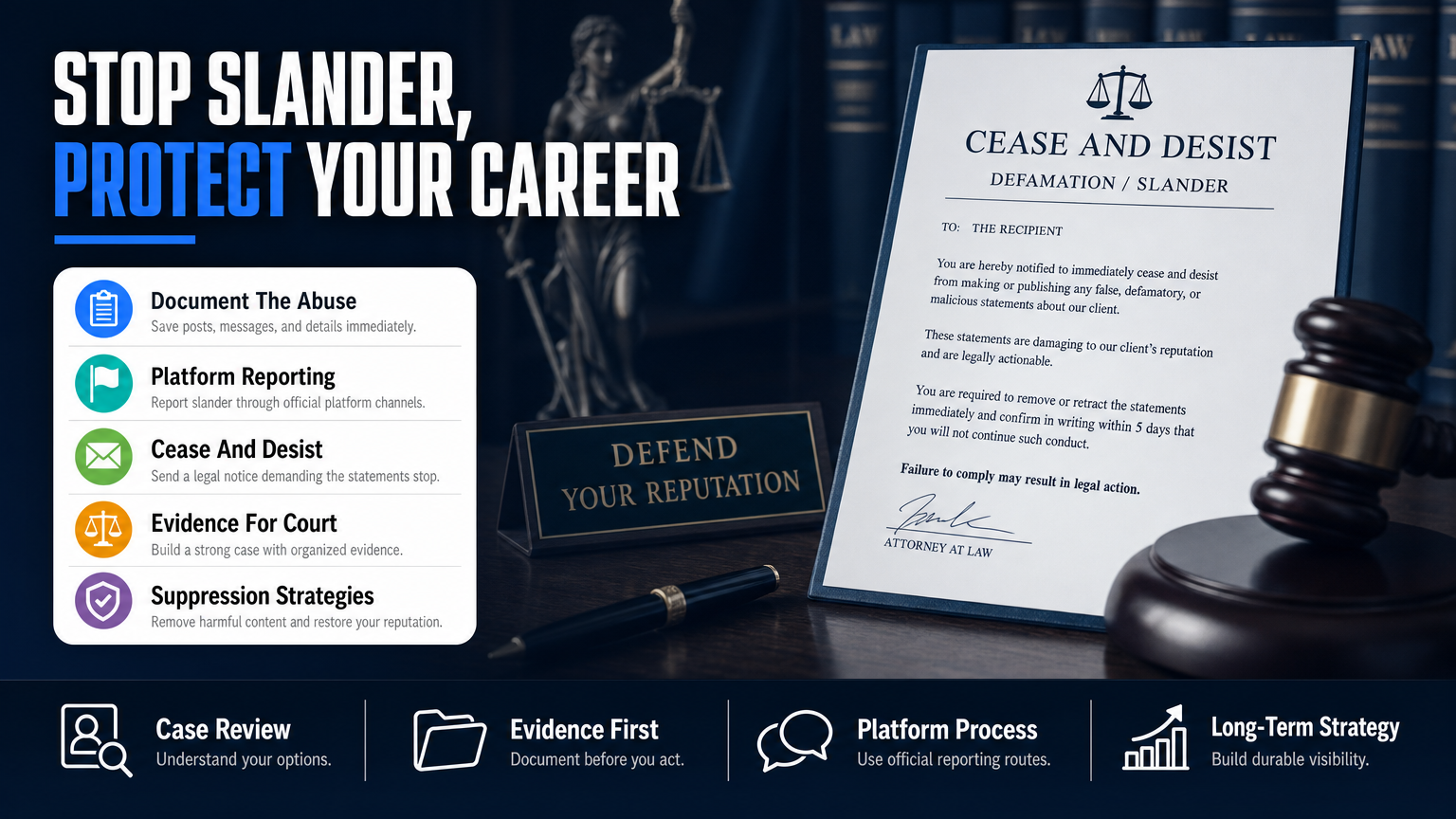
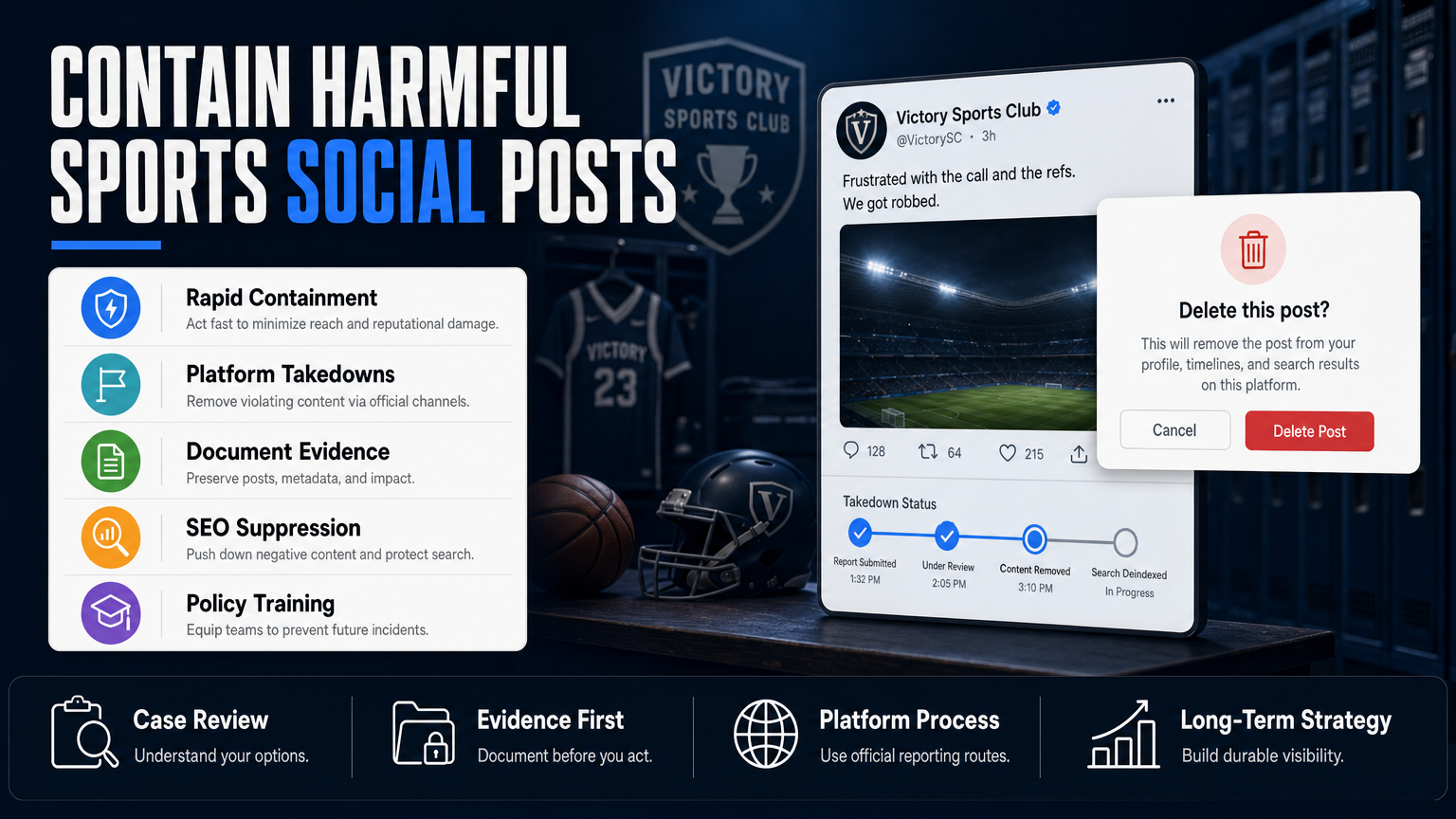
Not all negative Zomato reviews are eligible for removal. When removal is unavailable, focus on mitigation: correction, reputation repair, and reduced visibility. We develop SEO reputation strategies intended to improve the visibility of relevant and credible information so that the harmful review becomes less prominent.
Mitigation can stop short-term damage while you build a stronger, evidence-backed presence that replaces or dilutes the negative content in search results over time.
- Step 1 — Public response: Post a calm, factual reply acknowledging the issue and offering to resolve offline.
- Step 2 — Generate new reviews: Use follow-up emails or receipts to invite genuine reviewers (without incentives) to leave feedback.
- Step 3 — SEO suppression: Publish optimized pages (press, blog, profiles) that push the negative result down in search over weeks to months.
- Step 4 — Monitor: Set up ongoing monitoring to alert you to new reviews or re-appearances.
- Respond professionally and promptly on Zomato to show readers you care and to provide your side.
- Create fresh, authoritative content: new positive reviews, updated menus, press mentions, blog posts, and local citations.
- Implement a review-generation process that encourages satisfied customers to leave feedback.
When to consider paid reputation services
If a review is causing measurable business loss and removal avenues are exhausted, many businesses engage a reputation specialist to implement suppression campaigns and coordinated review-generation efforts. Results vary according to the strength of negative content and the authority of competing sources.
- Ask potential providers for process details and not promises.
- Insist on documented confidentiality and clear reporting.
DIY vs. hiring an agency: what to expect
You can handle many Zomato review problems yourself, especially simple reporting and direct reviewer outreach. But agencies bring workflow, escalation experience, and resources to compile legal packets, run coordinated SEO suppression, and manage high-volume review problems.
The comparison below outlines typical differences to help you choose the right path for your situation.
- If you have a single review and internal bandwidth, follow the in-app reporting and polite outreach steps.
- If you face a smear campaign, coordinated fake reviews, or legal risk, consider an agency and legal counsel.
- DIY is lower cost but requires time and learning platform policies.
- An agency speeds escalation and coordinates multi-channel mitigation but does not guarantee removal.
- Both approaches should follow the same ethical rules — never fake reviews or bribe reviewers.
When to bring in legal counsel
Bring in counsel when a review includes demonstrably false allegations of criminal conduct, threats, or the publication of private personal data. A qualified attorney can advise whether a court order or legal demand letter is appropriate.
- Avoid escalating to legal threats prematurely; they can increase visibility.
- Coordinate legal steps with your reputation team to ensure consistent messaging.
Proactive steps to reduce future Zomato review risk
Prevention reduces crises. Put simple operational changes in place to limit disputes and to capture evidence when incidents occur.
This section covers workflow, staff training, and monitoring that makes future removals or disputes faster and more likely to succeed.
- Step 1 — Create an incident log template for staff to use immediately after a customer complaint.
- Step 2 — Link POS/order IDs to reviews where possible.
- Step 3 — Configure reputation monitoring tools to send immediate alerts.
- Train staff to log incident details, customer names, order IDs, and times.
- Automate review invitations after service to increase genuine positive reviews.
- Set up daily monitoring and alerting for new reviews and mentions.
Tools and services that help
Reputation monitoring and review management platforms can centralize alerts across Zomato, Google, and industry sites. If you need a deeper case study on marketplaces and reviews, see our analysis in When One Marketplace Review Can Sink Your Business.
- Use tools that archive review pages and capture metadata.
- Consider services that automate follow-up review invites to verified customers.
DIY vs Agency: Quick Comparison
When to do it yourself and when an agency can add value.
| DIY | Agency |
|---|---|
| Cost | Higher upfront, ongoing fees |
| Speed | Faster escalation workflows |
| Control | Less day-to-day control; strategic coordination |
| Expertise | Specialized experience and templates |
| Reporting | Professional reports and legal packet prep |
| Scalability | Handles coordinated attacks and multiple platforms |
Hypothetical example: a fake one-star review and the five-step response
Restaurant ‘BlueFork’ finds a one-star Zomato review claiming a violent incident that never occurred. The review was posted by an unfamiliar account with no attached order ID. BlueFork needs to move quickly to limit booking cancellations.
Here’s an anonymized, step-by-step approach BlueFork could take using the processes described above.
- 1) Document and report immediately via both in-app report and business dashboard.
- 2) If Zomato does not respond within a reasonable timeframe, escalate with a compiled packet by email requesting status and ticket number.
- 3) Simultaneously deploy mitigation: ask satisfied recent customers to leave reviews, publish authoritative content addressing the claim, and monitor booking volume for changes.
- Step 1: Preserve evidence — screenshot review, capture reviewer profile, save URL and date.
- Step 2: Check records — search POS and CCTV for matching timestamps (none found).
- Step 3: Report to Zomato — submit in-app report citing impersonation/false allegation, attach screenshots and internal logs.
- Step 4: Open business dashboard ticket — include business registration, location ID, and the consolidated evidence packet.
- Step 5: Public mitigation — post a calm response on Zomato acknowledging the claim and offering to investigate, while beginning SEO suppression by publishing a factual incident summary on the restaurant’s blog and a press release to local outlets.
Common mistakes that make Zomato review problems worse
Avoid these recurring errors — they slow resolution and increase reputational damage.
1) Publicly attacking the reviewer
Naming, shaming, or accusing a reviewer in public comments fuels escalation and can be republished elsewhere. Maintain professional, fact-based responses only.
2) Offering payment for removal
Incentivizing reviewers to delete or change reviews violates platform rules and risks further penalties. Never offer money or free goods explicitly in exchange for removal.
3) Failing to collect evidence up front
Without receipts, logs, or timestamps, your escalation loses credibility. Treat every incident as potentially requiring documentation.
4) Relying solely on a single report
One report via the app can be ignored or filtered. Use business dashboard escalation and documented emails when resolution is critical.
5) Using aggressive legal threats prematurely
Threatening litigation publicly often makes the review more visible and complicates negotiations. Consult counsel and coordinate legal steps privately when warranted.
Best practices to protect and recover your Zomato presence
These are durable practices that reduce risk, speed dispute resolution, and improve public perception.
1) Standardize incident documentation
Create a one-page incident form for staff that captures name, date, order ID, server, exact complaint, and any corrective action taken. This form becomes your primary evidence packet if you need to escalate.
2) Respond quickly and professionally
A timely, calm public response demonstrates care to prospective customers and can reduce reputational impact even when removal is impossible. Offer to continue the conversation offline and request details to investigate.
3) Build a stream of genuine reviews
Ask for feedback from satisfied customers soon after service. Email receipts and SMS follow-ups with a simple, neutral request increase positive review volume without violating platform rules. For more on the financial impact of one-star reviews in professional settings, see What a One-Star Review Really Costs Your Practice.
4) Use multi-channel mitigation
Combine Zomato responses with Google Business updates, social posts, local press, and SEO content that emphasize authoritative, factual information about your business. Cross-channel authority helps push harmful content lower in search results over weeks to months.
5) Monitor and learn
Put alerts in place for new Zomato reviews and local mentions. Analyze complaints for recurring operational issues you can fix to reduce future negative reviews.
Expert Tips
- Always ask for a ticket number when you report a review and log it in your incident tracker.
- Screenshots alone can be challenged; whenever possible preserve the review URL and metadata.
- When contacting a reviewer, use a neutral tone and ask clarifying questions rather than making accusations.
- If multiple fake reviews appear in a short window, document the pattern and submit them together for faster action.
- Never encourage reviews in exchange for discounts — ask politely without incentives.
- Prioritize escalation for privacy breaches and impersonation — platforms treat those more seriously.
- Coordinate legal and reputation steps; lawyers can advise when a court notice is needed but won’t replace a platform escalation.
- Use structured review invitations post-service to raise your base of legitimate reviews and dilute isolated negatives.
Conclusion
Removing negative reviews from Zomato is a process, not a single action. Some reviews are removable under Zomato’s policies; many are not. The most effective responses pair immediate, documented reporting with calm public replies and longer-term mitigation via SEO and review-generation.
If removal is essential and platform escalation fails, a coordinated approach — combining legal review, documented evidence, and professional reputation services — improves the chance of a favorable outcome. We evaluate whether the content may qualify for removal or review and pursue the legal, technical, platform-based, and reputational options available while making realistic, documented plans for mitigation when removal isn’t achievable.
Why Businesses Choose Your Reputation Agency
Managing your reputation takes more than monitoring reviews or publishing the occasional blog post. It takes a strategy built around your situation, your industry, and what is actually showing up in search.
Your Reputation Agency works with businesses, executives, healthcare professionals, attorneys and growing brands. Our services include:
- Remove or suppress negative search results and news articles from Google
- Review removal and remediation (Google, Yelp, Facebook, Trustpilot, industry sites)
- Data broker and people-search opt-outs to remove personal information
- Mugshot and arrest-record removal or suppression
- Takedowns of defamatory, false, or malicious posts (social, blogs, forums)
- Online crisis management and rapid-response reputation repair
- Impersonation and fake account removal on social platforms
- Reputation monitoring, alerts, and ongoing surveillance
- First-page SEO and suppression strategies to bury negative content
- Digital security audits and privacy hardening to prevent future exposure
Frequently Asked Questions
1. How do I remove reviews from Zomato?
Report the review through the in-app Report function and include the precise policy it violates. If you have a business account, open a partner-dashboard ticket with screenshots, order IDs, and a short evidence packet. Escalate by email if there’s no timely response; platform decisions remain under Zomato’s control.
2. Can you get negative reviews removed?
Sometimes — if the review violates Zomato’s policies (harassment, impersonation, privacy violations, spam) or is demonstrably fake. Honest negative opinions are usually not removable. Removal depends on evidence, policy, and platform discretion.
3. Why did Zomato remove reviews?
Zomato may remove reviews because they breach community guidelines, are flagged by algorithmic filters for spam or manipulation, or due to UI/product changes that archive or hide older features. Removal of content is typically a platform decision based on policy enforcement or product updates.
4. How do I edit my review on Zomato?
If you wrote the review, open Zomato, go to your profile or Reviews section, find the review, and use Edit or Delete. Businesses cannot edit others’ reviews; they can only request removal or politely ask the reviewer to update their posts.
5. Can I get a fake review removed for free?
Yes — reporting through Zomato’s standard in-app and business dashboard channels is free. Paid services can speed escalation and provide mitigation strategies, but you should first document and submit a clear evidence packet via the official channels.
6. What if Zomato won’t remove a defamatory or private-data review?
If Zomato declines to remove content that you believe is defamatory or contains private data, consult a qualified attorney to review whether legal steps are appropriate. Coordinate any legal notices with your escalation process and preserve all evidence; legal options depend on jurisdiction and specific facts.
7. How long does it take for Zomato to remove a review?
There is no universal timeframe. Some removals occur within days; complex cases or those requiring legal review can take weeks. Timing depends on the platform, publisher, evidence, and whether you use business-account escalation.
8. Should I respond publicly to a negative Zomato review?
Yes — respond quickly, calmly, and professionally to demonstrate responsiveness. Offer to investigate offline and request details. Public replies show prospective customers you take complaints seriously and can reduce immediate reputational harm.
9. What if multiple negative reviews appear suddenly?
A sudden cluster may indicate a coordinated attack or spam. Document the pattern, preserve timestamps, and report the reviews together through the business dashboard. You may want to consider agency assistance for multi-platform coordination if the volume threatens bookings or hiring.
This content provides general information and does not constitute legal advice. The available options and likely outcomes depend on the facts, evidence, platform policies, applicable law, jurisdiction, and public-interest considerations.
Past examples do not guarantee future results. Removal, correction, deindexing, and search-position changes depend on third parties and circumstances outside Your Reputation Agency’s control.