Why deleted post screenshots still affect reputation
A deleted post screenshot reputation problem persists because removing the original cannot recall copies already captured, downloaded, quoted, or reposted. Screenshots can also be edited or separated from the date and conversation that explain them.
Seven response steps
- Preserve the screenshot, repost URL, account, date, and surrounding claims.
- Locate the original content or reliable archive when possible.
- Check whether the image was edited, cropped, or falsely attributed.
- Report impersonation, threats, privacy violations, or manipulated media.
- Correct material inaccuracies on an authoritative page.
- Avoid arguments that unnecessarily amplify the repost.
- Monitor search, images, usernames, and new copies.
Deletion remains useful because it reduces future discovery at the source, but lasting recovery may require accurate context, platform reports, and consistent current information.
If a Google search or a rogue Facebook post is costing you clients, licensing risk, or peace of mind, you need an action plan. This article lays out the practical steps most professionals should try first to delete personal data on internet and where those steps commonly fail.
You’ll get a clear checklist for platform takedowns, data‑broker opt‑outs (free and paid options), technical guidance for device and cloud data, and the realistic limits of removal. We also explain what to do when removal isn’t possible and how to reduce the visibility of harmful items.
This is written for US professionals — doctors, lawyers, executives, small‑business owners — who may need fast, careful remediation. Read for concrete next steps you can start today and the decision points for hiring specialized help.
Table of Contents
- What is the best way to remove my personal data from the internet?
- Can others see your internet history after you delete it?
- How can you securely erase data so recovery is highly unlikely?
- How do I cleanse all my data on the internet?
- When removal isn’t available: mitigation, suppression and other options
- Monitoring and keeping your footprint small after removal attempts
- DIY vs Hiring a Reputation Agency
- Hypothetical Example: A Doctor, a Mugshot, and a Blog Post
- Common Mistakes People Make When Trying to Delete Personal Data
- Best Practices for Reducing Your Online Footprint
- Expert Tips
- Conclusion
- Why Businesses Choose Your Reputation Agency
- Frequently Asked Questions
What is the best way to remove my personal data from the internet?
There isn’t a single “best” method that always works. The right approach depends on where the data lives (search results, a publisher’s post, a review site, a data broker), what type of content it is (defamatory, private, identity data), and who controls it.
We evaluate whether the content may qualify for removal or review and pursue the legal, technical, platform‑based, and reputational options available. Below is a prioritized process most clients follow.
- Step 1 — Inventory: Make a spreadsheet with URL, platform, content type, harm level, and contact info.
- Step 2 — Prioritize: Start with items that affect licensure, finances, or safety (mugshots, defamatory accusations, doxxing).
- Step 3 — File requests: Use the platform’s official form first — these are logged and give you a paper trail.
- Step 4 — Escalate: If the platform refuses or ignores you, consider a legal review or a targeted PR message to correct context.
- Step 5 — Monitor: Subscribe to alerts or set daily search checks for the priority search terms.
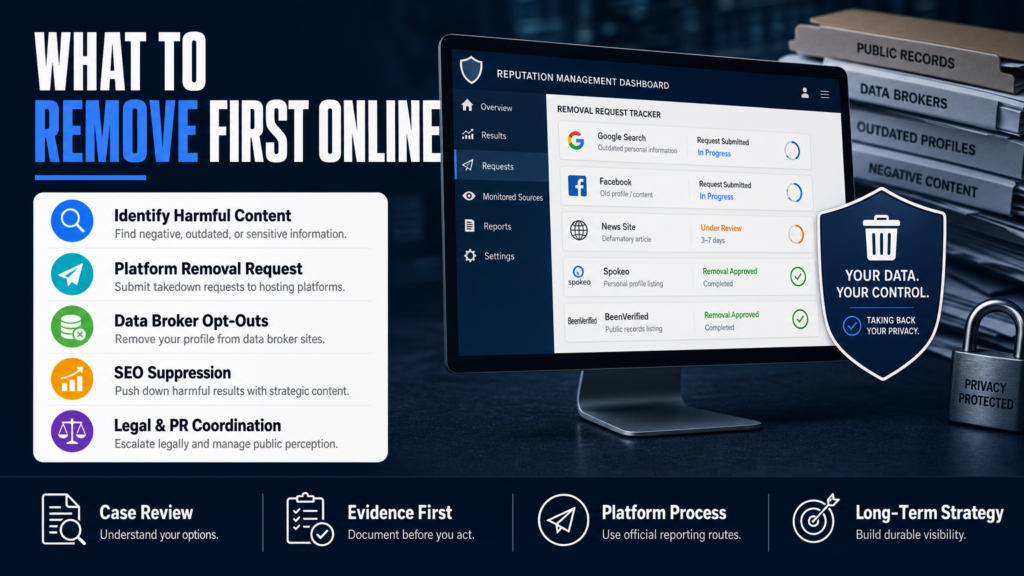
- 1) Assess and document: capture URLs, screenshots, publication dates, and ownership details.
- 2) Use platform reporting: follow the platform’s removal form or abuse report for the specific problem (Google, Facebook, YouTube, Yelp, etc.).
- 3) Request publisher takedown: if a blog or local news site hosts the content, send a direct, evidence‑based request to the site owner or host.
- 4) Data‑broker opt‑outs: submit opt‑out requests to major brokers (Spokeo, Whitepages, BeenVerified, PeopleFinders) — many offer free forms.
- 5) Mitigate and suppress: if removal is unlikely, build higher‑quality pages and profiles to push the harmful content down in search results.
Platform reporting: who to contact first
Use the platform’s own abuse tools before sending emails. Google has ‘Remove Outdated Content’ and a separate legal removal process; Facebook and Instagram have privacy and impersonation forms; YouTube has privacy and defamation processes.
If the content is on a small website, identify the hosting provider (via WHOIS or hosting checkers) and send an abuse notice to the host as well as a direct request to the site owner.
- Google: search removal, outdated content, and legal removal forms
- Yelp/TripAdvisor: use the review dispute or business owner response workflow
- YouTube: privacy/defamation reporting and copyright takedown (when applicable)
Can others see your internet history after you delete it?
Deleting your browser history or using private mode does not eliminate all records. Your device, your router, your ISP, and the services you access can retain logs independent of your local browser history.
Understanding where copies may exist helps you decide whether you need technical steps, legal requests, or changed habits to reduce exposure.
- Check synced accounts and multiple devices for copies (phone, tablet, work computer).
- Clear browser history, cookies, and caches and sign out of synced accounts — then change passwords if concerned.
- If needed, request account data deletion from the service provider (use their privacy or data‑request form).
- For log records kept by ISPs or networks, consult a qualified attorney if you believe logs are relevant to a legal or safety issue.
- Local device: Browser history, caches, and synced accounts may store records until overwritten or removed.
- Network logs: Routers, workplace networks, and ISPs can retain logs that are not erased by clearing your browser.
- Service logs: Google, Microsoft, and websites often keep server-side activity records tied to your account.
- Archives: Search engines, web archives (Wayback Machine), and site backups can preserve copies beyond the original page.
When private mode isn’t private
Incognito or private browsing prevents storing history on the local device but does not stop websites, employers, or ISPs from recording activity. Use private mode for convenience, not for anonymity.
For more privacy, use a reputable VPN and consider separate accounts for sensitive searches, but remember a VPN shifts trust to the VPN provider.
- Incognito = local privacy only
- VPNs mask your IP from sites and ISPs but not from the VPN provider
- For sensitive legal or safety matters, technical measures should be coordinated with legal counsel
How can you securely erase data so recovery is highly unlikely?
If your concern is files on a device (photos, documents, financial data), certain technical methods make recovery extremely unlikely when applied correctly. For cloud or published content, deletion requests interact with platform retention policies.
We do not promise absolute irrecoverability; instead, here are industry‑accepted steps that specialists use to reduce restoration risk.
- For phones: backup any data you want, enable device encryption, then use the factory reset and follow with the provider’s secure‑erase guidance.
- For SSDs: use the drive maker’s secure‑erase tool or cryptographic erase rather than repeated overwrites.
- For sensitive drives with legal or compliance requirements: use a certified secure destruction service and get a destruction certificate.
- Full‑disk encryption: enables ‘crypto‑erase’ by deleting the encryption keys, rendering underlying data unreadable.
- Secure‑erase commands: use manufacturer tools (ATA Secure Erase for SSDs) or OS utilities that overwrite storage.
- Multiple overwrites: for some HDDs, multiple overwrite passes are recommended (not applicable to many modern SSDs).
- Physical destruction: shredding or degaussing is used for drives that must be permanently destroyed.
Cloud and account deletions
Deleting a file from a cloud account often moves it to a trash folder or triggers provider retention; check the provider’s deletion and retention policy.
Request data deletion via the service’s privacy dashboard — they may keep backups or logs for a limited time as permitted by their policy and law.
- Check Google, Apple iCloud, Dropbox, and Microsoft account deletion procedures
- Request a copy of the provider’s retention and backup policy if you need to confirm timelines
- Coordinate with legal counsel for preservation or deletion requirements in litigation or regulatory matters
How do I cleanse all my data on the internet?
A full cleanse is rarely instantaneous. It’s a program: inventory, opt‑outs, takedowns, suppression, and monitoring. For busy professionals, systematically working through categories delivers the best results.
Below is a practical cleanse workflow you can apply yourself or hand to an external provider.
- 1) Run name searches with common modifiers (city, profession) and capture results.
- 2) Submit opt‑outs to major brokers: Spokeo, Whitepages, Intelius, BeenVerified, PeopleFinder, etc.
- 3) Use free Google removal options for sensitive personal data (doxxing, financial/legal identifiers) and file legal removal requests if applicable.
- 4) Clean social accounts: remove public posts, tighten audience settings, and unlink old apps.
- 5) Publish and optimize positive profiles (LinkedIn, institutional bios, professional directories) to improve search result quality over time.
- Step A — Inventory personal information across search results, social profiles, and data‑broker listings.
- Step B — Takedown attempts for publisher content and privacy violations.
- Step C — Opt‑out requests for data brokers and people‑search sites.
- Step D — Fix account privacy settings (Facebook, LinkedIn, Instagram, Twitter/X).
- Step E — Build authoritative profiles and content that rank for your name to push down harmful links.
Free vs paid data‑broker removal
Many brokers provide free opt‑out forms but require repeated submissions and monitoring. Paid services consolidate these tasks and automate resubmissions, which can save time for busy professionals but are not guaranteed to remove every listing.
If you want to understand the impact of one broker on hiring risk, read Can One Data Broker Cost You a Job and Your Reputation?.
- Free: manual opt‑outs, time consuming but low cost
- Paid: automation, tracking, and broader coverage but not a guarantee
- Both approaches require ongoing monitoring because brokers re‑ingest data
When removal isn’t available: mitigation, suppression and other options
Not all content can be removed — public records, truthful reporting in the public interest, and some publisher refusals fall outside takedown eligibility. When removal is unavailable, we may recommend mitigation, correction, or reduced visibility.
Mitigation strategies combine SEO, PR, corrections, and, where appropriate, legal review to reduce the negative content’s impact.
- Step 1 — Prioritize which search results must be suppressed for business or licensure reasons.
- Step 2 — Build a content map: professional bio, institutional pages, press, and credible guest posts.
- Step 3 — Use technical SEO (schema, canonical tags, backlinking) to increase authority of positive pages.
- Step 4 — Continue data‑broker opt‑outs and monitor for reappearance.
- SEO suppression: create and optimize authoritative pages that rank above the unwanted item.
- Corrections and context: ask publishers to add updates, clarifications, or corrections if facts are wrong.
- PR and messaging: publish a controlled response on your website or in trade press to provide context and demonstrate remediation.
- Monitoring and alerting: set up alerts and a rapid response plan for new items.
When to involve lawyers and PR
The content may warrant legal review if it is defamatory, a privacy invasion, or if a publisher refuses lawful removal. A qualified attorney can determine whether a legal claim may be available.
For reputational damage that affects customers or licensure, coordinated PR and messaging to stakeholders is often necessary. We coordinate with qualified legal professionals when a matter requires legal analysis.
- Legal review: defamation, privacy law, or copyright claims
- PR: proactive outreach to correct public perception
- Coordination: legal and PR teams should align on statements and timing
Cost considerations
DIY suppression is lower cost but time intensive; hiring specialists increases speed and scale but comes with fees. For a discussion of data‑broker profile impact and professional costs, see What a Data Broker Profile Really Costs a Professional.
- Free tools handle single items and opt‑outs
- Paid services and agencies provide scale, tracking, and expertise
- Expect ongoing costs for monitoring and maintenance
Monitoring and keeping your footprint small after removal attempts
Removal and suppression are ongoing. Data brokers re‑ingest public records; old content resurfaces via archives; new items can appear after incidents. Continuous monitoring is the practical reality.
Set up alerts and schedule quarterly audits to keep visibility under control.
- Create a monitoring spreadsheet with top 10 searches to check weekly post‑incident.
- Sign up for email alerts from Google News and set social listening for your name.
- If you hire an agency, confirm the scope and frequency of monitoring in the service agreement.
- Set Google Alerts and use rank‑tracking tools for your top name+modifier queries.
- Subscribe to a people‑search monitoring service or schedule manual reviews quarterly.
- Use a central dashboard for takedown requests and evidence so you or your vendor can re‑submit quickly.
DIY vs Hiring a Reputation Agency
Quick compare to help decide whether to tackle removal yourself or engage paid help.
| DIY (Do-It-Yourself) | Hire an Agency |
|---|---|
| Cost | Higher upfront, recurring fees |
| Time commitment | Saves you time; agency manages tasks |
| Technical complexity | Agency handles complex platform and SEO work |
| Coverage | Broader coverage and automation in submissions |
| Legal coordination | Agency coordinates with counsel when needed |
| Monitoring | Often built into service packages |
| Speed of response | Usually faster due to experience and templates |
Hypothetical Example: A Doctor, a Mugshot, and a Blog Post
Dr. A., a hypothetical independent surgeon, discovered a mugshot and an old blog post appearing on the first page for her name. The mugshot was from a dismissed arrest listed on a county site and republished by a local blog; the blog added sensationalized claims.
The following is an anonymized step‑by‑step of how a remediation program might proceed. This is illustrative only and not a promise of results.
- Step 1 — Collect evidence of dismissal and screenshots.
- Step 2 — File a publisher takedown request and a hosting abuse complaint if the blog refuses to remove inaccurate or privacy‑violating material.
- Step 3 — Submit Google removal requests for sensitive personal data where criteria are met and request removal of outdated cache copies.
- Step 4 — Opt out or request removal from data brokers and people‑search sites.
- Step 5 — Deploy SEO suppression: new, optimized pages, backlinks from trusted sites, and updating institutional profiles.
- Inventory: capture the mugshot URL, the blog URL, screenshots, and the county record link.
- Publisher request: send a polite, documented request to the blog asking for removal or correction, supplying the dismissal documentation.
- Hosting and archive: check the hosting provider and Wayback Machine snapshots; request removal of archived images where applicable.
- Data brokers: submit opt‑outs for the doctor’s name and remove personal listings.
- SEO suppression: publish an updated professional bio, a press release about the legal dismissal, and authoritative pages on medical directories to outrank the old items.
Common Mistakes People Make When Trying to Delete Personal Data
Avoid these traps — they waste time or make the problem worse.
Mistake 1 — Only searching and not documenting
People search their name, see an item, and assume they can remember the URL. Without screenshots, capture dates, and contact info you lose leverage and evidence when you escalate.
- Always capture full URLs, timestamps, and screenshots before making requests
Mistake 2 — Trusting dubious removal companies
Some services promise guaranteed deletion. Legitimate providers never guarantee removal; choose vendors who explain limitations, use documented methods, and provide written scopes.
- Avoid companies that ask for passwords, make improbable promises, or use deceptive tactics
Mistake 3 — Publicly arguing with publishers or reviewers
Public back‑and‑forth can amplify the content and make it more visible. Use documented private requests first, and only respond publicly if a careful, strategic message is required.
- Draft responses with a communications professional when public correction is necessary
Mistake 4 — Ignoring archival copies and cached versions
Archives and caches can reintroduce content even after removal. Address archives (Wayback Machine) and request cache updates from search engines.
- Check web archives and include them in your takedown or correction requests
Mistake 5 — Treating removal as one‑and‑done
Data reappears. Treat remediation as ongoing maintenance and set a monitoring schedule.
- Plan periodic audits and opt‑out renewals
Best Practices for Reducing Your Online Footprint
These are durable, low‑risk steps that professionals can apply immediately or include in a vendor brief.
Audit and prioritize
Not all results are equally harmful. Prioritize items that threaten income, licensure, or personal safety, and document evidence before requesting removal.
- Score items by impact and address the highest‑impact ones first
Use the platform process first
Follow the platform’s official reporting routes — these create the cleanest record and are often required before escalation.
- Keep copies of request confirmations and reference numbers
Systematically opt out of data brokers
Create a repeated calendar task to re‑submit opt‑outs; brokers re‑ingest records and automated follow‑up reduces recurrence.
- Target the major brokers first, then niche industry sites
Build authoritative content
Create and optimize high‑quality pages (institutional bio, LinkedIn, authored articles) to improve the search landscape for your name.
- Use consistent name formatting and structured data where possible
Coordinate legal and PR when needed
When content could lead to regulatory, licensing, or criminal exposure, coordinate legal and communications strategies before public statements are made.
- Legal counsel can advise on preservation, subpoenas, and takedown options
Expert Tips
- Start with the single search query that most influences decisions about you (name + city + profession).
- Capture screenshots with timestamps before contacting anyone — evidence matters for escalation.
- Use single sign‑on audits to find old accounts tied to your email addresses and close unused accounts.
- For sensitive images or doxxing, use platform privacy reporting first and then escalate to host/registrar if ignored.
- Replace or update inaccurate facts on publisher pages with polite, documented correction requests and supporting links.
- If you hire help, demand a clear scope, success metrics, and a written explanation of likely outcomes and limits.
- Monitor the top 10 name+modifier searches weekly for the first 90 days after an incident.
- When sharing legal documents in takedown requests, redact unrelated personal data and share only what proves the claim.
Conclusion
Deleting personal data on internet is rarely a single action and never a guaranteed endpoint. Successful remediation mixes precise documentation, the right platform requests, targeted opt‑outs, and a suppression strategy when removal isn’t available.
For most professionals, the priority is reducing immediate harm — protect licensure, client relationships, and safety — then pursue broader cleanup. Where the stakes are high or the technical and legal hurdles are complex, coordinate with qualified counsel and experienced reputation specialists to create a measured, documented plan.
Why Businesses Choose Your Reputation Agency
Managing your reputation takes more than monitoring reviews or publishing the occasional blog post. It takes a strategy built around your situation, your industry, and what is actually showing up in search.
Your Reputation Agency works with businesses, executives, healthcare professionals, attorneys and growing brands. Our services include:
- Remove defamatory content and false posts (news, blogs, listings)
- Remove or challenge negative reviews (Google, Yelp, TripAdvisor, industry sites)
- Mugshot and arrest record removal
- Remove videos, images, and other multimedia that damage reputation
- Remove personal data from people‑search and data‑broker sites (opt‑outs)
- Search result suppression (SEO to bury negative links)
- Social media takedowns and impersonation removal
- Rapid online crisis management and incident response
- Ongoing monitoring and alerting of reputation signals
- Coordination with legal counsel and use of legal tactics when required
Frequently Asked Questions
1. What is the best way to remove my personal data from the internet?
There’s no single universal method — prioritize by platform and harm. Start by documenting the item, filing platform removal requests, asking publishers to correct or remove content, and submitting opt‑outs to data brokers. If removal isn’t available, use SEO suppression, corrections, and PR to reduce visibility.
2. Can someone see your internet history even if you delete it?
Yes. Deleting local browser history does not remove server logs held by websites, ISPs, or employers. Private browsing prevents local storage but does not stop external logging. For sensitive situations, technical measures and legal advice are recommended.
3. How do you permanently erase data so that it cannot be recovered?
For local drives, accepted methods include full‑disk encryption plus crypto‑erase, manufacturer secure‑erase tools for SSDs, and physical destruction for media that must be destroyed. For cloud data, follow provider deletion processes and check retention policies. These methods make recovery extremely unlikely when done properly, but no method is an absolute guarantee.
4. How do I cleanse all my data on the internet?
Cleansing is a program: inventory your online presence, submit takedown and opt‑out requests, fix account privacy settings, and build authoritative pages to push down negatives. Many professionals combine manual opt‑outs with monitoring or paid services to maintain results over time.
5. Are data broker opt‑outs free?
Many data brokers offer free opt‑out forms; some charge a fee or make opt‑outs difficult to find. Manual opt‑outs are time consuming and often require re‑submission because brokers re‑ingest data.
6. Should I hire an agency or try to do this myself?
If the issue affects revenue, licensure, or safety, or if multiple platforms and brokers are involved, hiring experienced help speeds response and provides scale. If you have limited items and time, DIY opt‑outs and platform reports are a reasonable start. Compare costs, scope, and monitoring needs before deciding.
7. What should I do if a social post is defamatory or revealing sensitive personal information?
Use the platform’s abuse or privacy reporting tools immediately and document the item. Collect evidence, ask the publisher or user to remove the content, and consult legal counsel if the post contains false allegations or sensitive private data that could lead to harm.
8. Will deleting my social accounts remove everything about me?
No. Deleting an account removes content under that account but not necessarily reposts, cached copies, or data held by third parties. Also, providers may retain backups for a limited time per their retention policies.
9. How long does removal or suppression take?
Timing varies by platform, publisher, legal complexity, and the authority of replacement content. Some platform removals happen within days; SEO suppression can take weeks to months. An estimated timeline can be provided after an individual assessment.
This content provides general information and does not constitute legal advice. The available options and likely outcomes depend on the facts, evidence, platform policies, applicable law, jurisdiction, and public-interest considerations.
Past examples do not guarantee future results. Removal, correction, deindexing, and search-position changes depend on third parties and circumstances outside Your Reputation Agency’s control.