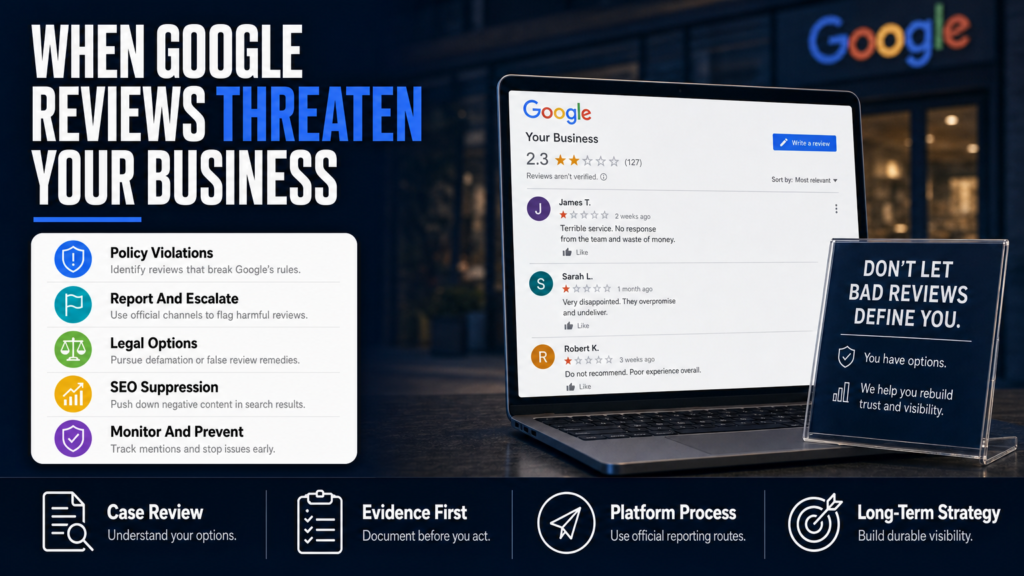
You just found a harsh one-star review on your Google Business Profile and your phone won’t stop buzzing. Can businesses hide bad Google reviews, and what will actually move that review off the first page of search results?
This article explains the realistic paths: platform reporting, publisher takedown requests, legal remedies when applicable, and suppression tactics when removal isn’t available. It also covers timeframes, necessary evidence, and what to expect if you hire a specialized agency versus doing it yourself.
Read on for step-by-step actions you can take right away, how platforms evaluate complaints, and a clear checklist for when removal is unlikely so you can shift to mitigation and recovery.
Table of Contents
- Is it illegal for a company to delete bad reviews?
- What companies can remove bad Google reviews?
- Can I recover deleted Google reviews?
- How do I remove a Google Maps listing?
- If removal isn’t available: suppression and repair tactics that work
- DIY vs agency: when to call a professional
- Legal options and when to consult counsel
- Monitoring and prevention: stop future harms before they escalate
- DIY vs Agency: Quick Comparison
- Hypothetical scenario: a one-star review with regulatory risk
- Common mistakes businesses make when handling bad Google reviews
- Durable best practices for managing Google reviews
- Expert Tips
- Conclusion
- Why Businesses Choose Your Reputation Agency
- Frequently Asked Questions
Is it illegal for a company to delete bad reviews?
Short answer: No — it is not inherently illegal for a company to remove its own posted content, but deleting or soliciting deletions can cross legal or platform-policy lines depending on how it’s done.
There are different actions a business might take: remove reviews it posted itself, ask a reviewer to remove or edit their review, or ask a platform to remove third-party content under the platform’s policies. Each has different legal and policy constraints.
- 1) Identify whether the review is by a genuine third-party or your own account.
- 2) If your account posted a problematic review, remove it through your Google account settings.
- 3) If it’s a third-party, avoid incentivized or deceptive removal requests; pursue platform reporting or remediation instead.
- A business may remove a review it authored or delete its own account and content — that is permitted because you control your account.
- Asking customers to remove or edit a review is legal when done transparently and without coercion (for example, offering a refund in exchange for deletion creates risk).
- Paying for removal, faking reviewer identities, or using deceptive tactics (misrepresenting affiliation, fake accounts, or astroturfing) violates platform policies and can be illegal under fraud or consumer-protection rules.
How platforms view deleted-or-influenced reviews
Platforms like Google and Yelp publish policies about manipulation, including removing reviews left in exchange for money or under false pretenses. Violations can lead to penalties, profile suspensions, or reinstatement of removed content.
If you ask a reviewer to edit or remove a review, document the exchange and keep the request lawful and proportional; don’t threaten, pay for removal, or misrepresent facts.
- Record customer service remedies separately from review removal requests.
- Offer a documented apology or remediation and let the reviewer choose whether to update their review.
- Avoid promises of guaranteed deletion when communicating with customers or publicly.
What companies can remove bad Google reviews?
No external company has a special power to directly delete third-party Google reviews. Removal decisions rest with Google and the reviewer unless the review violates Google’s policies or is subject to a valid legal order.
Reputation-management firms, law firms, and consultants can evaluate the case, file reports, draft legal notices, and engage in escalation channels. They can also build mitigation strategies if removal is unavailable.
- 1) Get a clear copy of the review and any related screenshots or evidence.
- 2) Map the review to Google’s policy categories (spam, fake, conflicts of interest, privacy violations, etc.).
- 3) Submit a report to Google with the evidence and, if necessary, discuss escalation with a specialist or legal counsel.
- Google removes reviews that violate its policies (hate speech, harassment, impersonation, fabricated content, spam) after review.
- A court order can compel removal in narrow circumstances, but a judge must find the content unlawful under applicable law.
- Specialist agencies can prepare documentation, file policy reports, and escalate to Google’s business support channels, but they cannot promise removal.
What a removal service actually does
A professional service typically: assesses the review, prepares the evidence package, files the platform report, follows up with support, advises on escalation, and executes mitigation (SEO, content publishing) while documenting the process.
Use a provider that explains the limits clearly and provides a written plan with estimated ranges for outcomes and timing.
- They do not have special access to Google decisions.
- They can save you time and improve the quality of escalation.
- They should avoid recommending deceptive tactics or ‘guaranteed’ outcomes.
Can I recover deleted Google reviews?
Sometimes yes, sometimes no. If you or the reviewer delete a review, Google may retain cached copies for a short period, but it generally does not provide restoration tools to businesses for third-party deletions.
If a review was removed by Google for policy violations, the reviewer or Google may be able to reinstate it if a policy decision is reversed, but that process is controlled by Google.
- 1) Check whether the review was removed by the reviewer or by Google (look for ‘Review removed’ message in Business Profile).
- 2) If removed by the reviewer, ask them if they’ll repost or update — provide context and an honest remediation, not payment.
- 3) If removed by Google and you believe removal was an error, gather evidence and submit an appeal through Google Business Profile support.
- If you deleted your own review, you can repost or edit if you have access to the account.
- If a reviewer deletes their review, ask them politely whether they are willing to update or repost, but avoid incentives or pressure.
- For reviews removed by Google, you can request clarification from Google support but should not expect guaranteed restoration.
Recovering reviews for evidence or legal use
If a review is evidence in a legal dispute, preserve any copies (screenshots, cached pages) and consult an attorney. Courts can subpoena platform records in some jurisdictions, but that’s a separate legal process.
- Preserve evidence immediately; web pages change quickly.
- Legal recovery is jurisdiction-dependent and requires counsel.
How do I remove a Google Maps listing?
Removing a Google Maps listing (a Business Profile) is different from removing a single review. If you control the Business Profile, you can mark it permanently closed or remove it, but Google will not delete all historical references from the web.
If the listing belongs to someone else or contains false information, Google provides a process to suggest edits or request removal for specific policy violations.
- 1) Confirm ownership via Google Business Profile; claim it if unclaimed (verification required).
- 2) From the dashboard, select the appropriate action (close, remove, or update address/contact info).
- 3) If the listing is impersonating or falsely representing your business, gather evidence and submit a removal request citing Google’s impersonation or fraud policy.
- If you own the profile: Sign in to Google Business Profile > Info > Mark as permanently closed or remove listing (follow Google’s prompts).
- If you do not own the profile: Use ‘Suggest an edit’ on Google Maps or report the profile through ‘Report a problem.’
- Removal of a listing does not guarantee removal from search; copies, third-party directories, and news articles may remain.
When a Maps listing contains defamatory or private information
If a listing contains illegal content or personal data that violates Google’s policies (for example, hate speech, doxxing, or revenge porn), use Google’s legal removal tools and consider immediate legal advice.
Because outcomes vary by jurisdiction and the nature of the content, document everything and escalate to legal counsel when appropriate.
- Use Google’s legal removals portal for serious privacy or illegal-content complaints.
- Preserve screenshots and timestamps before filing.
If removal isn’t available: suppression and repair tactics that work
When a review cannot be removed — for example, because it is a truthful complaint or an opinion that doesn’t breach policy — the practical path is to reduce its visibility and strengthen alternative signals on the first page of Google.
Suppression is an SEO and content strategy: create and promote high-quality, authoritative content that outranks or pushes the negative item lower in search and Maps results.
- 1) Audit first-page search results for your brand and the negative review URL.
- 2) Create or optimize high-authority pages (company site, LinkedIn, press releases).
- 3) Use targeted content and structured data to increase the chance these pages outrank the negative item.
- Publish positive, relevant pages: FAQ, team bios, case studies, news, and local landing pages.
- Claim and optimize all relevant platforms: Google Business Profile, Yelp, Facebook, industry sites, and directory listings.
- Earn fresh legitimate reviews from real customers — don’t buy reviews or manipulate the system.
How to prioritize content to suppress a review
Target pages that are easiest to rank and most credible: your own site’s “About” and “Services” pages, authoritative social profiles, and local business directories. Promotion and links from trusted partners accelerate ranking.
Maintain consistent NAP (name, address, phone) data across directories — inconsistency hurts local SEO and can make harmful items more visible.
- Prioritize pages you control, then earned media and authoritative third-party profiles.
- Avoid deceptive SEO tactics; focus on quality content and legitimate signals.
- Track changes with monitoring tools and adjust the content mix as results appear.
DIY vs agency: when to call a professional
Small or routine situations can often be handled in-house: filing a Google review removal request, responding publicly, asking the reviewer to clarify, and beginning suppression work. But complex cases involving defamation, impersonation, coordinated attacks, or licensure risk usually benefit from professional help.
An experienced reputation agency can coordinate technical reporting, escalate to platform support channels, draft legal referral letters, and run first-page SEO and content campaigns concurrently.
- 1) Triage the issue: Is it a policy violation, an actionable falsehood, or a business complaint?
- 2) If DIY: follow platform reporting, respond to the review professionally, and begin suppression content.
- 3) If hiring: ask for a written plan, expected ranges (not promises), and evidence-handling practices.
- DIY is sensible when the issue is a single review, you have time to follow up, and you can produce clear evidence.
- Engage an agency when you face repeated harassment, legal exposure, a review-bombing event, or when you need integrated SEO, PR, and legal coordination.
- Regardless of route, vet providers for transparency, documented processes, and policies that avoid deceptive tactics.
When a specialist is worth the cost
If a review is part of a smear campaign, is causing measurable financial harm, or threatens licensure or regulatory action, a specialist who can coordinate technical, PR, and legal steps quickly usually adds value.
For a breakdown of how a single review can disrupt hiring, see When One Review Can Shut Down Your Hiring Pipeline.
- Documented escalation pathways and legal contacts.
- Faster response to coordinated attacks.
- Ongoing monitoring to prevent recurrence.
Legal options and when to consult counsel
Legal remedies are available in limited circumstances — for example, when a review asserts provably false factual claims, repeats stolen private information, or constitutes a threatened crime. Whether a legal claim is viable depends on evidence, jurisdiction, and the nature of the content.
A qualified attorney can evaluate whether the content may warrant a defamation notice, privacy demand, or court order. We coordinate with counsel when a matter requires legal analysis and do not provide legal representation ourselves.
- 1) Preserve evidence (screenshots, timestamps, URLs) immediately.
- 2) Get a legal consult to assess whether the review meets the standards for a claim in your jurisdiction.
- 3) If counsel advises, issue an appropriate legal notice or pursue court process while continuing mitigation work.
- Defamation claims require that a false statement of fact was published and caused harm — opinions are generally protected speech.
- Jurisdictions vary in their rules and remedies; some provide faster takedown procedures in cases of doxxing or privacy breaches.
- Legal processes can be slow and costly; weigh the benefits against mitigation strategies.
Can One Bad Review Trigger Licensure or Client Loss?
If you operate in a regulated profession (medical, legal, finance), an allegation that suggests professional misconduct can trigger inquiries. Whether a single review results in licensure action depends on the content, corroborating evidence, and regulator discretion.
If you have concerns about regulatory risk, consult counsel promptly. For more reading on the specific stakes, see Can One Bad Review Cost You Licensure or Clients?.
- Document client files and communications that rebut the allegation.
- Limit public commentary on ongoing regulatory matters; follow counsel’s guidance.
- Use mitigation and communication strategies to protect future clients and hiring prospects.
Monitoring and prevention: stop future harms before they escalate
Good reputation hygiene prevents many problems. Implement monitoring, review-collection programs, and privacy hardening to reduce the chance that a single bad review becomes a crisis.
Set up alerts, claim your profiles across directories, and train staff on review response policies so issues are caught and resolved before they escalate.
- 1) Establish an owner for reputation monitoring and a weekly check-in process.
- 2) Build a template for responses that can be customized, documented, and tracked.
- 3) Schedule regular audits for data brokers and people-search sites to opt-out exposed personal info.
- Use Google Alerts, Brand monitoring tools, and Google Business Profile notifications.
- Implement a documented review-response playbook: acknowledge, investigate, remediate, and invite the reviewer to update.
- Harden data exposures: audit public staff listings, remove unnecessary personal information from directories, and secure login credentials.
When to escalate to an agency or legal team
Escalate if you detect coordinated attacks, repeated impersonation, or content that risks significant revenue or licensure. Early escalation shortens response time and preserves evidence.
If you want an example of the financial stakes tied to a single negative review, see What a One‑Star Review Can Cost Your Business’s Bottom Line.
- Escalate within 24–72 hours for smear campaigns.
- Preserve logs of all correspondence and actions taken.
DIY vs Agency: Quick Comparison
A side-by-side view of typical tradeoffs when deciding to handle review problems internally or hire a reputation agency.
| DIY | Agency |
|---|---|
| Lower upfront cost | Higher upfront cost |
| Requires staff time | Saves internal time |
| Limited escalation channels | Dedicated escalation workflows |
| Slower complex legal coordination | Coordinates with counsel and PR |
| Good for single, simple issues | Better for smear campaigns or high-stakes risk |
| Learning curve on platform policy | Expertise in platform policy and documentation |
Hypothetical scenario: a one-star review with regulatory risk
A small medical practice receives a one-star Google review claiming negligence (an allegation of improper care). The review names no patient details but alleges a serious event. The business is worried about potential licensure inquiries and lost appointments.
Step-by-step, here’s a responsible, documented route the practice could take without assuming removal:
- 1) Internal review: pull patient records to verify whether the event occurred and whether the reviewer is a patient. Document findings.
- 2) Platform report: if the review is fabricated or violates Google’s policy (impersonation or false statements that can be evidenced), file a report to Google with supporting documents.
- 3) Legal consult: if the allegation is materially false and causing measurable harm, consult an attorney about a defamation evaluation and preservation subpoenas if necessary.
- 4) Mitigation: publish a public FAQ page addressing safety protocols and patient protections, optimize the practice’s Google Business Profile with updated content, and solicit verified patient reviews to improve the overall rating.
- Preserve a copy: screenshot the review, capture the profile URL, and save the timestamp.
- Triage: determine if the content is opinion, factual allegation, or privacy breach. This reads as an allegation, which may raise regulatory concern.
- Immediate response: publicly post a neutral acknowledgement — e.g., “We’m sorry you had this experience. Please contact our office at [phone] so we can investigate.” Avoid admitting wrongdoing.
Common mistakes businesses make when handling bad Google reviews
Below are frequent errors and how to avoid them. Each mistake slows resolution and can escalate harm.
Mistake 1 — Deleting your own negative posts without context
Removing your own problematic posts or comments without addressing the underlying issue can leave the public record without explanation and harm credibility. Instead, correct the issue and, where appropriate, post an update describing remediation.
- Document why you removed content and what was done to fix the problem.
- Use transparent follow-up posts rather than quiet deletions when the issue affects customers.
Mistake 2 — Threatening or incentivizing reviewers
Threats, blackmail, or offering money for review removal creates legal risk and violates platform policies. It also looks bad if made public and can multiply reputational damage.
- Offer legitimate remediation (refunds, fixes) but avoid conditioning them on deletion.
- Keep communications documented and courteous.
Mistake 3 — Over-relying on ‘report this review’ without evidence
Blindly flagging reviews with no evidence or irrelevant policy claims wastes time and can slow down responses for legitimate complaints. Map the review to platform policy before reporting.
- Collect screenshots, proof of transaction, or records that contradict false claims.
- Use the correct policy category when you submit a report to increase chances of review.
Mistake 4 — Doing nothing and hoping it goes away
Passive inaction allows a negative review to fester. Even when removal isn’t possible, a timely public response and a mitigation plan reduce damage.
- Respond publicly within 24–72 hours with a professional tone.
- Follow up privately and document remediation attempts.
Mistake 5 — Using fake or incentivized reviews to bury negative ones
Buying or posting fake reviews is prohibited and can lead to penalties, including profile suspension. Build legitimate reviews through excellent service and verified review requests.
- Use authorized review-collection methods from your platform.
- Ask real customers to leave honest reviews, and make it easy without offering compensation in exchange for a positive rating.
Durable best practices for managing Google reviews
Adopt these actions as part of an ongoing reputation-management posture rather than ad-hoc emergency moves.
Respond quickly and professionally
Public responses shape how new visitors interpret a negative review. Use calm language, acknowledge the concern, and invite private follow-up. Never argue in public or disclose private information.
- Template: Acknowledge concern, state you will investigate, offer a private contact for resolution.
- Keep a log of all public responses and private remediation steps.
Document everything
Screenshots, dates, internal notes, and correspondence create the factual record you need for platform escalation or legal review.
Store evidence in a secure, time-stamped location.
- Save native data when possible (emails, CRM logs).
- Take full-page screenshots including URL and timestamp.
Use a coordinated suppression plan when removal fails
Build and promote authoritative content across your web presence, and use targeted SEO to improve signals that outrank the negative piece.
Measure progress and iterate after 30–90 days.
- Prioritize pages you control (site, profiles, press).
- Encourage legitimate reviews from satisfied customers.
Limit public legal threats
Public threats of litigation can backfire and draw attention. Let your attorney handle legal notice and court filings off-platform, while you maintain measured, factual communications publicly.
- Issue legal notices privately through counsel.
- Keep public statements factual and non-inflammatory.
Monitor and iterate
Reputation is dynamic. Use alerts and monthly audits to catch new issues early and refine your approach.
Include review-response performance in your monthly KPIs.
- Set up weekly alerts for brand mentions.
- Review progress of suppression campaigns every 30–60 days.
Expert Tips
- Screenshot negative reviews immediately — timestamps matter when you escalate.
- Use the exact policy language from Google when you file a removal report.
- Respond publicly within 24–72 hours with a brief, non-confrontational message.
- If a review names a private individual or health detail, use Google’s privacy/legal removal portal.
- Focus suppression on pages you control first — they’re the fastest to rank.
- Keep remediation offers separate from review removal requests in writing.
- Document every step if you plan legal escalation; attorneys need preserved evidence.
- Avoid promising deletion or outcomes to customers or staff.
Conclusion
Can businesses hide bad Google reviews? The realistic answer is nuanced: outright deletion of a truthful third-party review is rarely a simple option and often depends on platform policy or legal authority. When removal is feasible, it requires clear evidence and appropriate channels; when it isn’t, suppression and reputation repair are the reliable paths.
Act quickly, document everything, and choose strategies proportionate to the risk. If a review threatens revenue, hiring, or licensure, coordinate a response that includes technical reporting, controlled public communication, mitigation via content and SEO, and legal counsel where appropriate.
Why Businesses Choose Your Reputation Agency
Managing your reputation takes more than monitoring reviews or publishing the occasional blog post. It takes a strategy built around your situation, your industry, and what is actually showing up in search.
Your Reputation Agency works with businesses, executives, healthcare professionals, attorneys and growing brands. Our services include:
- Remove or suppress negative search results and news articles from Google
- Review removal and remediation (Google, Yelp, Facebook, Trustpilot, industry sites)
- Data broker and people-search opt-outs to remove personal information
- Mugshot and arrest-record removal or suppression
- Takedowns of defamatory, false, or malicious posts (social, blogs, forums)
- Online crisis management and rapid-response reputation repair
- Impersonation and fake account removal on social platforms
- Reputation monitoring, alerts, and ongoing surveillance
- First-page SEO and suppression strategies to bury negative content
- Digital security audits and privacy hardening to prevent future exposure
Frequently Asked Questions
1. Is it illegal for a company to delete bad reviews?
Deleting reviews the business posted itself is not illegal. However, using deceptive tactics (fake accounts, paid deletion, or threatening reviewers) can violate platform rules and potentially laws governing fraud or unfair practices. Always avoid coercive or deceptive methods and document lawful remedial steps.
2. What companies can remove bad Google reviews?
Only Google can remove third-party reviews from its platform. Specialized reputation agencies and law firms can file reports, prepare evidence, and escalate requests, but they do not have special deletion powers. Removal depends on Google’s policy evaluation or a valid legal order.
3. Can I recover deleted Google reviews?
If you deleted your own review, you can repost it from your account. If a reviewer deleted their review, ask them courteously to update or repost, but avoid incentives. Reviews removed by Google for policy violations are managed by Google and may only be reinstated if Google reverses its action.
4. How do I remove a Google Maps listing?
If you control a Business Profile, sign into Google Business Profile and follow the settings to mark as permanently closed or remove the listing. If you don’t control it, use ‘Suggest an edit’ or ‘Report a problem.’ For listings that violate law or privacy, use Google’s legal removal options and consult counsel as needed.
5. Can Google reviews be deleted by the business?
A business cannot directly delete reviews left by third parties; only Google or the reviewer can remove those entries. The business can, however, take steps to report policy violations or request legal action when appropriate.
6. How long does it take for Google to respond to a review removal request?
Response times vary widely. Google may act within days for clear policy violations, but complex or borderline cases can take weeks or longer. Timing depends on the evidence quality, the platform’s caseload, and whether escalation is required.
7. What should I do if a review contains private information or threats?
Preserve the content with screenshots and timestamps, report the review to Google under the appropriate privacy or safety policy, and consult legal counsel if the content presents immediate safety concerns or threatens criminal conduct.
8. Are paid services that promise to delete reviews legitimate?
Be cautious. No reputable provider can legitimately promise deletion because Google controls those decisions. Choose providers who explain the process, document what they will do, adhere to platform rules, and refuse deceptive tactics.
9. Can I delete a Google review if I wrote it?
Yes. If you authored a review using your Google account, you can delete or edit it by logging into that account, finding the review in your Google Maps contributions, and selecting edit or delete.
This content provides general information and does not constitute legal advice. The available options and likely outcomes depend on the facts, evidence, platform policies, applicable law, jurisdiction, and public-interest considerations.
Past examples do not guarantee future results. Removal, correction, deindexing, and search-position changes depend on third parties and circumstances outside Your Reputation Agency’s control.