How to remove private information from Google Search
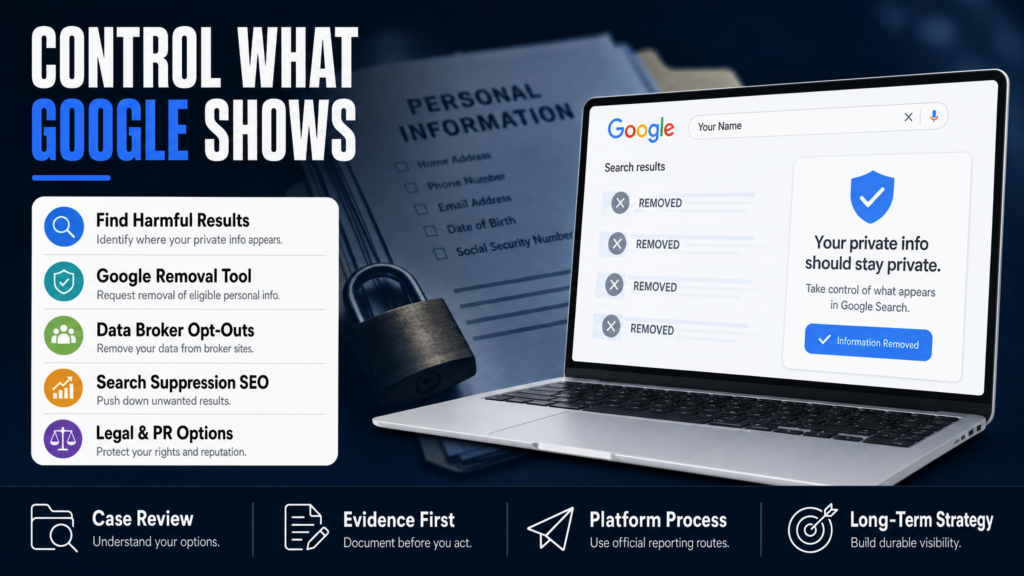
To remove private information from Google Search, identify the exact source page first. Google displays information published elsewhere, so the most durable solution is usually to remove or correct the source and then request an eligible search-result removal.
Seven practical steps
- Save the exact search query, result URL, and a dated screenshot.
- Contact the website that controls the underlying page.
- Use Results About You for eligible personal contact information.
- Submit the appropriate privacy or legal removal request when applicable.
- Request an outdated-content refresh after the source changes.
- Opt out of people-search sites that republish the same data.
- Monitor important name searches for new copies.
Google’s official personal information removal guidance explains the categories it may review. Search removal does not necessarily delete the source page.
You typed your name into Google and found a page with your home address, an old arrest photo, or a third‑party profile that you never created. This article shows exactly what to check, which Google tools to use, and how to decide whether to pursue removal, suppression, or legal help.
If you searched for Remove my private info from Google Search you’re in the right place: we cover the practical Google processes (including the Google personal information removal tool and the Results About You features), when to contact a publisher, and where data‑broker opt‑outs fit into a cleanup plan.
This is a hands‑on guide for busy professionals and small businesses. It explains the realistic outcomes you can expect, sets timeframes as ranges, and lists the next actions to take right now — including the order in which to try them.
Table of Contents
- Why is all my personal info on Google?
- How do I stop my name from appearing on a Google Search?
- How to get out of privacy in Google Search
- Can you block yourself from being googled?
- When removal is not available: suppression, correction and repair
- Tools, forms and step‑by‑step actions you can use today
- DIY vs Agency: choose the right path for your situation
- DIY vs Agency: at a glance
- Hypothetical scenario: a surgeon, a mugshot, and a blog post
- Common mistakes people make when trying to remove private info
- Best practices to reduce Google visibility of private info
- Expert Tips
- Conclusion
- Why Businesses Choose Your Reputation Agency
- Frequently Asked Questions
Why is all my personal info on Google?
Google shows what it finds across the open web — public records, social profiles, company pages, forum posts, online directories, news articles, and content scraped by data‑broker sites. Many sites aggregate public details (phone, address, licensing, arrests) and then publish them in searchable formats.
Sometimes content appears because you or someone else posted it, sometimes because a third party republished public records, and sometimes because a data broker harvested and repackaged it. Search engines index what’s online; if the publisher doesn’t remove or restrict it, Google can keep showing it.
To act effectively you need an audit: exactly which pages mention you, what they display (name, address, phone, photo), whether the publisher is identifiable, and whether the content is hosted on a platform (Facebook, YouTube), a news site, or a private directory.
- 1) Run searches for exact name in quotes, name + city, phone number, and email.
- 2) Save screenshots and URLs for every result you want addressed.
- 3) Classify each URL: ‘publisher’, ‘platform (social/review)’, ‘data broker’, or ‘public record’.
- Common sources: people‑search sites, county court records, niche directories, review sites, blogs, social media posts, and scraped databases.
- Data brokers (Whitepages, Spokeo, BeenVerified, Intelius) re‑package public records and make opt‑outs difficult to find.
- Publishers and platforms set the rules for removal; Google generally acts on removal requests only after the content changes or the publisher removes it.
Where to start your audit
Begin with Google Search and Google Images, then check Google Maps and Google News. Use incognito mode and try searches with and without middle initials. Export or save the results — screenshots preserve what Google displayed and are useful if you later need to show a lawyer or the publisher.
- Search variations: “Firstname Lastname”; “Firstname Lastname” “city”; phone number in quotes; email address.
- Check site: operator: site:example.com “Firstname Lastname” for specific domains.
When Your Address Becomes the First Result
If your address appears on a public directory or people‑search site, start with the publisher before you contact Google. For guidance about address listings and next steps, see When Your Address Becomes the First Result on Google.
How do I stop my name from appearing on a Google Search?
You can’t ‘stop’ Google from indexing the web, but you can take actions that either remove the content at the source or reduce its visibility in search results. Work in this order: remove at the source, use platform removal tools, request Google removal when appropriate, and finally use suppression SEO if removal isn’t possible.
If the page is hosted on a platform (Facebook, Twitter/X, YouTube, LinkedIn, Yelp), use the platform’s report or privacy controls. If it’s on an independent website, contact the site owner or host with a clear request and evidence when applicable.
- 1) Identify whether the content is removable at source (platform, blog, news outlet, data broker).
- 2) Use platform reporting tools for impersonation, harassment, or privacy violations.
- 3) If the publisher refuses, collect evidence and consider a legal review.
- Removal at source is the most reliable: if the publisher deletes the page, Google will stop showing it after it re‑crawls.
- Google’s personal information removal tools cover specific categories (explicit images, doxxing with sensitive data, financial/SSN data) — but not all requests qualify.
- Suppression (SEO) is the practical fallback when removal is unavailable.
Contacting a site owner
Look for contact pages, WHOIS, or hosting company abuse contacts. Be concise: state the exact URL, what information is private or inaccurate, and what action you request (remove page, redact sensitive fields). Keep records of all messages and responses.
- Provide a timestamped screenshot of the harmful content.
- Ask for a confirmation of removal and a date for when it will be taken down.
Use the right Google form
For specific categories (financial, ID, doxxing, explicit images), use Google’s personal information removal form. For outdated cached pages or deleted content still appearing in results, use the ‘Remove outdated content’ tool inside Google Search Console or the public Remove Outdated Content page.
- Not every request qualifies — removal depends on Google’s policies and the nature of the content.
- If you need detailed steps to delete search results tied to your name, see How to Delete Your Name from Google Search Results.
How to get out of privacy in Google Search
Getting ‘out of privacy’ — meaning removing or reducing private data in Google Search — requires a multi‑front approach: publisher takedowns, platform flags, Google removal requests, and data‑broker opt‑outs. There is no single universal opt‑out that clears every result.
Start with the content that causes the most harm (SSNs, bank info, explicit images, arrest mugshots), and move toward directories and scraped data that are more persistent.
- 1) Prioritize URLs by severity and impact (licensing risk, client harm, financial exposure).
- 2) Use Google’s personal information removal form for qualifying items.
- 3) Submit opt‑out requests to major data brokers and follow up periodically.
- Google will consider removing extremely sensitive personal data in limited categories (e.g., financial account numbers, national ID numbers, pornographic imagery uploaded without consent).
- Data brokers often republish the same information, so you’ll need to opt out of multiple sites individually.
- Public records (court filings) are frequently lawful and may not be removable simply because they’re embarrassing or harmful.
Using Google’s personal information removal tool
Google provides forms to request removal of specific personal data categories. The tool asks you to identify the URL, the sensitive data type, and to provide contact information. Google evaluates each request against its policies and may ask for corroborating documents for identity verification in some cases.
- Do not submit sensitive documents through unsecured channels; follow Google’s secure form procedures.
- Removal depends on policy fit, the publisher’s position, and whether a legal exception applies.
Data‑broker opt‑outs
Major brokers (Whitepages, Spokeo, BeenVerified, Intelius, PeopleFinder) each have separate opt‑out forms. The process can be time‑consuming: some require email verification, others require repeated requests after re‑indexing.
- Keep a log of opt‑out submissions and dates; many brokers reappear after data refreshes.
- Consider automation tools or a paid service for scale if your info appears across dozens of brokers.
Can you block yourself from being googled?
You cannot fully ‘block’ Google from finding legal public information, but you can limit discoverability by removing or restricting content, using privacy settings, and placing technical barriers where you control the site.
If you control the content (your website, profiles), use robots.txt, meta noindex tags, or password protection to prevent crawling. But these measures only work on sites you manage — they do not affect third‑party directories or news sites.
- 1) For sites you control: add a meta noindex tag or disallow in robots.txt, and block public access if necessary.
- 2) For social networks: set profiles to private and remove identifying posts.
- 3) For third‑party sites: request removal or correction; then request Google to re‑crawl (use Remove Outdated Content if the source deletes the page).
- Technical measures (noindex, robots.txt) stop search engine indexing when applied correctly to the source page.
- Removal from search requires either removing the content or preventing crawlers from accessing it at the source.
- For third‑party sites you don’t control, you must ask the publisher to remove it or use the platform’s reporting mechanisms.
What robots.txt and noindex do (and don’t do)
Robots.txt tells compliant crawlers not to visit a page; a meta noindex tells crawlers to remove an indexed page. If a page is already indexed, you need a noindex or removal at source plus a re‑crawl for Google to update its index.
- Robots.txt alone can prevent future crawling but may not remove an already indexed snippet.
- Noindex must be present on the page when Google crawls it to remove it from results.
When removal is not available: suppression, correction and repair
Not all content can be removed. News coverage, public court records, and accurate criticism often survive removal requests. When removal is not available, the practical strategy is mitigation: suppress the damaging content with higher‑quality positive or neutral pages, correct inaccuracies publicly, and manage the narrative.
Suppression is an SEO exercise: create authoritative pages (professional site pages, profiles, press releases, guest posts, LinkedIn articles) that rank for your name and push the harmful links down on the first page.
- 1) Identify 3–7 high‑quality properties you can control or influence (company site, LinkedIn, professional directories).
- 2) Publish or update robust profiles and content targeted to your name and common search variations.
- 3) Build links to those pages and use schema (where appropriate) to help search engines associate authoritative pages with your name.
- Suppression takes time and depends on the strength of the negative link and the authority of new content.
- Correction and transparency can reduce harm: for factual mistakes, ask publishers to correct or append an editor’s note.
- Crisis PR and a coordinated legal review can be necessary when reputational or licensure risk is high.
SEO suppression tasks (practical checklist)
Suppression requires consistent effort and monitoring. Focus on canonical pages for your name, optimize titles and meta descriptions, publish date‑stamped content that answers likely search queries, and get credible sites to link to your profiles.
- Create a stable homepage or author page titled with your full name.
- Use press releases or contributed articles on reputable sites to create rankable content.
- Track rankings weekly and adjust focus as search results shift.
When to escalate to paid assistance
If a single result threatens licensure, major contracts, or hiring decisions, coordinate a legal and PR response. For help assessing risk and executing complex takedowns, agencies can provide a structured process and monitoring.
- For guidance on high‑stakes results and the interplay of legal and reputation options, you can read When One Google Result Can End A Professional’s Career.
Tools, forms and step‑by‑step actions you can use today
There are specific Google tools and publisher processes you should know: Google’s personal information removal form, Remove Outdated Content tool, platform reporting options (Facebook, YouTube, Yelp), and data‑broker opt‑out pages. Using the right tool for the right problem speeds results.
Below are step‑by‑step instructions for the most common removal workflows. Keep records; you’ll need URLs, screenshots, and dates for follow‑up and possible legal review.
- A) Remove Outdated Content (when the page was deleted):
- 1. Visit Google’s Remove Outdated Content page and paste the URL.
- 2. Provide a screenshot showing the removed content is still in Google results.
- 3. Submit and note the confirmation ID for follow‑up.
- B) Personal Info Removal (sensitive data or doxxing):
- 1. Use Google’s personal information removal form and select the correct category.
- 2. Include exact URLs and an explanation of why it meets the category.
- 3. Watch for Google’s acknowledgment and any follow‑up verification requests.
- C) Reporting platform content:
- 1. Use the report function on the platform (e.g., YouTube’s copyright/harassment flows, Facebook privacy requests).
- 2. Escalate to host abuse contacts if the platform fails to act and the content violates the host’s policy.
- Google remove outdated content tool: for pages that have been changed or deleted but still appear in search results.
- Google personal info removal form: for certain private data categories and doxxing.
- Platform reports: use the abuse/report flows on social networks and review sites for impersonation or privacy violations.
Remove from mobile (Android) and other devices
The process is the same on mobile: use the Google app or a browser in private mode to get the result URL, then use the same remove outdated or personal info forms. Clearing cached results on your device does not remove the content from Google’s index.
- For Android: open the result in Chrome, copy the URL and use Google’s tools via the browser.
- Deleting app data or browser history only affects your device, not Google’s index.
When you need specialized help
If you’re dealing with a persistent, high‑impact result (mugshots, repeated doxxing, malicious impersonation), a coordinated legal, technical and PR plan is often necessary. A reputation agency can run the audit, file forms, submit repeated opt‑outs, and launch suppression campaigns.
- We evaluate whether the content may qualify for removal or review and pursue the legal, technical, platform‑based, and reputational options available.
- Timing depends on platform, publisher, evidence and legal complexity; an estimated timeline can be provided after an individual assessment.
DIY vs Agency: choose the right path for your situation
Many individuals start with DIY steps and escalate when the case exceeds their bandwidth or technical needs. DIY works for a few URLs and when you’re comfortable with forms and follow‑up. Use an agency when a result threatens revenue, licensure, or hiring and you need continuous monitoring and coordinated legal/PR work.
An agency can manage scale, documentation and persistent re‑appearance across brokers and sites, but cannot guarantee removal — only that it pursues the available options and reports progress.
- 1) If you have fewer than 10 URLs and comfort with forms, start DIY.
- 2) If the matter affects licensure, contracts or has high visibility, consult a reputation agency and a qualified attorney.
- 3) For persistent results, plan for monitoring and maintenance.
- DIY is cost‑effective for small, straightforward issues; agencies help scale, prioritize and coordinate complex responses.
- Agencies communicate with publishers, run suppression campaigns, and coordinate with counsel when needed.
- Neither DIY nor agency work can promise permanent suppression: search engines, publishers and competitors affect results.
How agencies add value
Agencies handle repetitive opt‑outs, maintain monitoring dashboards, coordinate with legal counsel, and deploy SEO suppression strategies at scale. They also provide a professional process and documentation which can be useful for board reviews, compliance, or licensure defense.
- A structured process: audit, removal attempts, Google requests, suppression SEO, monitoring, and PR coordination.
- We handle matters confidentially and apply appropriate privacy and security controls; specific confidentiality obligations are defined in the service agreement.
Deciding between DIY and help
If you’re unsure, a short paid consultation with a reputable firm will identify risks and an estimated plan and timeline. For examples of high‑risk search results and remediation considerations, see When One Google Result Can End A Professional’s Career.
DIY vs Agency: at a glance
Quick comparison to decide whether to start alone or hire help.
| DIY | Agency |
|---|---|
| Cost | Lower up‑front; time‑cost higher |
| Speed | Slower for scale; faster on single simple removals |
| Legal coordination | Coordinates with counsel and drafts legal notices |
| Technical SEO | Professional suppression and link building |
| Monitoring | Continuous alerts and reporting |
| Evidence collection | Structured, defensible documentation |
| Best for | Few URLs or simple cases |
Hypothetical scenario: a surgeon, a mugshot, and a blog post
Situation: A surgeon discovered her name returned a mugshot from a years‑old arrest that was posted on a local blog and then republished on a people‑search site. The mugshot threatened patient trust and a hospital review.
Process (what she did): audit, takedown attempts, Google requests, DMCA for the photo where applicable, data‑broker opt‑outs, and an SEO suppression campaign for her professional profiles and news coverage about her practice.
- 1) Start: run full name searches, take screenshots, classify URLs.
- 2) Source removal: contact blog and people‑search sites with a concise takedown request.
- 3) Google forms: submit removal and outdated content requests for applicable URLs.
- 4) Legal review: attorney reviewed potential defamation issues and drafted a demand letter for repeated republication.
- 5) SEO: publish and promote positive content; monitor results weekly and adjust.
- Audit: identified 12 URLs — blog, three people‑search pages, two aggregators, and Google Images entries.
- Publisher contact: emailed the blog with a request to remove the mugshot and supplied a court record showing the case disposition (if applicable) and a screenshot.
- Google tools: used the personal information removal form for the mugshot (if it met policy) and the Remove Outdated Content tool after the blog took the photo down.
- Suppression: published authoritative bios on hospital site, LinkedIn, and two guest articles; built links and social shares to push negative links down.
Common mistakes people make when trying to remove private info
Avoid these frequent missteps — they cost time and can make the problem worse.
Mistake 1 — Starting with Google instead of an audit
People try forms before they know the full scope. Always audit and classify URLs first; different types of content require different remedies.
Mistake 2 — Sending emotional or vague takedown requests
Aggressive or poorly documented requests are ignored. Be factual, include exact URLs, screenshots and a clear request (remove or redact).
Mistake 3 — Paying shady ‘removal’ services
Some providers promise guaranteed removal or pay sites that republish content — a short‑term fix that can create more exposure. Use documented, reputable services and avoid anyone promising absolute results.
Mistake 4 — Ignoring data brokers
Even after a publisher removes a page, broker sites can reintroduce the same data. Skip data brokers at your peril — they’re often the persistent source of re‑appearance.
Mistake 5 — Over‑sharing while trying to fix things
Posting about your own case on public forums or social media can create more indexed content that repeats the private info. Keep communications private and consult counsel when appropriate.
Best practices to reduce Google visibility of private info
Follow a disciplined process and keep careful records.
Audit and prioritize
List every harmful URL, rank by impact (licensure risk, client loss, doxxing), and start with the highest‑impact items. One organized spreadsheet saves hours during follow‑up.
Use platform and Google tools correctly
Match the problem to the tool: copyright for stolen photos, privacy forms for doxxing, remove outdated content for deleted pages. Follow each form’s instructions precisely.
Document every interaction
Keep copies of emails, screenshots, submission IDs and dates. Documentation helps if you later need a legal escalation or to show a publisher a history of requests.
Plan for mitigation when removal fails
Build authoritative pages for your name, optimize them, and use measured link building to suppress bad results. Plan for monitoring because search engines and publishers can reintroduce content.
Coordinate legal, technical and PR actions
For high‑stakes incidents, coordinate a single narrative across legal counsel, technical remediation, and public messaging so actions don’t contradict one another.
Expert Tips
- Save screenshots with timestamps before you start: they’re evidence of what Google displayed at a moment in time.
- Start with the publisher, not Google — removing the source is faster than waiting for search engines to update.
- For images, DMCA takedown notices can work if the image is copyrighted and you can prove ownership.
- Set up Google Alerts and a simple rank tracker for your name to detect reappearance quickly.
- Use middle initials or professional designations on your public profiles to create distinct authoritative pages for search engines.
- When contacting site owners, be concise: include URL, desired action, and a polite deadline for response.
- Expect re‑indexing cycles; a removal at source often takes days to weeks to fully reflect in search results.
- If you have multiple similar listings across brokers, create a repeating calendar reminder to resubmit opt‑outs quarterly.
Conclusion
Removing private info from Google Search is rarely a single click — it’s a sequence of targeted actions: audit, source removal, platform tools, Google forms, and, when needed, suppression and legal or PR coordination. You’ll often need to combine tactics and revisit opt‑outs over time.
If the results put your career, licensure, or business at risk, prioritize documentation and consult qualified counsel. For many professionals the fastest route is a coordinated plan that includes technical takedowns, SEO suppression and monitored follow‑up rather than searching for a single miraculous removal.
Why Businesses Choose Your Reputation Agency
Managing your reputation takes more than monitoring reviews or publishing the occasional blog post. It takes a strategy built around your situation, your industry, and what is actually showing up in search.
Your Reputation Agency works with businesses, executives, healthcare professionals, attorneys and growing brands. Our services include:
- Remove defamatory content and false posts (news, blogs, listings)
- Remove or challenge negative reviews (Google, Yelp, TripAdvisor, industry sites)
- Mugshot and arrest record removal
- Remove videos, images, and other multimedia that damage reputation
- Remove personal data from people‑search and data‑broker sites (opt‑outs)
- Search result suppression (SEO to bury negative links)
- Social media takedowns and impersonation removal
- Rapid online crisis management and incident response
- Ongoing monitoring and alerting of reputation signals
- Coordination with legal counsel and use of legal tactics when required
Frequently Asked Questions
1. Why is all my personal info on Google?
Google indexes publicly available information from websites, directories and social media. Data brokers and scrapers can aggregate public records (addresses, phone numbers, basic bios) and republish them in searchable formats. An audit of search results identifies which sites host the info and which route (publisher takedown, platform report, or opt‑out) is appropriate.
2. How do I stop my name from appearing on a Google Search?
You can’t block Google from indexing lawful public content, but you can: remove the content at the source, use platform reporting tools for violations, submit Google removal forms for qualifying privacy or doxxing cases, and use SEO suppression to push unwanted pages down. Start with the publisher before filing with Google.
3. How to get out of privacy in Google Search?
There’s no universal privacy opt‑out for Google Search in the U.S. Use targeted actions: request publisher removal, submit Google’s personal information removal forms for specific categories, and opt out of data brokers. For persistent items, plan an SEO suppression campaign and consider legal review if necessary.
4. Can you block yourself from being googled?
Not completely. You can reduce visibility by removing or restricting content you control (set profiles to private, use noindex), deleting posts, and asking third‑party publishers to remove content. For third‑party or public records, blocking isn’t possible without source removal or a legal order in limited circumstances.
5. How long does Google take to remove personal info?
Timing varies. If a publisher removes content, Google may reflect that change within days to weeks after re‑crawling. Google’s review of personal information removal requests can take days to weeks and depends on complexity and verification needs. No fixed timelines can be guaranteed.
6. Will deleting my social profiles remove search results?
Deleting a social profile removes the source, but cached results can persist until Google re‑crawls and updates its index. Use Google’s Remove Outdated Content tool after deletion to speed the process. Also remember that other sites may have copied or republished your content.
7. Can Google remove news or public records about me?
Google typically does not remove truthful news coverage or legitimate public records just because they are embarrassing. There are narrow exceptions for sensitive personal data or doxxing that meet Google’s removal criteria, but accurate public‑interest information is often retained.
8. Is paying an online removal service safe?
Reputable firms can save time and provide monitoring; however, avoid any provider that guarantees removal or promotes deceptive tactics. Verify processes, insist on written scope and documentation, and ensure they coordinate with qualified legal counsel for matters requiring legal action.
9. What should I do if a search result threatens my professional license?
Document the result, preserve screenshots, and consult a qualified attorney immediately. Coordinate a strategy that may include publisher requests, Google forms, legal notices, and PR. High‑stakes items often require a coordinated legal and reputation approach rather than DIY fixes.
This content provides general information and does not constitute legal advice. The available options and likely outcomes depend on the facts, evidence, platform policies, applicable law, jurisdiction, and public-interest considerations.
Past examples do not guarantee future results. Removal, correction, deindexing, and search-position changes depend on third parties and circumstances outside Your Reputation Agency’s control.