How to remove yourself from TruePeopleSearch
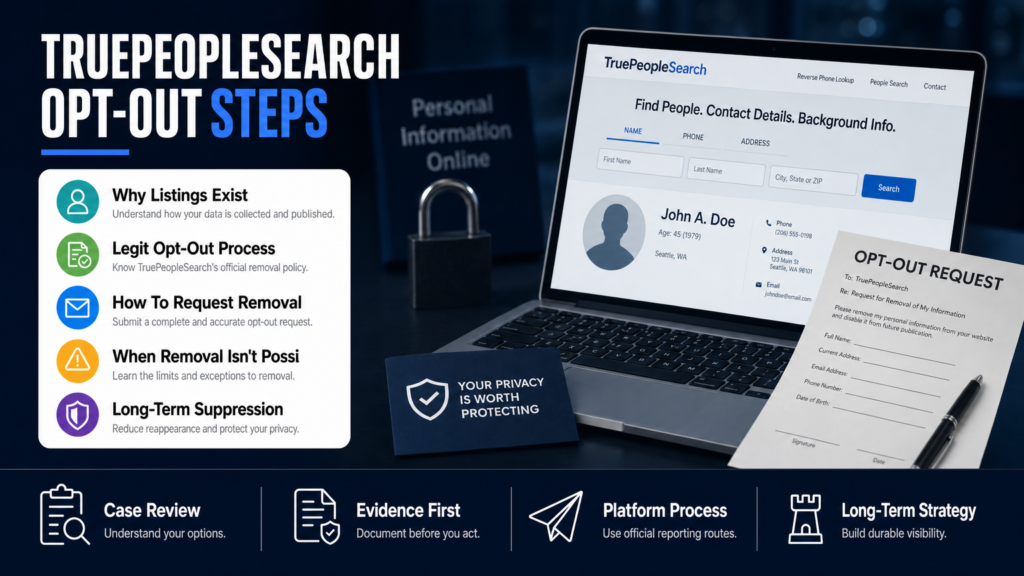
To remove yourself from TruePeopleSearch, locate the exact listing that contains your current or former address, phone number, relatives, or age. Save the record URL before beginning the site’s opt-out process.
Seven practical steps
- Search your full name, city, and common variations.
- Confirm the listing is yours without copying unnecessary data.
- Save the exact profile URL and a dated screenshot.
- Use the official TruePeopleSearch removal page.
- Complete any required verification promptly.
- Check the profile and relevant Google result after processing.
- Repeat the audit because public-source data may repopulate.
Removing a people-search profile can reduce exposure, but it does not erase the underlying public records or third-party sources. Review other major brokers and keep a removal log for follow-up.
If you searched for yourself and found a TruePeopleSearch listing, you’re not alone — and you’re probably wondering: How do I remove myself from TruePeopleSearch? This article walks through what that listing is, why it exists, and the specific steps you can take right now.
We cover the official opt-out path (what to expect, forms to use, and realistic timelines), why some people are blocked from the site, and the alternatives when removal is not available. You’ll also get a tactical plan for suppression and monitoring if deletion isn’t possible.
Read this if you’re a professional, small business owner, clinician, or public-facing individual who needs practical, documented actions to reduce exposure from people-search listings.
Table of Contents
- Why TruePeopleSearch Has My Information
- Is The TruePeopleSearch Opt-Out Legit?
- Step-By-Step: How To Opt Out Of TruePeopleSearch
- Why Am I Blocked From TruePeopleSearch?
- How Do I Remove My Name From All Internet Searches?
- What To Do When Removal Isn’t Available
- DIY Opt-Out vs. Professional Reputation Help
- Hypothetical Example: Dr. R.’s Listing
- Common Mistakes People Make
- Best Practices For Managing People-Search Exposure
- Expert Tips
- Conclusion
- Why Businesses Choose Your Reputation Agency
- Frequently Asked Questions
Why TruePeopleSearch Has My Information
TruePeopleSearch aggregates publicly available records and consumer-data broker files: phone numbers, addresses, age ranges, relatives, and known aliases. That explains why your listing exists even if you never created an account there.
Sources typically include public records (property and court filings), voter rolls, white-page-style directory data, and third-party data brokers that resell compiled identity profiles. The site’s privacy notices describe these data channels and the reasons the company publishes listings.
- Public records: property, civil court cases, business registrations.
- Consumer-data brokers: compiled profiles sold and shared across services.
- Phone-directory and carrier-transferred data.
- User submissions and scraped web sources.
How a Listing Is Structured (quick anatomy)
A typical TruePeopleSearch entry shows name, current and past cities, phone numbers, age, and possible relatives. Understanding the structure helps you decide whether to request removal, correction, or suppression.
- Identifying fields you can contest: phone numbers, addresses, and emails.
- Fields unlikely to be removed: truthful public records such as court filings (subject to publisher policy and law).
- Use structured review to collect the exact URL and screenshot before you change anything.
Where To Learn More About What The Listing Contains
If you want a technical breakdown of how people-search listings appear and how they can be corrected or suppressed, read The Anatomy of a People-Search Listing and How to Fix It. That overview helps you gather the right screenshots and documentation before you submit requests.
Is The TruePeopleSearch Opt-Out Legit?
Yes—the opt-out link on TruePeopleSearch is the official method the site provides for removing a specific listing, and it works for many listings when eligibility criteria are met. ‘Legit’ here means it is a genuine site feature, not a scam or third-party paid service.
However, opting out does not guarantee permanent deletion: platform policies, data-supplier refreshes, and re-aggregation mean the same information can reappear over time. We evaluate whether the content may qualify for removal or review and pursue the technical and policy routes available.
- TruePeopleSearch’s opt-out is free and self-service.
- Removal depends on the exact data shown, the source of that data, and whether it’s a public record.
- Some paid removal services exist; exercise caution and confirm they are not charging for what you can do yourself.
Step-By-Step: How To Opt Out Of TruePeopleSearch
Follow these steps carefully. Use a desktop browser, capture screenshots, and record the exact listing URL before you submit anything.
If you encounter unusual behavior (missing CAPTCHA, repeated redirects, or a refusal on technical grounds), document the error and retry from a private window or another device.
- Find the exact listing: search your name on TruePeopleSearch, open the listing, and copy the full URL. Take 1–2 screenshots that show the listing and the visible data fields.
- Open the official opt-out page on TruePeopleSearch and paste the listing URL into the form. (They require the direct link.)
- Verify identity as requested: the site may ask for an email and temporary verification link or CAPTCHA to prevent automated abuse. Do not upload sensitive documents unless explicitly required and stated on the form.
- Submit the request and save the confirmation page or email. The site typically returns a request ID or a confirmation message.
- Wait and check: platform notices vary, but check the listing daily for the next 7–14 days and then weekly for several months. Keep copies of the submission confirmation in case you need to resubmit.
What to Do If Your Listing Uses Multiple URLs
Some profiles appear under slight URL variations (different city tags, phone-only pages). Submit a separate opt-out request for each unique URL and keep a tracking sheet with status and dates.
When To Escalate
If opt-out fails or the listing returns repeatedly, consider a broader approach: contact the underlying data brokers, file formal privacy requests when available, or coordinate with counsel if the content is defamatory. A targeted suppression strategy may also be appropriate.
Related People-Search Sites
TruePeopleSearch is one of several aggregator sites. Use the same documentation approach on others; for PeopleFinders removal guidance see How to Remove Your Information from PeopleFinders.
Why Am I Blocked From TruePeopleSearch?
Being blocked from TruePeopleSearch can happen for technical or policy reasons. Technical causes include IP-based rate limits, anti-bot protections, or a browser cookie/CAPTCHA failure. Policy blocks may occur if the site suspects terms-of-service abuse or automated scraping.
Before assuming malicious blocking, attempt these troubleshooting steps: use a different browser, clear cookies, try a private/incognito window, and check your network (home vs. office vs. cellular).
- Temporary network blocks: triggered by repeated rapid requests.
- Browser-level issues: cookies, extensions, or privacy settings preventing normal page loads.
- Geographic or ISP-level blocks: rare but possible if the site’s security flags a region.
- Account or policy blocks: if the site detects unusual edit/opt-out attempts it may temporarily block further requests.
If The Site Keeps Blocking You
Document the block with screenshots and timestamps. Try the opt-out from a separate IP (cellular hotspot) or ask a trusted colleague to submit the request for you. If you suspect a policy issue, contact the site via any listed support email and attach your submission proof.
How Do I Remove My Name From All Internet Searches?
Removing your name from every internet search is rarely feasible in the U.S. because there is no general right to be forgotten. Instead, professionals should pursue a combination of targeted opt-outs, takedown requests where policy or law supports removal, and search-result suppression by creating authoritative, positive content.
We develop SEO reputation strategies intended to improve the visibility of relevant and credible information and reduce the prominence of harmful links. Results vary according to the strength of the negative content and the authority of competing sources.
- Opt out where possible: TruePeopleSearch and other broker opt-outs are free and should be completed.
- Correct inaccurate data with source publishers and data brokers.
- If content is defamatory or unlawful, consult a qualified attorney about legal options.
- Create authoritative sites and profiles (personal website, LinkedIn, professional directories) to outrank unwanted pages.
A Practical Suppression Checklist
If deletion isn’t fully achievable, suppression is the next best practical route. The checklist below outlines parallel actions most professionals should start immediately.
- Claim and optimize your professional profiles (LinkedIn, Healthgrades, Avvo, chamber pages).
- Create a concise personal website or ‘about’ page under your name.
- Publish neutral, high-authority content: bios on employer sites, press releases, or trusted directories.
- Request removal or correction at the publisher level for obviously false statements.
What To Do When Removal Isn’t Available
Removal is sometimes not available: true public records, court dockets, and some lawful publisher content may remain online. When that happens, the practical response is mitigation: suppression through authoritative content, context via public statements when appropriate, and monitoring to detect reappearances.
We recommend a documented mitigation plan with both short-term and long-term tactics. For example, if an address is the prominent result and cannot be removed, you may need to reduce its visibility and publish verified business or professional contact methods instead.
- Mitigation = reduce visibility and provide better authoritative alternatives.
- Context = publish accurate statements or corrective materials on high-authority sites.
- Legal review = determine if the content is defamatory or otherwise removable under law.
- Monitoring = set alerts for reappearance and respond quickly.
When an Address Is The Problem
If your address appears and can’t be removed, practical options include updating business listings to show a different address, using a commercial mail-receiving address where allowed, and ensuring your preferred contact details appear on high-authority pages. For more on handling address exposure that shows up first on search, see When Your Address Becomes the First Result on Google.
DIY Opt-Out vs. Professional Reputation Help
Quick comparison to choose the right approach based on time, complexity, and risk.
| DIY Opt-Out | Professional Reputation Help |
|---|---|
| Cost | Higher upfront fees, managed process |
| Time Investment | Agency handles the workflow and follow-up |
| Scope | Broader: legal coordination, PR, suppression SEO |
| Technical Knowledge | Expertise in platform appeals and crawler behavior |
| Monitoring | Ongoing monitoring included in plans |
| When Best | Simple listings or single-site opt-outs |
| Risk | Lower for single tasks, higher if escalation needed |
Hypothetical Example: Dr. R.’s Listing
Dr. R., a clinic owner, found a TruePeopleSearch listing showing an old address and a phone number that forwarded to a personal line. She worried potential patients would call the wrong number and see outdated contact details.
She followed the opt-out steps: captured the listing URL and screenshots, submitted the TruePeopleSearch opt-out form, and documented the confirmation. The listing disappeared after two weeks, but a month later a similar profile reappeared using data from a different broker.
Because the listing reappeared, Dr. R. escalated: she submitted opt-out requests to the underlying data brokers, corrected the phone number at the clinic’s directory listings, and worked on suppression by updating her clinic’s website and LinkedIn profile with clear, authoritative contact details.
- Step 1: Capture evidence and copy the listing URL.
- Step 2: Submit the TruePeopleSearch opt-out form and save confirmation.
- Step 3: Submit opt-outs to listed data brokers and update official profiles.
- Step 4: Implement an SEO suppression plan to dampen future visibility.
- Document the listing before action: URL, screenshots, and dates.
- Submit opt-out to each unique URL and monitor for reappearance.
- Parallel suppression: claim professional profiles and push authoritative pages up the results.
Common Mistakes People Make
Avoid these frequent errors when dealing with people-search listings; each one wastes time and can make reappearance more likely.
Mistake 1 — Not Documenting The Listing
Many people jump into opt-outs without capturing the exact URL and an image of the content. If the listing changes or returns, you’ll have no record to reference in future disputes.
Mistake 2 — Assuming One Opt-Out Fixes All
A single opt-out often only removes one page variant. Failing to seek out mirror pages, cached copies, or broker sources leaves gaps where the same profile can reappear.
Mistake 3 — Paying Upfront For A Generic Service
Some services charge for basic opt-outs you can do yourself. If you engage a vendor, verify what work they’ll do beyond forms: source broker negotiation, monitoring, legal coordination, and SEO suppression.
Mistake 4 — Ignoring Accurate Public Records
If the listing reflects truthful public records, demanding deletion is often futile and can distract from better mitigation strategies like context-building and SEO.
Mistake 5 — Losing Track of Submissions
Without a tracking sheet for opt-out requests and confirmations, you’ll resubmit unnecessarily or miss follow-up windows. Keep dates, URLs, confirmation IDs, and next-check dates.
Best Practices For Managing People-Search Exposure
These durable actions reduce the work you’ll need later and make remediation more effective when problems arise.
Practice 1 — Centralize Documentation
Keep a dedicated spreadsheet with listing URLs, screenshots, submission dates, and confirmation text. This makes multi-site action and escalation far more straightforward.
Practice 2 — Prioritize High-Impact Listings
Start with listings and sites that appear on the first page of your primary-name search results; those have the largest practical impact on reputation and hiring.
Practice 3 — Keep Professional Profiles Up To Date
Claim and maintain profiles on LinkedIn, your employer’s website, and trusted directories. These authoritative pages are the backbone of any suppression strategy.
Practice 4 — Use Monitoring And Alerts
Set up Google Alerts, mention monitoring, or an ongoing service to catch reappearances quickly. Fast detection makes remediation easier.
Practice 5 — Coordinate If Legal Or Safety Risks Exist
If the listing includes doxxed information, threats, or clear inaccuracies that harm licensure or safety, coordinate with counsel and security experts. The content may warrant legal review.
Expert Tips
- Always capture full-page screenshots before you submit any request; caches and mirrors frequently appear later.
- Use a consistent email alias for privacy submissions so confirmations are centralized and searchable.
- When blocked, try a different IP (cellular hotspot) or ask a trusted colleague to submit the opt-out.
- If an opt-out is accepted, archive the confirmation email with a timestamp to support future disputes.
- Claim authoritative profiles before you need them — build LinkedIn, professional directory, and a basic personal site.
- If sensitive records are exposed, consider a coordinated approach that includes legal counsel and security remediation.
- Don’t rely on one opt-out; check common mirror sites and data brokers and submit requests there too.
- Track reappearances for at least six months; repeated re-aggregations are common in data-broker cycles.
Conclusion
TruePeopleSearch listings are fixable in many cases, but the work rarely ends with a single opt-out. The site is one node in a larger data ecosystem; removal depends on the data source, the nature of the information, and platform policies.
If deletion isn’t available, practical control comes from suppression, authoritative presence, and monitoring. You can take the steps in this article yourself, or you can work with professionals who coordinate opt-outs, SEO suppression, and legal or PR steps when the situation requires it.
Why Businesses Choose Your Reputation Agency
Managing your reputation takes more than monitoring reviews or publishing the occasional blog post. It takes a strategy built around your situation, your industry, and what is actually showing up in search.
Your Reputation Agency works with businesses, executives, healthcare professionals, attorneys and growing brands. Our services include:
- Remove defamatory content and false posts (news, blogs, listings)
- Remove or challenge negative reviews (Google, Yelp, TripAdvisor, industry sites)
- Mugshot and arrest record removal
- Remove videos, images, and other multimedia that damage reputation
- Remove personal data from people‑search and data‑broker sites (opt‑outs)
- Search result suppression (SEO to bury negative links)
- Social media takedowns and impersonation removal
- Rapid online crisis management and incident response
- Ongoing monitoring and alerting of reputation signals
- Coordination with legal counsel and use of legal tactics when required
Frequently Asked Questions
1. Why does TruePeopleSearch have my info?
TruePeopleSearch compiles publicly available records and consumer-data broker files such as phone numbers, addresses, and directory data. Listings often come from property records, voter rolls, phone directories, or third-party brokers who resell compiled profiles.
2. Is TruePeopleSearch Removal legit?
Yes—the site offers a genuine opt-out mechanism for individual listings. It is a legitimate, free process, but successful removal depends on the type of data, the listing’s source, and whether the record is a truthful public record.
3. How do I remove my name from all internet searches?
There is no simple global off-switch for search results in the U.S. The practical approach combines targeted opt-outs, correction requests, legal review when appropriate, and search-result suppression by building authoritative pages that rank higher than unwanted results.
4. Why am I blocked from TruePeopleSearch?
Blocks are usually technical (rate-limits, anti-bot defenses, cookies) or policy-based if the site detects unusual activity. Try a different browser or IP, document the error, and reattempt the opt-out. If the block persists, contact site support and retain your submission evidence.
5. How long does TruePeopleSearch opt-out take?
Timing varies: some opt-outs are processed in days, others take weeks. Platform decisions depend on internal review cycles and data-supplier refreshes. An estimated timeline can be provided after an individual assessment, but no universal timeframe applies.
6. What if the listing returns after I opt out?
Reappearance is common because data brokers re-share information. When listings return, submit additional opt-outs to the underlying brokers, update authoritative profiles, and consider suppression strategies to reduce the listing’s search prominence.
7. Should I pay a removal service for TruePeopleSearch?
Many listings can be removed without paid help using the site’s opt-out. If you lack time, face repeated reappearances, or the case involves legal risk, a professional service can coordinate multiple opt-outs, monitoring, and suppression. Confirm exactly what work the service will perform before paying.
8. Can I force TruePeopleSearch to remove truthful public records?
Truthful public records (for example, official court filings) are much harder to remove. Deletion depends on platform policy and applicable law. If content is defamatory or legally actionable, the content may warrant legal review and coordination with counsel.
9. Who should I contact if I need help beyond the opt-out?
If an opt-out fails, the listing keeps reappearing, or the content threatens licensing or safety, coordinate with an experienced reputation firm and consider involving qualified legal counsel. A managed approach can include takedowns, SEO suppression, PR, and monitoring.
Past examples do not guarantee future results. Removal, correction, deindexing, and search-position changes depend on third parties and circumstances outside Your Reputation Agency’s control.