Online reviews often determine whether a homeowner contacts your business or scrolls to the next listing. For many home service professionals, Angi reviews for contractors directly influence lead flow, local reputation, and long-term credibility. A single unfair or misleading review can reduce conversions and damage trust built over years.
Contractors in roofing, plumbing, HVAC, landscaping, remodeling, and other trades depend on review platforms to generate business. But when reviews contain false claims or come from individuals who were never actual customers, contractors need a clear path to dispute them.
The good news is that review removals do happen. Angi enforces community guidelines, and when a review violates those terms, it may be removed after proper documentation and review.
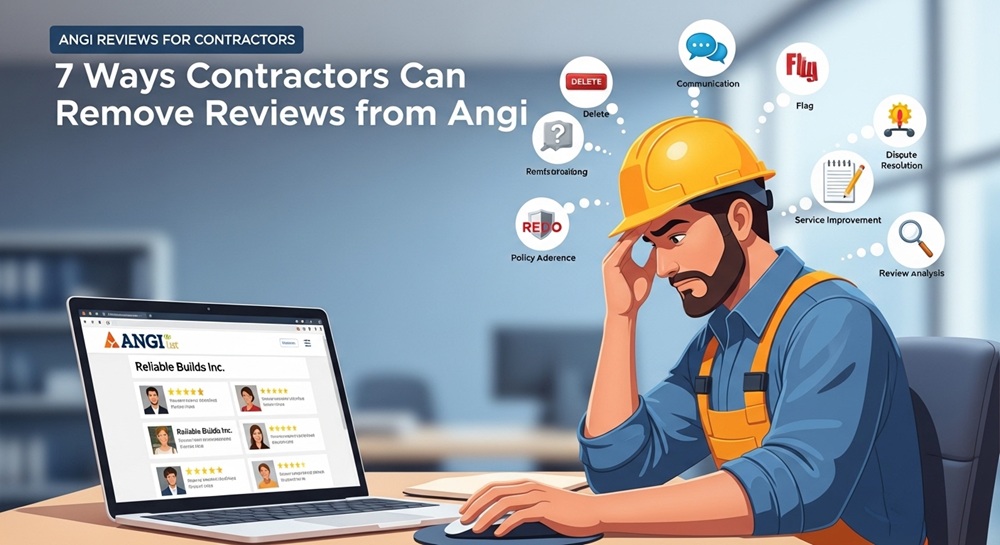
Below are seven practical methods contractors can use to challenge or remove problematic feedback on the platform.
Why Angi Reviews for Contractors Matter for Reputation and Leads

For contractors, Angi acts as both a directory and a reputation hub. Homeowners frequently compare ratings before requesting estimates.
Negative reviews can create several challenges:
- Lower ranking within the platform
- Reduced homeowner trust
- Declining inquiry rates
- Increased time spent responding to disputes
However, Angi does remove reviews in certain situations. Typically, removals occur when:
- The reviewer was never a real client
- The review includes false or fabricated claims
- Platform terms or guidelines are violated
Understanding when a review crosses that threshold is the first step toward resolving the issue.
1. Dispute the Review Directly in Your Contractor Dashboard
How the Platform’s Dispute System Works
The most straightforward way to challenge questionable Angi reviews for contractors is through the built-in dispute function inside your business dashboard.
Most contractor profiles include a reporting tool that allows businesses to flag reviews that appear inaccurate or suspicious.
Steps to initiate a dispute
- Log into your contractor account
- Locate the specific review in your profile
- Select the option to report or dispute the review
- Provide a concise explanation of the issue
Avoid emotional responses. Focus on factual statements explaining why the review violates guidelines.
2. Provide Supporting Documentation Such as Invoices
Why Proof of Service Matters
When reviewing disputes, Angi moderators typically look for proof that a customer relationship actually existed.
If the reviewer was not a real client, documentation such as invoices or signed agreements can demonstrate that the individual never hired your company.
Examples of helpful documentation include:
- Service invoices
- Payment record
- Contract agreements
- Project completion reports
Clear records strengthen your claim and improve the likelihood that the review will be removed.
3. Submit Job Records or Project Details
Demonstrating Accurate Service History
Sometimes a reviewer may exaggerate or misrepresent a project. In those cases, submitting job records can clarify the situation.
Detailed job documentation might include:
- Work order summaries
- Photos from the project timeline
- Permit documentation
- Inspection approvals
These records establish a verifiable timeline and allow moderators to compare the claims within the review against the actual scope of work.
4. Document Communication with the Reviewer
Showing Attempts to Resolve the Issue
Communication history often plays a key role in resolving disputes involving Angi reviews for contractors.
If you attempted to resolve a complaint before the review was posted, those conversations can help show good faith efforts.
Relevant communication records may include:
- Email threads
- Text messages
- Customer support tickets
- Call logs
Why this matters
Moderators frequently evaluate whether the contractor attempted to address the concern before escalation. Demonstrating professionalism can strengthen your dispute.
5. Keep Responses Factual and Professional
Avoid Escalating the Situation
Contractors sometimes react emotionally when faced with a damaging review. Unfortunately, aggressive responses can make disputes harder to resolve.
Instead, maintain a neutral tone.
Effective responses typically include:
- Acknowledging the feedback
- Clarifying inaccurate claims
- Offering to resolve the issue offline
Short, fact-based responses signal professionalism and reinforce credibility with both moderators and prospective clients.
6. Monitor for Suspicious Review Patterns
Identifying Competitor Manipulation
Occasionally, negative Angi reviews for contractors appear as part of coordinated rating manipulation. Patterns to watch for include:
- Multiple negative reviews appearing within a short period
- Reviews from accounts with no service history
- Similar wording across multiple complaints
Tracking patterns can strengthen disputes
If you suspect manipulation, document the pattern and report it through the platform. Evidence of coordinated activity may trigger deeper moderation review.
For contractors dealing with persistent reputation issues across multiple platforms, professional services such as online reputation management support may help investigate patterns and challenge harmful content.
7. Follow Up Persistently After Filing a Dispute
Review Investigations Take Time
Submitting a dispute does not guarantee immediate removal. Moderation teams often require additional time to verify evidence and evaluate the review.
Contractors should monitor their case and follow up if necessary.
Best practices for follow-ups
- Check your dispute status periodically
- Respond promptly if additional information is requested
- Maintain documentation in case the case is escalated
Persistence often improves outcomes, particularly when strong documentation supports your claim.
When Professional Reputation Assistance May Be Necessary
In some cases, repeated attacks or coordinated review manipulation may require outside assistance. Contractors facing ongoing reputation damage sometimes consult specialists who analyze patterns, investigate false reviews, and guide businesses through platform dispute processes.
This approach is especially useful when:
- Multiple platforms are involved
- Fake reviews continue appearing
- Competitors may be attempting to manipulate ratings
Professional intervention can help restore balance and protect the credibility contractors depend on to win new work.
FAQ: Angi Reviews for Contractors
Can contractors remove Angi reviews?
Contractors cannot directly delete reviews, but they can dispute reviews that violate platform guidelines. If a review is proven false, fabricated, or written by someone who was not a real customer, Angi may remove it.
How long does Angi take to review a dispute?
Most disputes are reviewed within several days to a few weeks, depending on the complexity of the case and the documentation provided.
What type of reviews does Angi remove?
Reviews may be removed when they contain:
- False information
- Offensive language
- Non-customer complaints
- Policy violations
Should contractors respond to negative reviews?
Yes. Professional responses demonstrate accountability and can help mitigate reputational damage while the dispute is being reviewed.
Can competitors leave fake reviews on Angi?
While platforms attempt to prevent manipulation, it occasionally occurs. Monitoring patterns and documenting suspicious activity helps support disputes.
Maintaining strong Angi reviews for contractors requires both proactive reputation management and a clear strategy for addressing inaccurate feedback. By documenting work thoroughly, responding professionally, and using the dispute process effectively, contractors can protect their credibility and ensure that their reputation accurately reflects the quality of their work.