Removing Name From Radaris: 7 Brutal Steps to Reclaim Privacy
Removing name from Radaris is no longer optional. Radaris is a high-visibility data broker that publishes personal information pulled from public records, social platforms, and third-party databases—often without your consent.
If your address, phone number, relatives, or work history are exposed, your privacy and safety are at risk. This guide explains exactly how to remove personal information from Radaris and reduce long-term exposure.
Why Radaris Has Your Personal Data
Radaris operates as one of the most aggressive people search websites. It collects and sells data sourced from:
Property and court records
Voter registrations
Social media platforms
Marketing databases
Other data broker sites
Once listed, your information becomes searchable by anyone. That’s why removing name from Radaris is a critical step in online privacy protection.
For background on how data brokers operate, see:
https://en.wikipedia.org/wiki/Data_broker
How the Radaris Opt Out Process Works
The Radaris opt out system exists, but it is intentionally tedious. Missing one step often means your request is ignored.
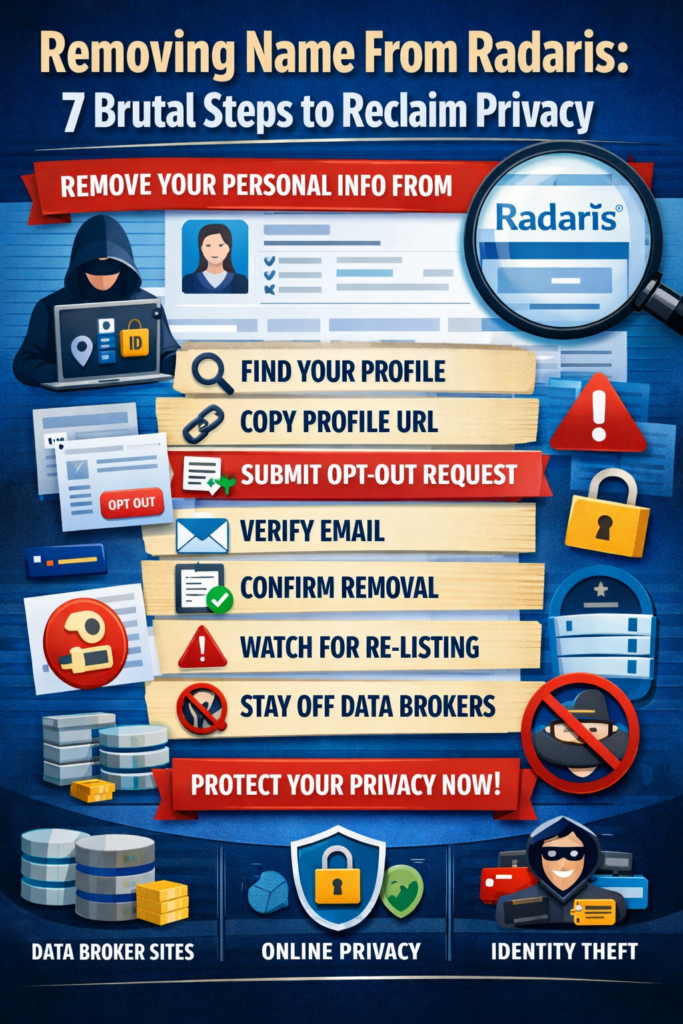
Radaris Removal Process Overview
Find your Radaris profile
Copy the exact profile URL
Submit an opt-out request
Confirm via email
Monitor for re-listing
Removing Name From Radaris: Step-by-Step Guide
Step 1: Locate Your Radaris Profile
Search your full name and city on Radaris. Many people have multiple profiles, so identify the one with your correct personal details.
Step 2: Copy the Profile URL
This step is mandatory. Removing name from Radaris will not work without the exact profile URL copied from your browser.
[Image: removing name from Radaris profile page]
ALT text: Removing name from Radaris profile showing public records data
Step 3: Submit the Radaris Opt Out Request
Go to the Radaris opt-out page and paste your profile URL. Enter an email address you can access immediately.
Step 4: Confirm the Email
Radaris sends a verification link. Click it. Unconfirmed requests are automatically discarded.
Step 5: Verify Removal
Check again within 24–72 hours. Your listing should no longer appear.
Common Issues When Removing Name From Radaris
Multiple Profiles
Each Radaris profile must be removed individually.
Listings Reappear
Radaris refreshes its database frequently. This means removing name from Radaris is an ongoing process, not a one-time fix.
Data Exists on Other Sites
Radaris shares data sources with dozens of other people search websites.
[Image: removing name from Radaris opt out form]
ALT text: Removing name from Radaris opt out process for online privacy protection
How to Stay Off Radaris Long-Term
Removing your Radaris listing helps, but lasting privacy requires a broader strategy.
Monitor Other Data Broker Sites
If your information appears on Radaris, it likely also exists on:
Whitepages
BeenVerified
If you don’t remove public records online across multiple platforms, your Radaris listing may regenerate.
Learn more here:
For a wider strategy, see:
https://yourreputation.agency/online-reputation-management/
DIY vs Professional Removal Services
You can handle the Radaris removal process manually, but it requires constant monitoring.
DIY drawbacks include:
Repeated opt-out requests
Multiple sites to track
No alerts when data reappears
Professional services automate removals and continuously suppress listings across major data broker sites.
Final Takeaway
Removing name from Radaris is essential for protecting your privacy, but persistence is the real challenge. Radaris profits from your data and has no incentive to keep it offline.
Follow the steps above carefully, monitor regularly, and address other people search websites to reduce your digital footprint long-term.